> ## Documentation Index
> Fetch the complete documentation index at: https://docs.frankieone.com/llms.txt
> Use this file to discover all available pages before exploring further.
# Biometrics
Biometric verification uniquely identifies individuals by evaluating one or more distinguishing biological traits.
You can have biometrics checked as part of your workflow and trigger biometrics via three channels:
1. **API Biometrics**: In your onboarding flow you can trigger Biometrics
2. **OneSDK Biometrics**: Using our OneSDK you can enable Biometrics checks
3. **Portal Biometrics**: In our Portal you can manually trigger Biometrics
## Portal Biometrics
##### Note on Biometrics
Send Link is valid for a configurable time, generally set to 24 hrs.
There is a limited amount of text possible in the text message, up to 24 characters.
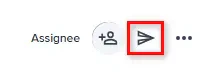
At the top right of the workflow events tab, select the **Send link** icon located between the **Assignee** and three-dot "**...**" icon to send a workflow link to an entity.
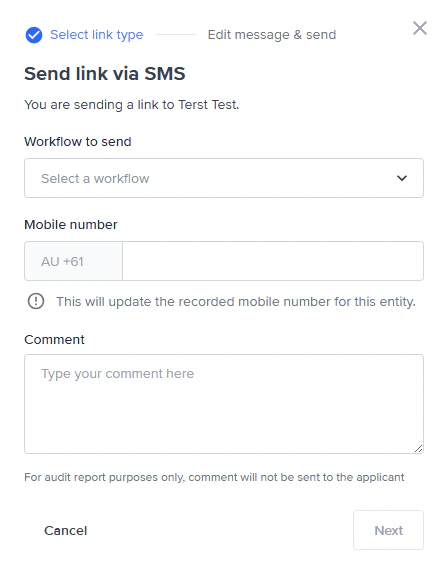
 This will open the **Send link via SMS** modal where you can set the workflow to send, the mobile number of the applicant, and any comment you want to add to the audit event associated with sending the link (this comment isn't sent to the customers).
The mobile number will be auto-populated if the entity has a mobile number.
This will open the **Send link via SMS** modal where you can set the workflow to send, the mobile number of the applicant, and any comment you want to add to the audit event associated with sending the link (this comment isn't sent to the customers).
The mobile number will be auto-populated if the entity has a mobile number.
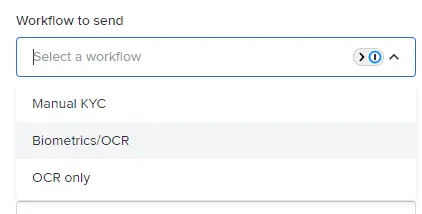
 From this modal, select either **Biometrics/OCR** or **OCR only** from the **Workflow to send** drop-down menu.
 ### Retries
 When an entity has either failed a document or biometrics check, the system recommends you send a link again.
Optionally, you can opt to [manually override the check results](/docs/manually-overriding-biometricsocr-results).
When an entity has either failed a document or biometrics check, the system recommends you send a link again.
Optionally, you can opt to [manually override the check results](/docs/manually-overriding-biometricsocr-results).