> ## Documentation Index
> Fetch the complete documentation index at: https://docs.frankieone.com/llms.txt
> Use this file to discover all available pages before exploring further.
# Fraud Prevention and Risk-Based Onboarding Features
> Explore the key features and fraud signals that power FrankieOne's Risk-based Onboarding solution.
The following sections outline the key features and fraud signals that power FrankieOne's Risk-based Onboarding solution.
FrankieOne provides the following solutions that customers can use to prevent fraud when using Onboarding Fraud Checks.
Assesses whether the email is disposable, numeric, contains similarities to the user’s name, how old it is, how risky the domain is, and its general risk in our fraud provider networks.
Assesses whether the number is associated with a risky line type like VoIP (Voice over Internet Protocol), the risk of the carrier, whether the phone name matches the user’s profile with their telco, or if it’s reported as fraudulent.
Uses cookies and device fingerprinting to detect suspicious devices (like emulators or scripts) and sessions (such as proxies or remote desktops). Flags devices or IPs linked to multiple users to identify potential synthetic accounts and session relationships.
Analyzes mouse and typing patterns to detect fraud, such as frequent copy-pasting, rapid input, and unnatural mouse movements.
Assesses whether the user is located where they say they are, is using a VPN, or is in a high-risk location.
## Rules
### Creating rules
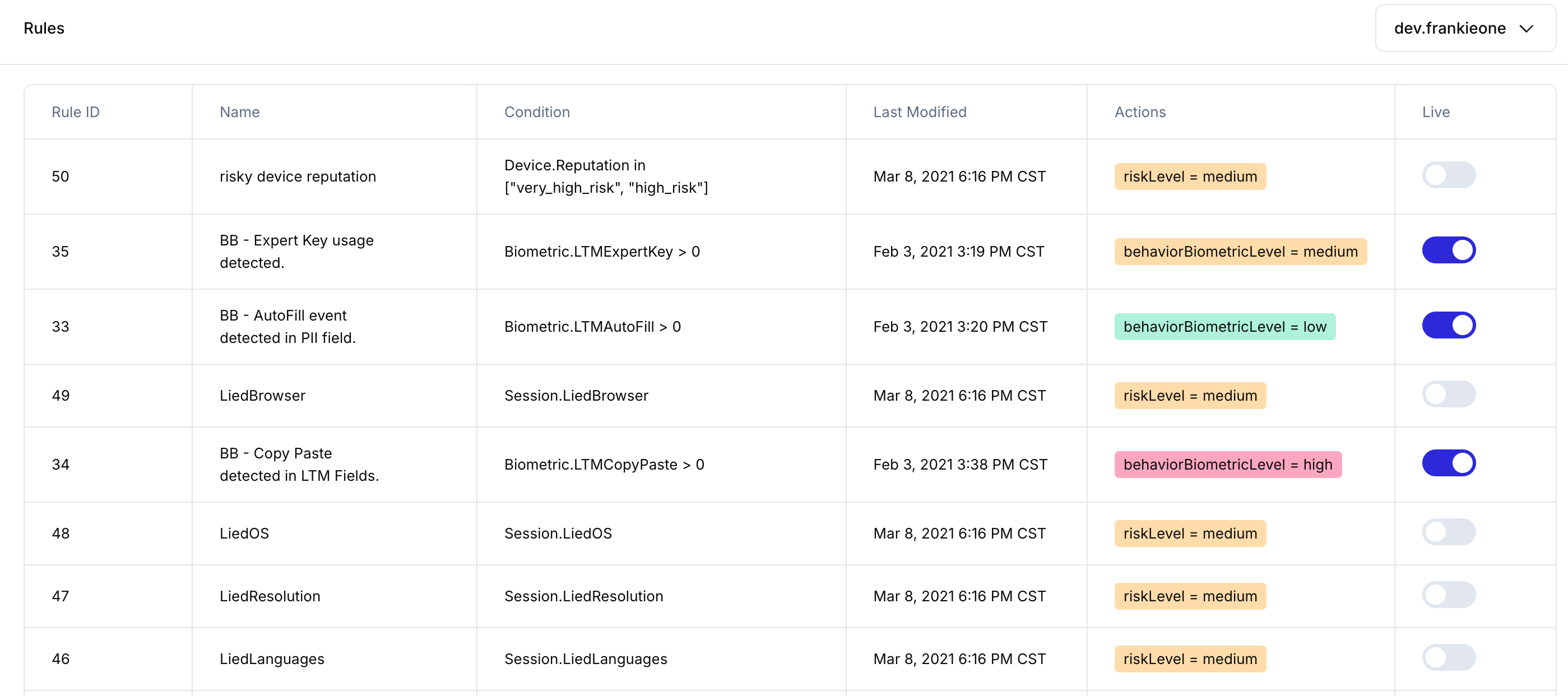
We provide a highly versatile risk rule engine that allows you to create rules using a wide range of user, phone, email, device, and location signals.
 ### Shadow mode
If a rule is in Shadow mode, that means it will run and capture metrics, but it won't update the risk level of a session. Running rules in Shadow mode initially is an easy way to start to get additional data about each session and experiment with what risk signals are most associated with fraud.
## Results in the Portal
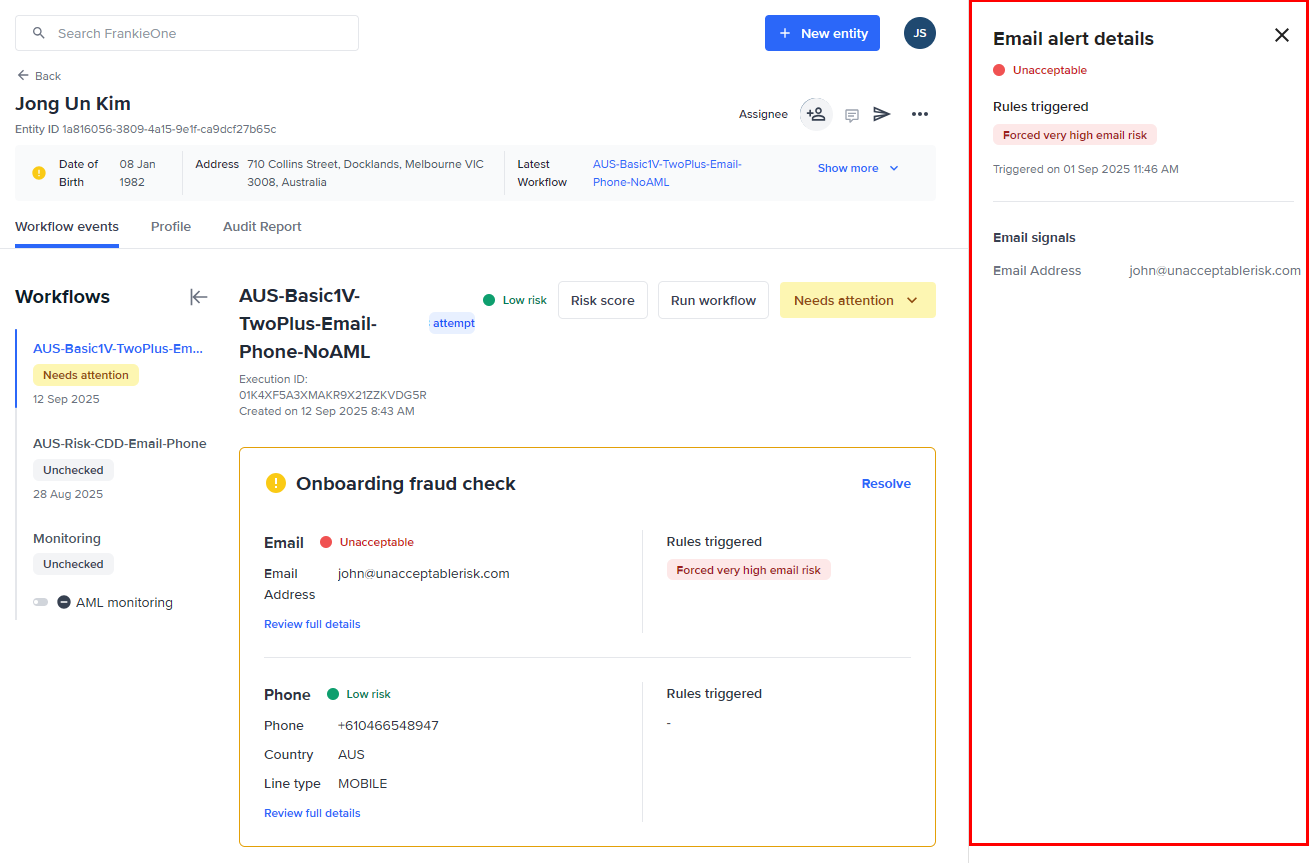
In the Portal, you can view fraud check results alongside your KYC checks in a single view.
When a user is run through a workflow with onboarding fraud checks enabled, and it fails for any reason, you can see the specific risks associated with the failure on the overview page. If an email or phone number is modified or deleted after a fraud check has been completed, the associated fraud check results are marked as invalid. You can view invalidated results in the FrankieOne Portal.
### Shadow mode
If a rule is in Shadow mode, that means it will run and capture metrics, but it won't update the risk level of a session. Running rules in Shadow mode initially is an easy way to start to get additional data about each session and experiment with what risk signals are most associated with fraud.
## Results in the Portal
In the Portal, you can view fraud check results alongside your KYC checks in a single view.
When a user is run through a workflow with onboarding fraud checks enabled, and it fails for any reason, you can see the specific risks associated with the failure on the overview page. If an email or phone number is modified or deleted after a fraud check has been completed, the associated fraud check results are marked as invalid. You can view invalidated results in the FrankieOne Portal.