> ## Documentation Index
> Fetch the complete documentation index at: https://docs.frankieone.com/llms.txt
> Use this file to discover all available pages before exploring further.
# Monitoring
## What is monitoring?
This capability allows you to continuously check an entity’s profile or activity. Monitoring is allowed for AML checks.
## Enabling monitoring to an entity
### Who can toggle and resolve monitoring (Permissions)?
Operators and Administrators have permission to “Modify entity monitoring.” If you need access, please contact your administrator.
## Understanding Monitoring checks
### Entity view
From the entity view, workflow events will show all the workflows executed in the **Workflow navigation** including the **Monitoring workflow**. If your account has the monitoring feature enabled and has the monitoring workflows completely setup, you will be to see a similar screen below.
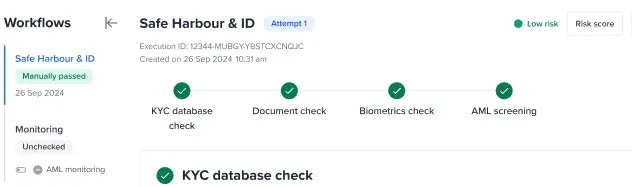 A banner is displayed indicating monitoring was automatically enabled because the entity has passed onboarding.
### AML monitoring
This only applies to onboarding workflows with AML step/checks configured. By default, when an onboarding workflow has passed the Monitoring workflow’s AML monitoring will be automatically enabled. Reach out Frankie support for any customisation.
A banner is displayed indicating monitoring was automatically enabled because the entity has passed onboarding.
### AML monitoring
This only applies to onboarding workflows with AML step/checks configured. By default, when an onboarding workflow has passed the Monitoring workflow’s AML monitoring will be automatically enabled. Reach out Frankie support for any customisation.
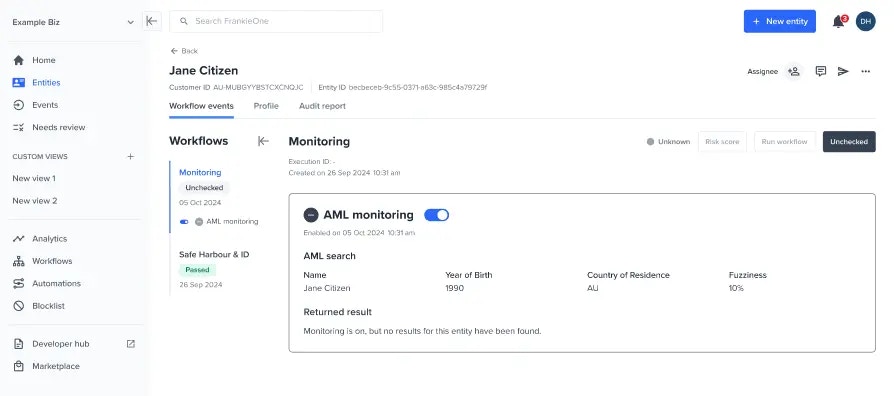 When the AML service received updates via the monitoring webhook, the AML monitoring section will reflect the latest AML alerts accordingly.
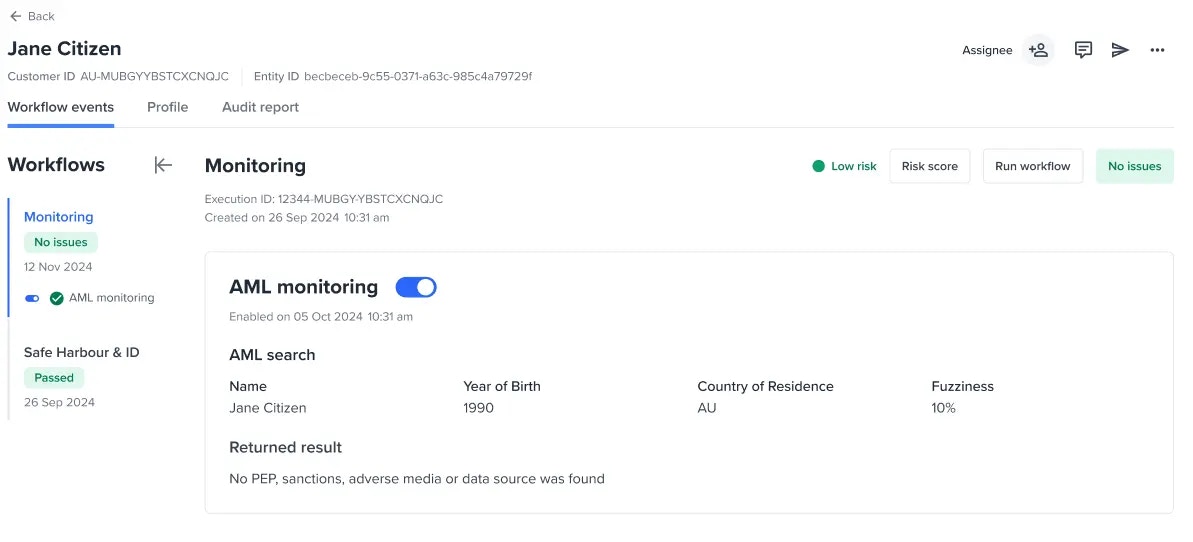 When an entity has been verified with onboarding workflow without any AML checks, AML monitoring is not allowed.
 ## Manually toggle monitoring
When the system detected that an onboarding workflow has been manually passed or failed, a banner suggesting to toggle on or off the monitoring will be displayed.
## Manually toggle monitoring
When the system detected that an onboarding workflow has been manually passed or failed, a banner suggesting to toggle on or off the monitoring will be displayed.
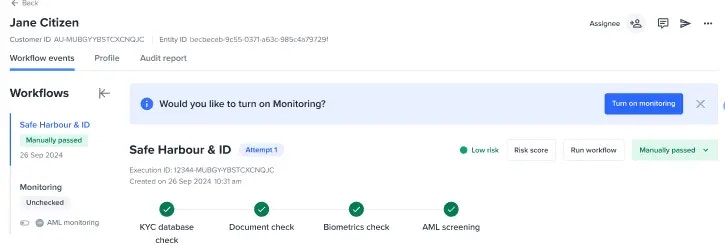 A banner is displayed suggesting monitoring can be toggled on.
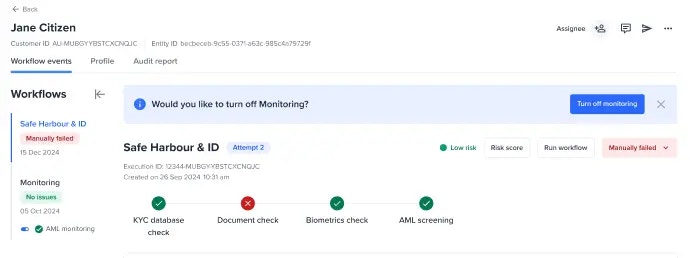 A banner is displayed suggesting monitoring can be toggled off.
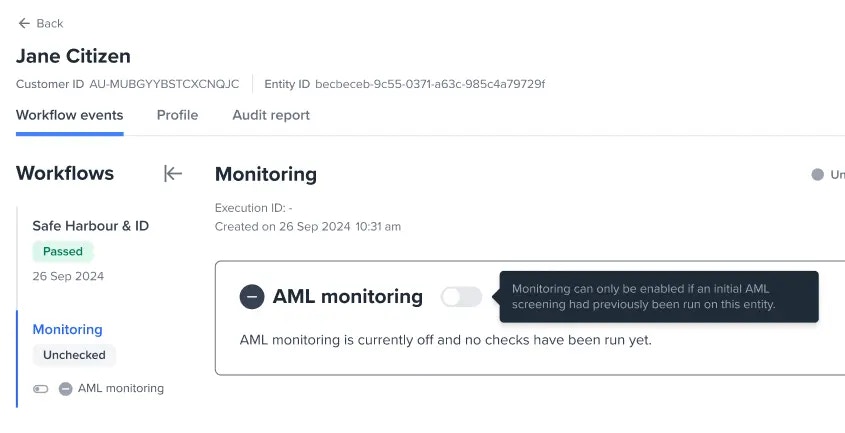
Alternatively, viewing the Monitoring workflow and toggling on or off a check is also possible. Below is an example of a Monitoring workflow’s AML monitoring that was manually toggled off.
A banner is displayed suggesting monitoring can be toggled off.
Alternatively, viewing the Monitoring workflow and toggling on or off a check is also possible. Below is an example of a Monitoring workflow’s AML monitoring that was manually toggled off.
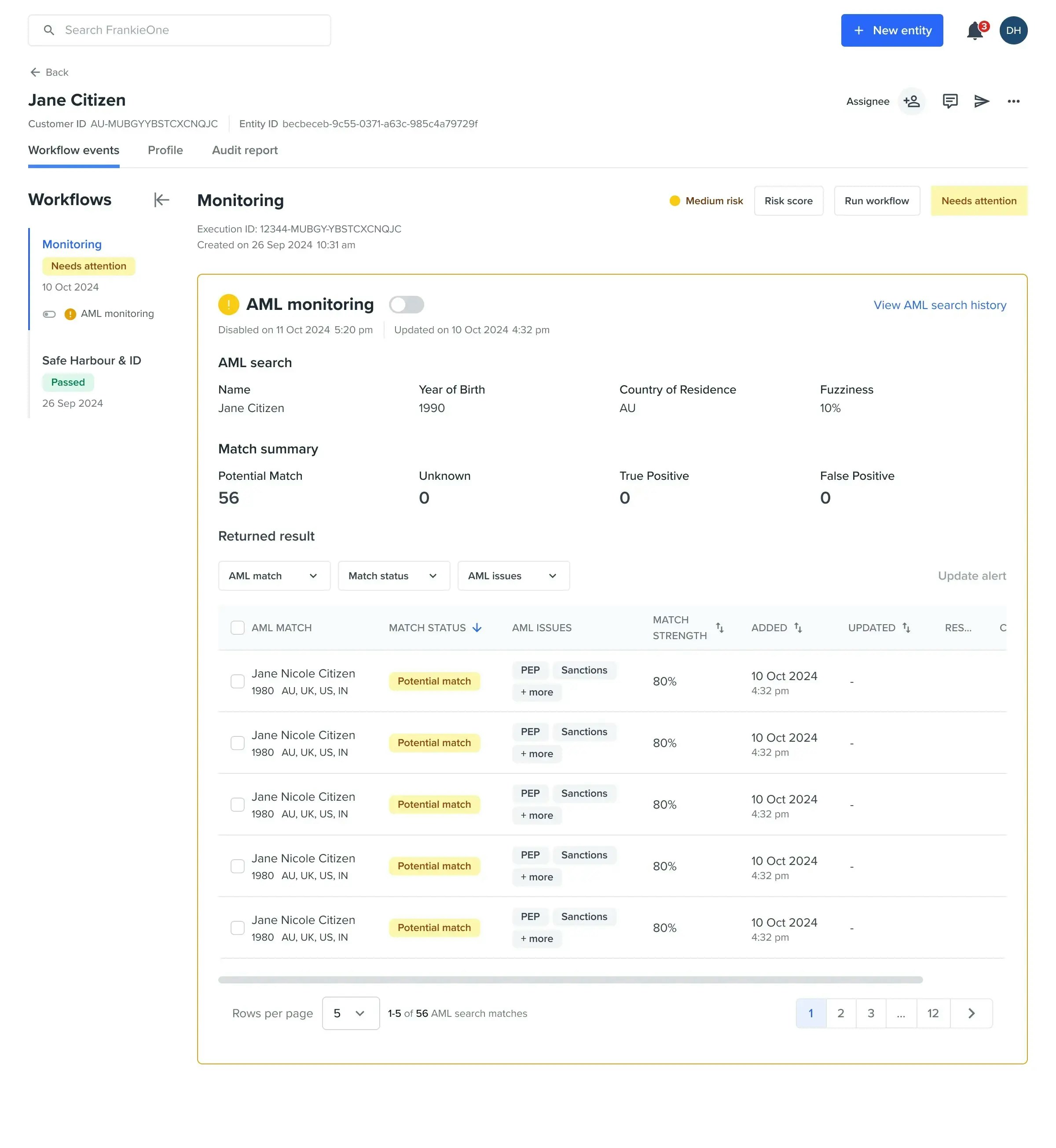 User manually toggled off the AML monitoring after getting alerts.
## Reviewing each monitoring check
When all of the monitoring checks have no outstanding issues or have been resolved, “No issues” will be displayed as an event status.
User manually toggled off the AML monitoring after getting alerts.
## Reviewing each monitoring check
When all of the monitoring checks have no outstanding issues or have been resolved, “No issues” will be displayed as an event status.
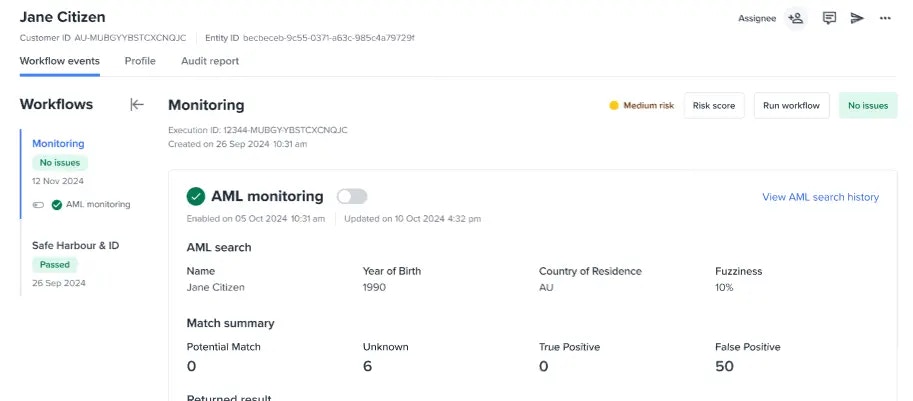 All monitoring checks have no issues found.
## Unauthorised users
A user without monitoring privileges will be unable to manage monitoring.
All monitoring checks have no issues found.
## Unauthorised users
A user without monitoring privileges will be unable to manage monitoring.
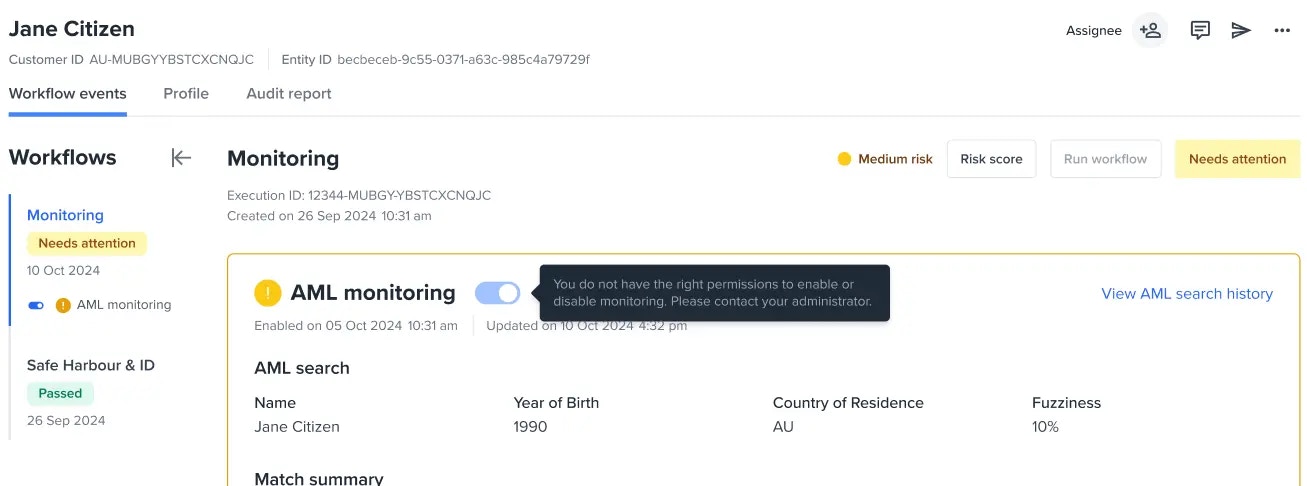 Tooltip is displayed indicating only authorised users can toggle monitoring.
### Other states
#### Unchecked entity
Tooltip is displayed indicating only authorised users can toggle monitoring.
### Other states
#### Unchecked entity
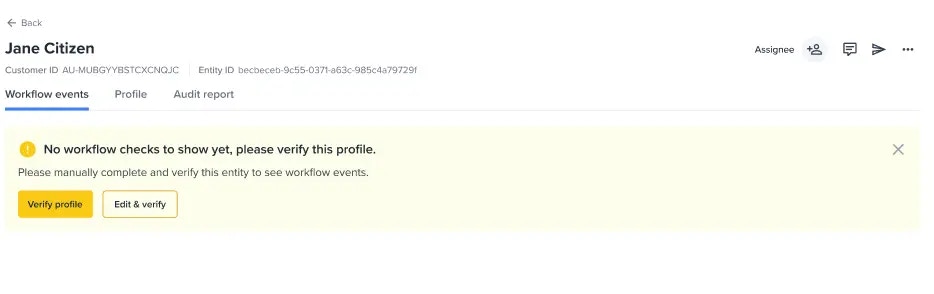 #### Customer account without monitoring workflows
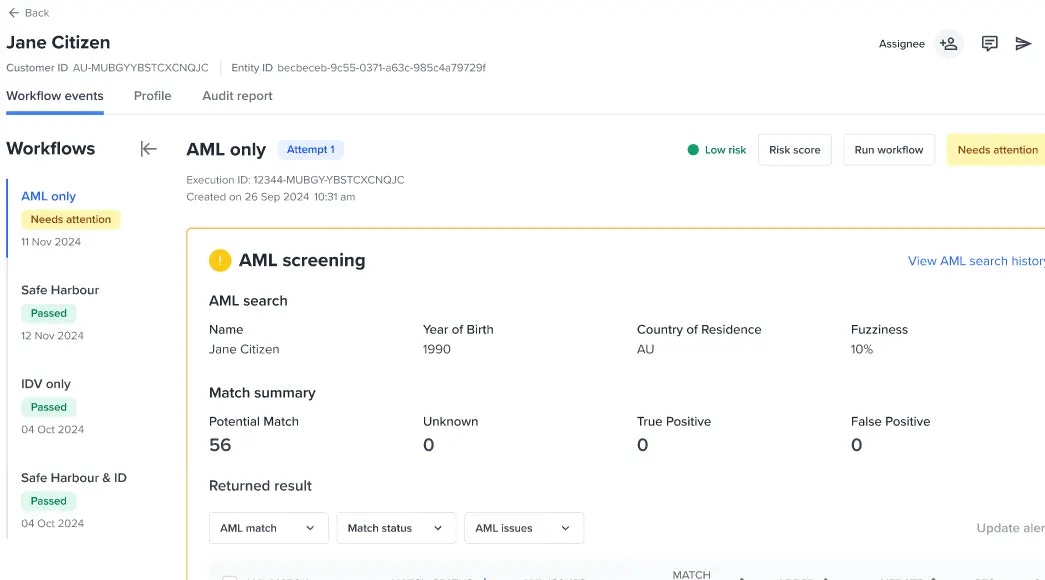 Users can see only the Onboarding workflows.