> ## Documentation Index
> Fetch the complete documentation index at: https://docs.frankieone.com/llms.txt
> Use this file to discover all available pages before exploring further.
# Profile tab
> Personal Information related to the applicant can now be found in the KYC/Personal Info Tab
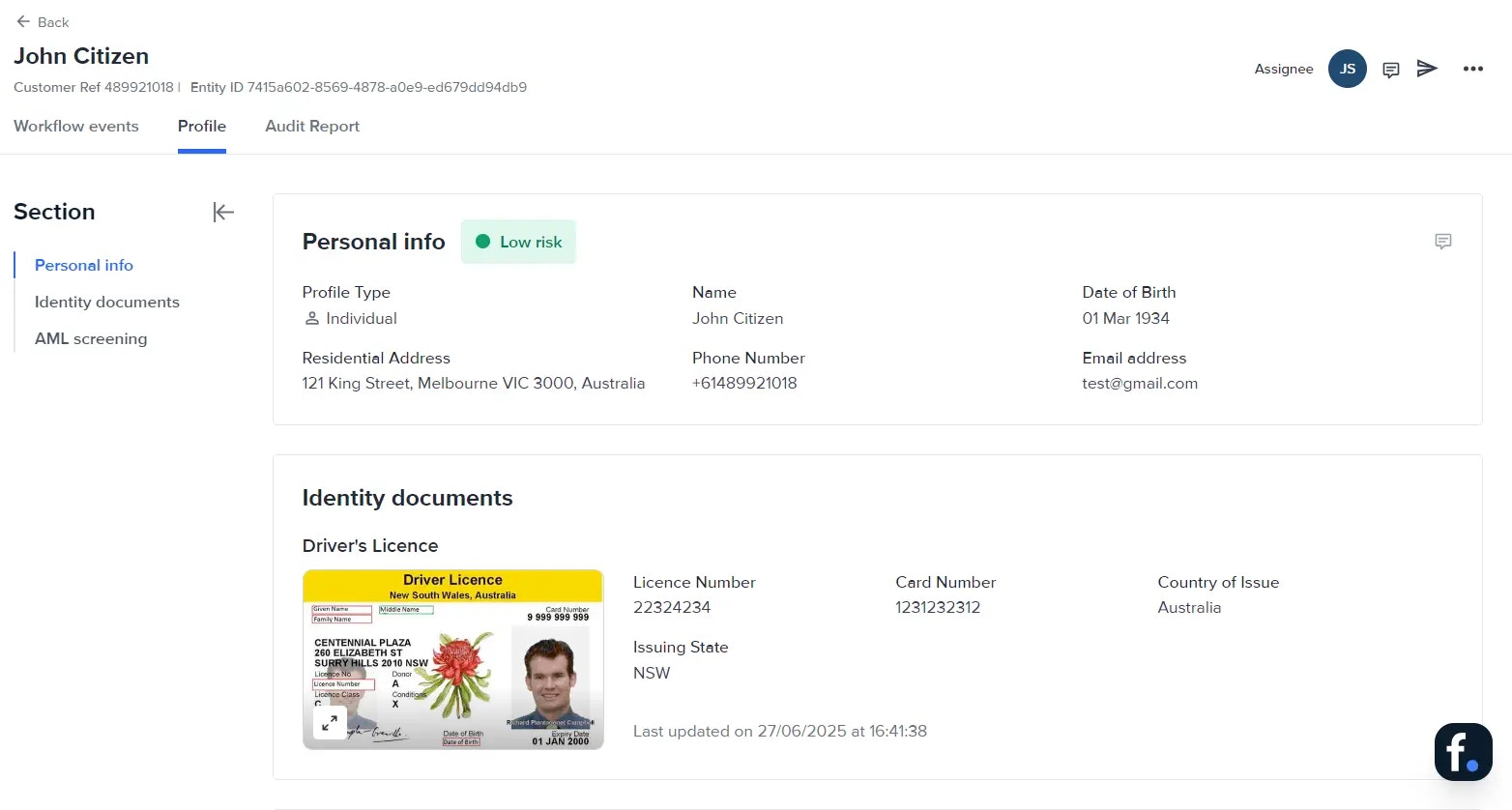
The **Profile** tab provides the personal information, and identity documents collected during KYC.
 ## Overview
The **Profile** tab is the single-sheet snapshot of an individual entity. Here you can:
* View personal data, identity documents, selfies, and AML screening history.
* Check the latest **Entity status** and **Risk level**.
* Edit details, upload new evidence, or change the workflow that will run on this profile. Use the tabs along the top of the entity view to switch between Profile, Workflow events, Audit report, and other sections.
## Entity State
The colored badge beside the entity name tells you whether that customer is active, archived, blocklisted, or duplicated. See [Portal Entity State](https://docs.frankieone.com/docs/portal-statuses-and-tags) for more details.
## Entity Risk
The current risk rating appears next to the status badge.
### Risk drawer UI walkthrough
1. Click the **Risk score** badge.
2. A drawer opens, showing:
* Numeric **Risk score**.
* **Risk level** (Low, Medium, High, Unacceptable).
* List of contributing factors and their weights (country, sanctions match, device risk, and so on).
3. Use this insight to decide if enhanced due diligence is required.
## Single sheet on the individual
Everything gathered about the customer lives in one scrollable view.
### Personal info
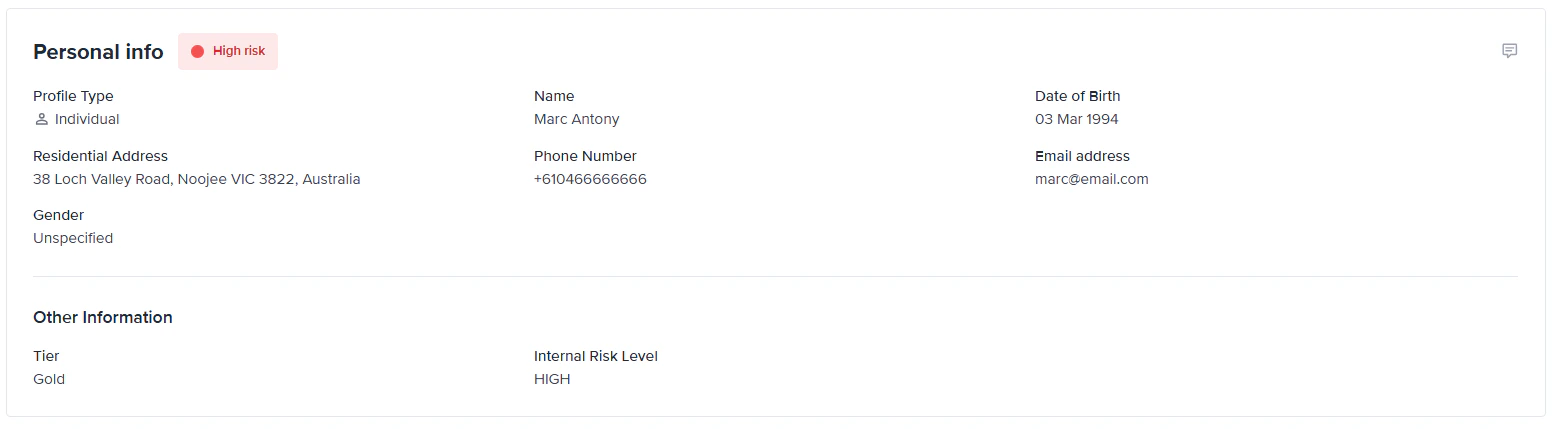
Shows the latest name, date of birth, contact details, and address values—updated whenever you edit the entity or receive fresh data workflow updates.
* Other information – These are [custom attributes](https://docs.frankieone.com/docs/managing-individuals#custom-attributes) (`individual.customAttributes` ) that have been set during the creation or update of an entity. This makes additional entity-level information easy to review alongside standard KYC details.
## Overview
The **Profile** tab is the single-sheet snapshot of an individual entity. Here you can:
* View personal data, identity documents, selfies, and AML screening history.
* Check the latest **Entity status** and **Risk level**.
* Edit details, upload new evidence, or change the workflow that will run on this profile. Use the tabs along the top of the entity view to switch between Profile, Workflow events, Audit report, and other sections.
## Entity State
The colored badge beside the entity name tells you whether that customer is active, archived, blocklisted, or duplicated. See [Portal Entity State](https://docs.frankieone.com/docs/portal-statuses-and-tags) for more details.
## Entity Risk
The current risk rating appears next to the status badge.
### Risk drawer UI walkthrough
1. Click the **Risk score** badge.
2. A drawer opens, showing:
* Numeric **Risk score**.
* **Risk level** (Low, Medium, High, Unacceptable).
* List of contributing factors and their weights (country, sanctions match, device risk, and so on).
3. Use this insight to decide if enhanced due diligence is required.
## Single sheet on the individual
Everything gathered about the customer lives in one scrollable view.
### Personal info
Shows the latest name, date of birth, contact details, and address values—updated whenever you edit the entity or receive fresh data workflow updates.
* Other information – These are [custom attributes](https://docs.frankieone.com/docs/managing-individuals#custom-attributes) (`individual.customAttributes` ) that have been set during the creation or update of an entity. This makes additional entity-level information easy to review alongside standard KYC details.
 ### Accounts
Shows any account-related references (type: `ACCOUNT`) linked to that customer, so operators can see:
* **Account name** – shown as the account header
* **Account ID and description** – shown as supporting text
* **Account details (metadata)** – such as status, type, dates, and other key attributes
If no accounts are linked to the individual, the **Accounts** section will not be displayed.
### Identity docs ever submitted or uploaded
Every document scan attached to the profile is listed with:
* Document type (Passport, Driver Licence).
* Date added and check result (Pass/Fail).
* Thumbnail preview.
### Selfies, including videos ever taken
Selfie images and liveness videos captured through Smart UI are stored here with timestamps and biometric match scores.
### AML result history
A timeline of all AML screening events appears below the documents section. Each entry includes:
* Screening date and source lists.
* Match count and resolved state (Cleared, Escalated).
* Link to open the detailed AML result screen.
The Profile tab shows **all data ever collected** for the entity. The **Workflow events tab** only shows the data checked in that specific workflow run.
## Edit entity profile
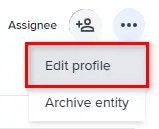
To edit the entity profile, select the profile menu and select **Edit profile**.
### Accounts
Shows any account-related references (type: `ACCOUNT`) linked to that customer, so operators can see:
* **Account name** – shown as the account header
* **Account ID and description** – shown as supporting text
* **Account details (metadata)** – such as status, type, dates, and other key attributes
If no accounts are linked to the individual, the **Accounts** section will not be displayed.
### Identity docs ever submitted or uploaded
Every document scan attached to the profile is listed with:
* Document type (Passport, Driver Licence).
* Date added and check result (Pass/Fail).
* Thumbnail preview.
### Selfies, including videos ever taken
Selfie images and liveness videos captured through Smart UI are stored here with timestamps and biometric match scores.
### AML result history
A timeline of all AML screening events appears below the documents section. Each entry includes:
* Screening date and source lists.
* Match count and resolved state (Cleared, Escalated).
* Link to open the detailed AML result screen.
The Profile tab shows **all data ever collected** for the entity. The **Workflow events tab** only shows the data checked in that specific workflow run.
## Edit entity profile
To edit the entity profile, select the profile menu and select **Edit profile**.
 The **Edit entity details** page will be displayed.
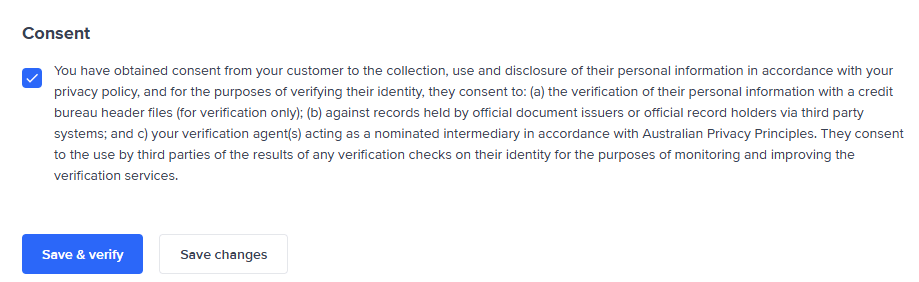
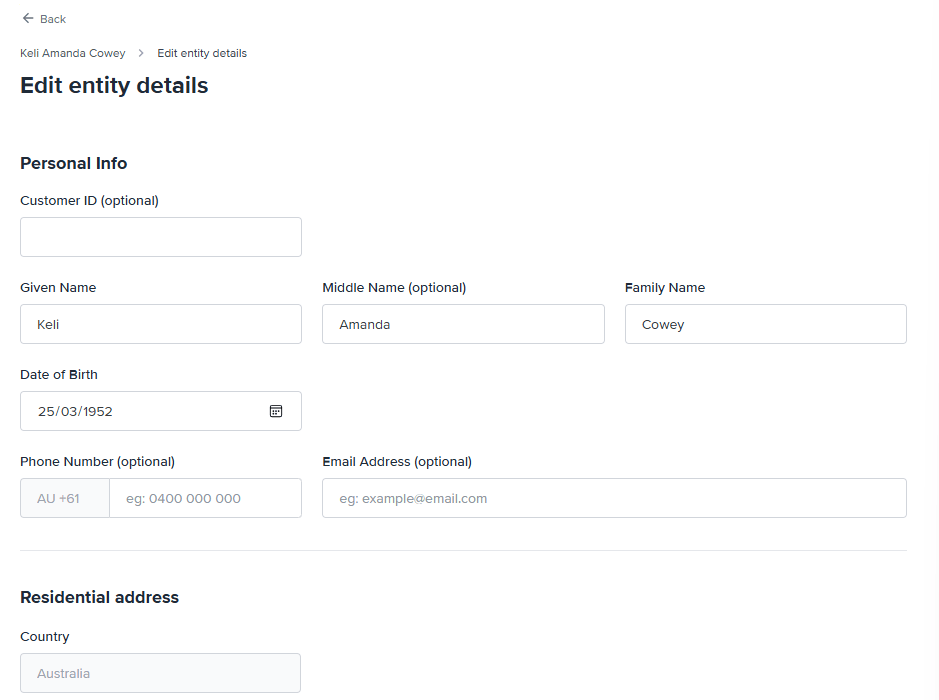 Apply the appropriate revisions to the profile. Once done, agree to the consent and select **Save & verify** to save the new information and run verification. Select **Save changes** if you to save the information but run verification later.