> ## Documentation Index
> Fetch the complete documentation index at: https://docs.frankieone.com/llms.txt
> Use this file to discover all available pages before exploring further.
# Smart UI FAQ and Troubleshooting
> This guide addresses common questions and issues developers encounter when implementing the Smart UI.
## Critical Implementation Notes
Before implementing Smart UI, ensure you handle the completion events properly to avoid users getting stuck on the "sit tight" page.
### Handling Completion Events
The Smart UI emits specific events when the flow completes:
* `FF_CHECK_RESULT`
* `FF_EXTERNAL_IDV_CHECK_COMPLETED`
```javascript title="Event Handler Example" theme={null}
window.addEventListener('FF_CHECK_RESULT', (event) => {
// Handle successful KYC check
const result = event.detail;
// Navigate user to next step
});
window.addEventListener('FF_EXTERNAL_IDV_CHECK_COMPLETED', (event) => {
// Handle external IDV check completion
const result = event.detail;
// Process result and redirect user
});
```
If you don't handle these events, users will see either:
* A "sit tight" page (for passed checks)
* An "Oh No" page (for failed checks)
## Common Issues and Solutions
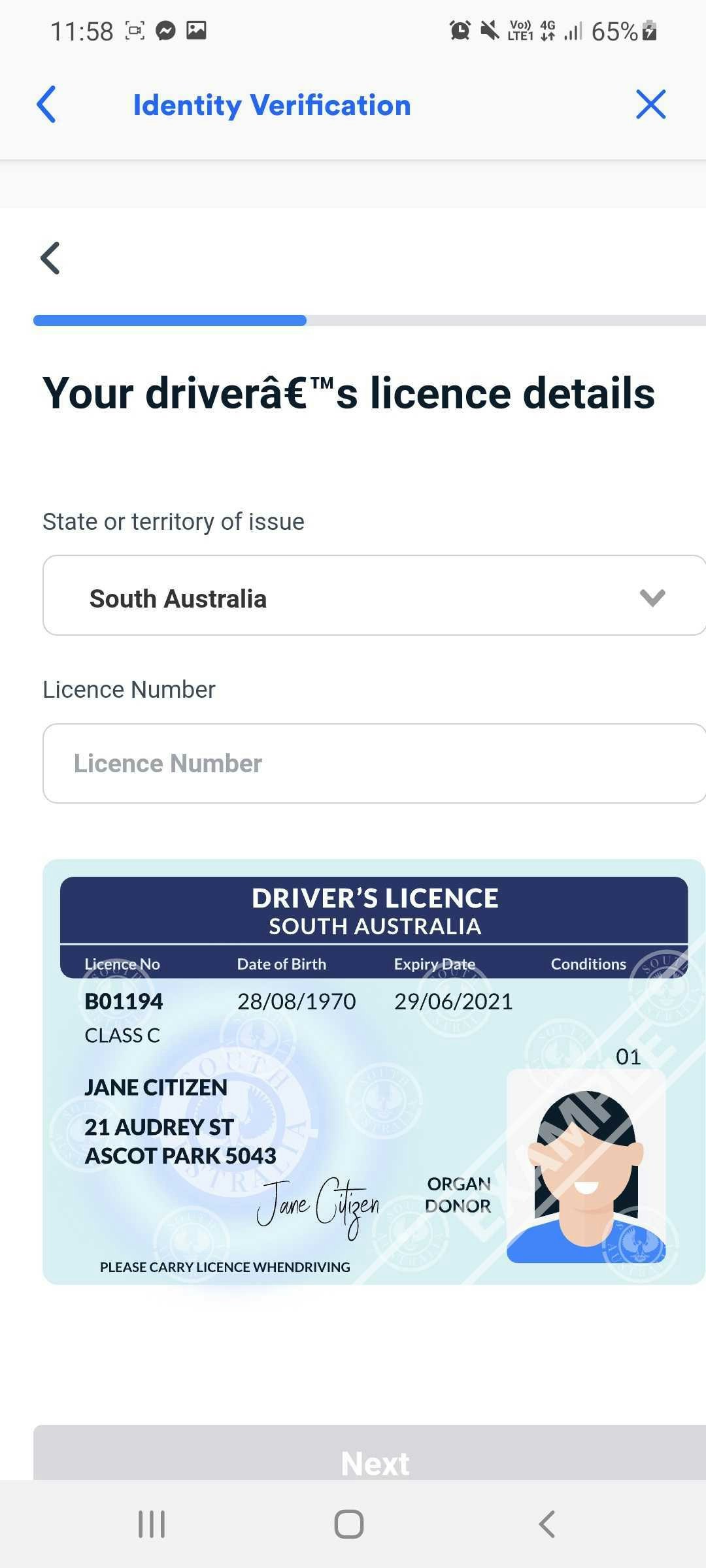 Smart UI requires UTF-8 encoding. Add this meta tag to your HTML header:
```html title="Required Meta Tag" theme={null}
```
Smart UI is compatible with all ES5-compliant browsers.
View full browser compatibility table
### Secure your API key
Restrict your Google API key to Frankie's IP addresses
### Find Frankie's IPs
Access the [Outbound IP Address List](/docs/reference/outbound-ip-addresses)
### Configure Restrictions
Follow [Google's API key security guide ](https://developers.google.com/maps/api-security-best-practices#restricting-api-keys)
## Device Support and Limitations
Current minimum viewport width: 320-330 pixels
Future updates will improve responsiveness for smaller devices.
## Address Collection Logic
Users are only prompted for past addresses when their initial address doesn't return results.
The address collection flow works as follows:
### Initial Address Collection
User provides their current address
### Address Validation
System attempts to verify the provided address
### Additional Information (if needed)
If verification fails, user is asked:
* To review their details
* If they've lived at the address for less than 6 months
Smart UI requires UTF-8 encoding. Add this meta tag to your HTML header:
```html title="Required Meta Tag" theme={null}
```
Smart UI is compatible with all ES5-compliant browsers.
View full browser compatibility table
### Secure your API key
Restrict your Google API key to Frankie's IP addresses
### Find Frankie's IPs
Access the [Outbound IP Address List](/docs/reference/outbound-ip-addresses)
### Configure Restrictions
Follow [Google's API key security guide ](https://developers.google.com/maps/api-security-best-practices#restricting-api-keys)
## Device Support and Limitations
Current minimum viewport width: 320-330 pixels
Future updates will improve responsiveness for smaller devices.
## Address Collection Logic
Users are only prompted for past addresses when their initial address doesn't return results.
The address collection flow works as follows:
### Initial Address Collection
User provides their current address
### Address Validation
System attempts to verify the provided address
### Additional Information (if needed)
If verification fails, user is asked:
* To review their details
* If they've lived at the address for less than 6 months