> ## Documentation Index
> Fetch the complete documentation index at: https://docs.frankieone.com/llms.txt
> Use this file to discover all available pages before exploring further.
# Adding profiles to the internal watchlist
## What’s an Internal Watchlist?
An internal watchlist allows you to **flag** or **mark** a customer/profile in your system as ***Watchlisted***.
This adds an extra risk factor to the customer’s risk score. The result of this will move the customer into a higher risk bracket, and therefore further checks may need to be run when changes are made to the customer’s profile.
## Add a profile to the Watchlist
1. Open the profile of the person you would like to add to your internal watchlist.
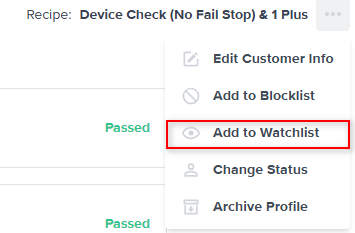
2. On the **Overview** tab, click and select **Add to watchlist** from the dropdown.
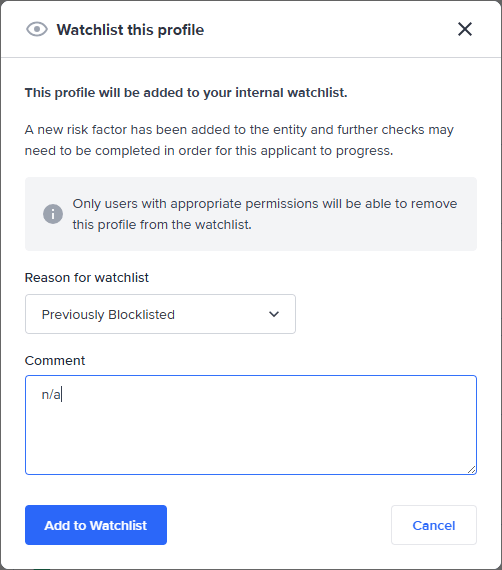
3. Select a **Reason for watchlist** , add a **comment** and confirm add to watchlist.
## Add a profile to the watchlist when marking a potential blocklist match as false positive.
A profile can also be added to the watchlist when marking a potential blocklist match as a false positive. The blocklist reason will be automatically set as **Previously blocklisted**.