> ## Documentation Index
> Fetch the complete documentation index at: https://docs.frankieone.com/llms.txt
> Use this file to discover all available pages before exploring further.
# Updating a legacy customer profile to use a Recipe
A legacy customer profile represents an entity with no Profile attached. This commonly occurs when entities are created or individual checks are run without a profile. For more about Profiles, see [here](/docs/v1/portal/individual-profiles-kyc/overview).
##### Note
When entities are created, Profiles aren’t assigned by default. Entities can receive a Profile once a pre-defined **Recipe** has been assigned and run. This assignment can be completed via the Portal or API.
## Steps
To update a legacy customer profile to use a **Recipe** in Portal, complete the following steps:
1. Open the customer’s profile.
2. Navigate to **Personal Info** tab.
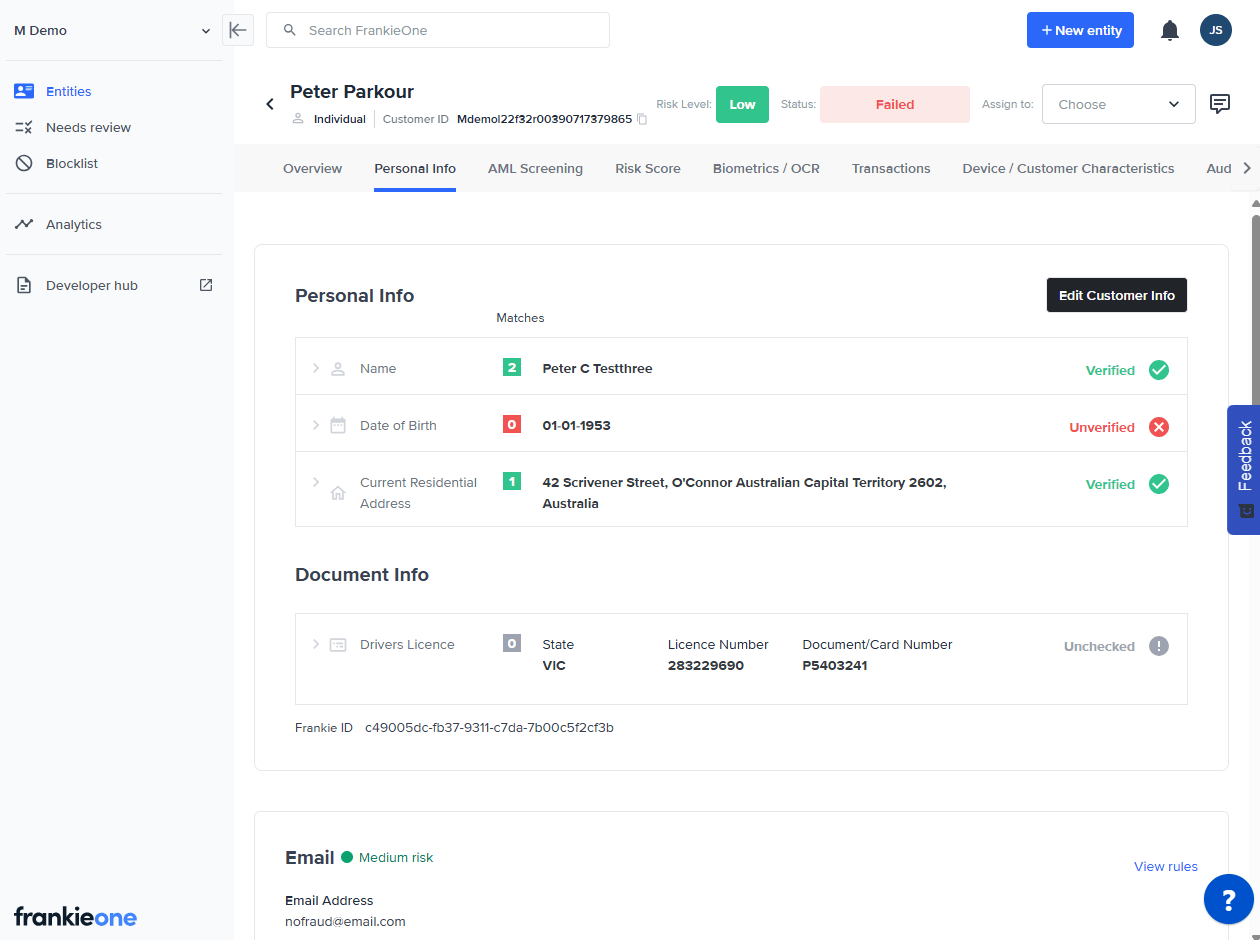 3. Click on **Edit Customer Info**.
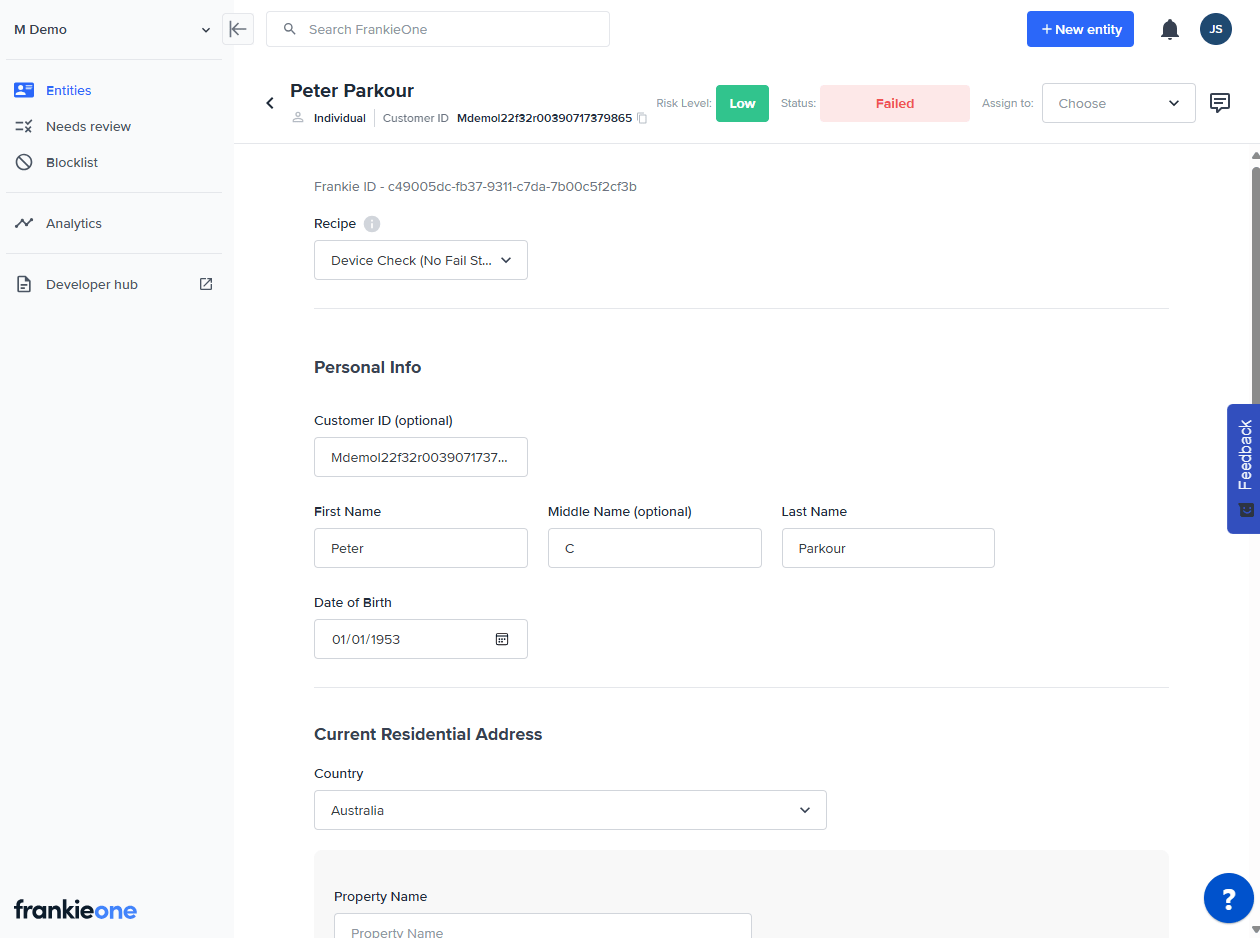 4. Select an option from the **Recipe** dropdown.
5. Click on **Save & Verify** to run the new checks associated with this Recipe.
4. Select an option from the **Recipe** dropdown.
5. Click on **Save & Verify** to run the new checks associated with this Recipe.