
> ## Documentation Index
> Fetch the complete documentation index at: https://docs.frankieone.com/llms.txt
> Use this file to discover all available pages before exploring further.

# Create a new profile via the Portal

The New Profile screen allows for a customer’s personal information to be input and checked.

The **New Profile** screen allows you to input a customer’s personal information and run checks.

A new customer profile may be created via API or manually via the Portal.

## To create a New Profile via the Portal

Navigate to the New Profile form by clicking the **New Entity** button.

<p align="center">
  <img src="https://mintcdn.com/frankieone-f5583b1b/WwBouLTTlPxYhDwU/images/v1/portal/individual-profiles-kyc/bbc2c91-image.png?fit=max&auto=format&n=WwBouLTTlPxYhDwU&q=85&s=c412f36c104c0cf1e9f6d3a00ba19588" alt="New Profile Screen" width="226" height="56" data-path="images/v1/portal/individual-profiles-kyc/bbc2c91-image.png" />
</p>

## Profile Type

You can create an **Individual** or **Business** profile type.

<p align="center">
  <img src="https://mintcdn.com/frankieone-f5583b1b/WwBouLTTlPxYhDwU/images/v1/portal/individual-profiles-kyc/b8ad54b-image.png?fit=max&auto=format&n=WwBouLTTlPxYhDwU&q=85&s=419a8156ea66488643aa7cc23637de55" alt="Profile Type Options" width="638" height="73" data-path="images/v1/portal/individual-profiles-kyc/b8ad54b-image.png" />
</p>

## Select a Recipe

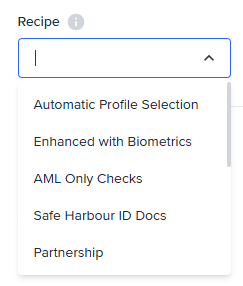
Select the **Recipe** you would like to apply to your new customer profile. This will determine the checks that are run on this customer.

<p align="center">
  <img src="https://mintcdn.com/frankieone-f5583b1b/WwBouLTTlPxYhDwU/images/v1/portal/individual-profiles-kyc/c953f3d-image.png?fit=max&auto=format&n=WwBouLTTlPxYhDwU&q=85&s=7091d17d77fb284a3f8947f123765dc8" alt="Select Recipe Screenshot" width="243" height="286" data-path="images/v1/portal/individual-profiles-kyc/c953f3d-image.png" />
</p>

## Personal Info

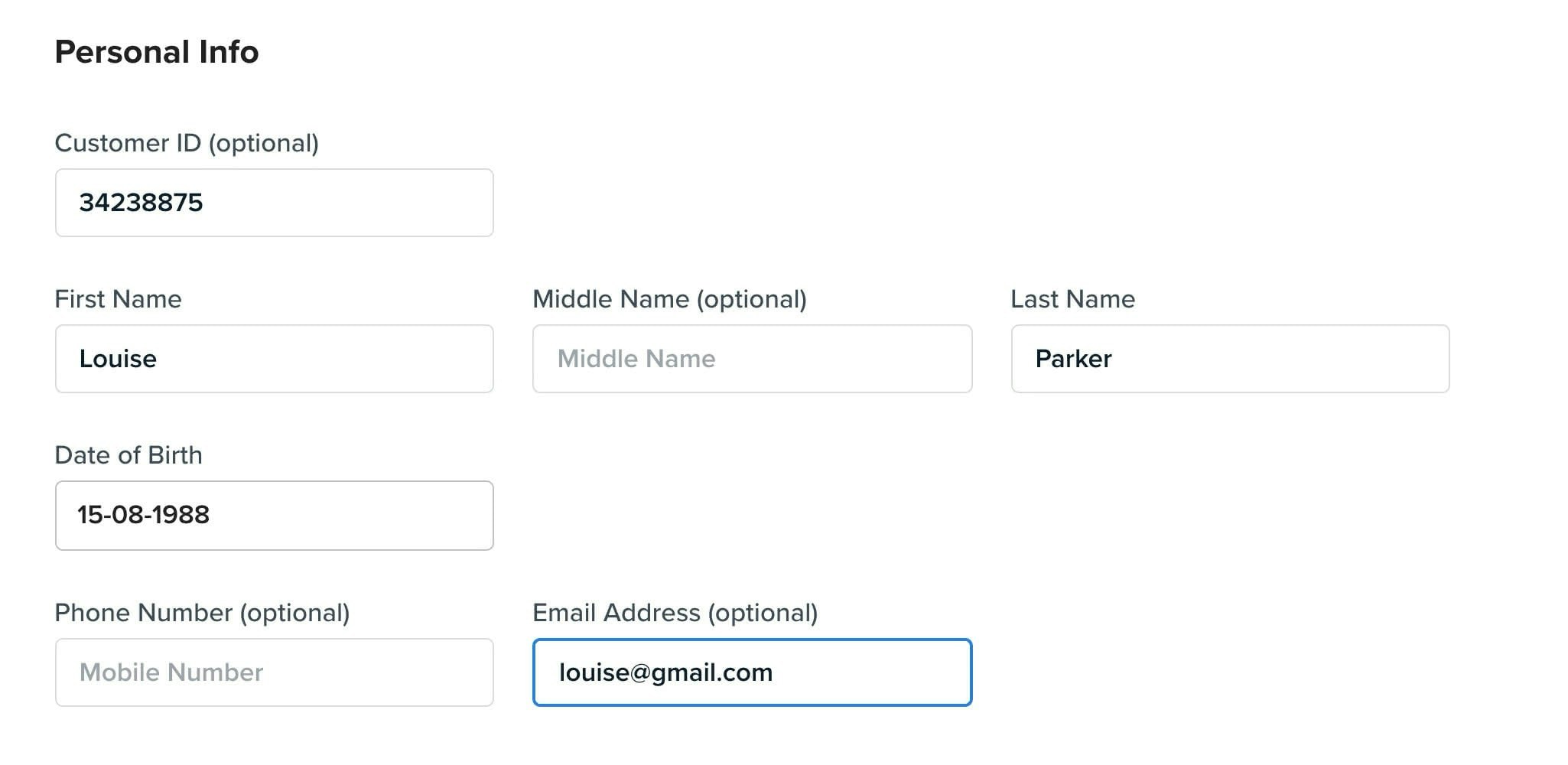
Use the form fields to enter the customer’s personal information. Fields will be optional or required based on the recipe and your FrankieOne configuration.

<img src="https://mintcdn.com/frankieone-f5583b1b/apjw019QSSQ3mR_d/images/v1/portal/individual-profiles-kyc/4c00ebf-Screen_Shot_2021-06-30_at_1.56.42_pm.jpg?fit=max&auto=format&n=apjw019QSSQ3mR_d&q=85&s=de714194f0f8f8bd966deeb834bb1ad3" alt="" width="2050" height="1000" data-path="images/v1/portal/individual-profiles-kyc/4c00ebf-Screen_Shot_2021-06-30_at_1.56.42_pm.jpg" />

## Personal Information Fields

| Field             | Description                                                                                                                                        |
| ----------------- | -------------------------------------------------------------------------------------------------------------------------------------------------- |
| **Customer ID**   | - Made up of numbers and/or letters (no spaces).<br />- Search by Customer ID using the search bar on the **Onboarding** or **Monitoring** lists.  |
| **First Name**    | - The customer’s First Name as shown on their ID document.<br />- Required field for all customer profiles.<br /> \* Also known as **Given Name**. |
| **Middle Name**   | - Middle name is an optional field.<br />- Enter a middle name if it is shown on the customer’s ID document.                                       |
| **Last Name**     | - The customer’s Last Name as shown on their ID document.<br />- Also known as **Surname** or **Family Name**.                                     |
| **Date of Birth** | - The customer’s Date of Birth.                                                                                                                    |
| **Phone Number**  | - Optional field.                                                                                                                                  |
| **Email Address** | - Optional field.<br />- Must be a valid email address format.                                                                                     |

## Addresses

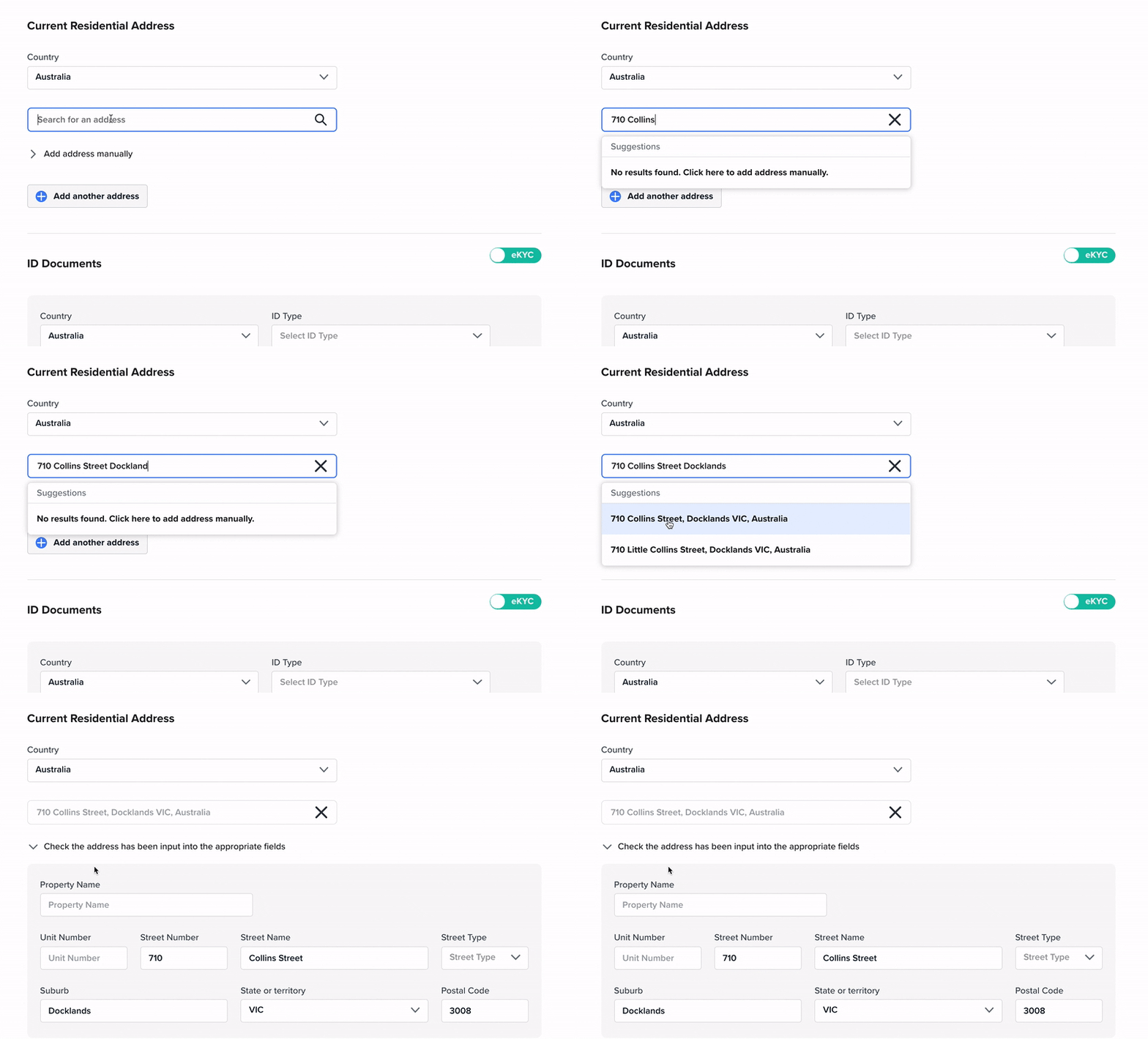
Use the address search field to quickly find an address and populate it into the correct fields.

<img src="https://mintcdn.com/frankieone-f5583b1b/WwBouLTTlPxYhDwU/images/v1/portal/individual-profiles-kyc/9cc5217-Addresslookup.gif?s=4d0dda19cb2b20b8a873843ac5655457" alt="" width="800" height="483" data-path="images/v1/portal/individual-profiles-kyc/9cc5217-Addresslookup.gif" />

Or select **Add address manually** to dropdown the individual address fields.
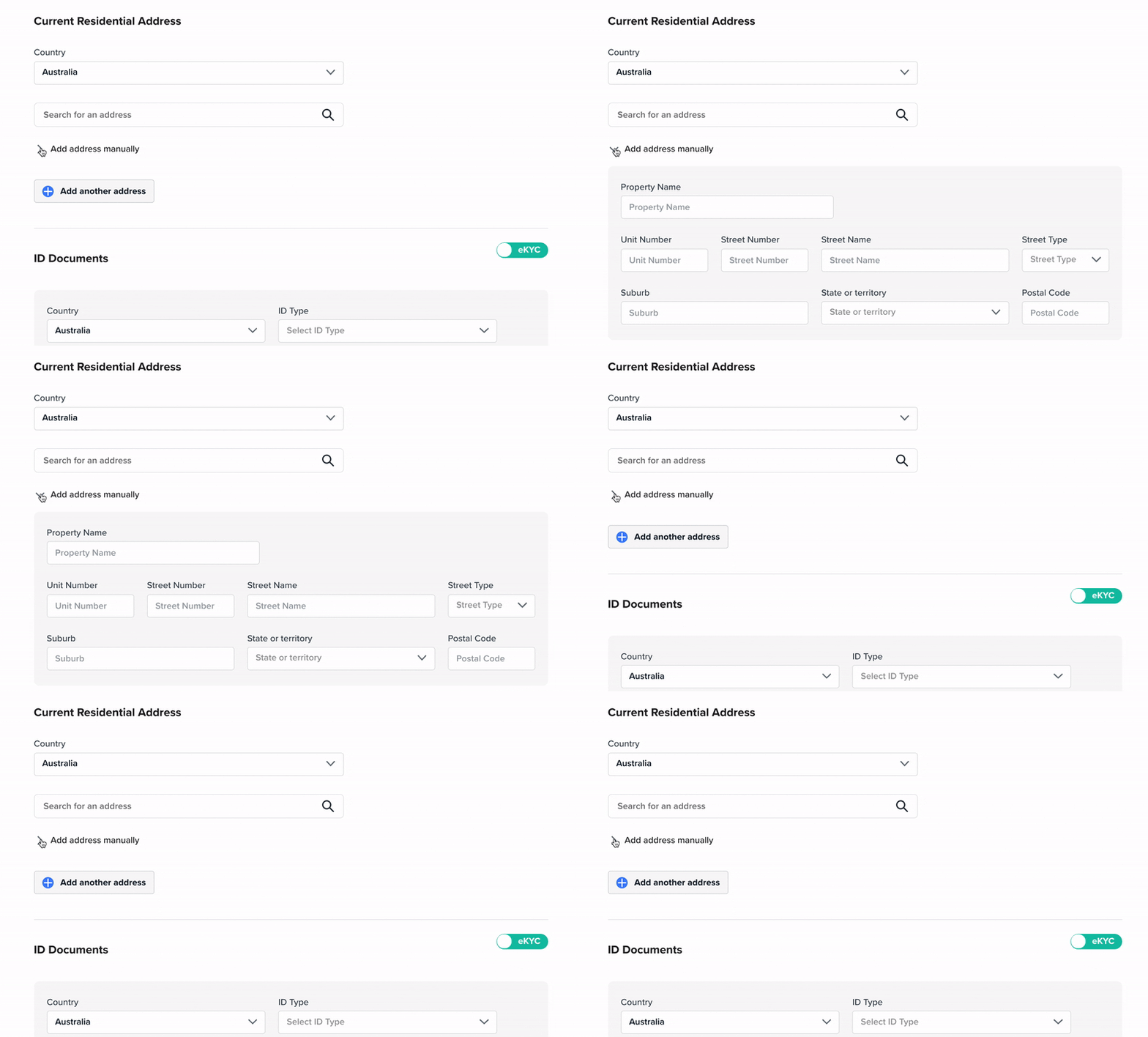
<img src="https://mintcdn.com/frankieone-f5583b1b/apjw019QSSQ3mR_d/images/v1/portal/individual-profiles-kyc/40ff4ce-Manual_address_input.gif?s=a365dfea3cb762f0d07f30399181020c" alt="" width="800" height="482" data-path="images/v1/portal/individual-profiles-kyc/40ff4ce-Manual_address_input.gif" />

## Add an ID Document

Click **Add New Document** to add an ID document to a customer profile.

Different **Recipes** will have different requirements for the number and type of ID documents required and this will be set up in your FrankieOne configuration.
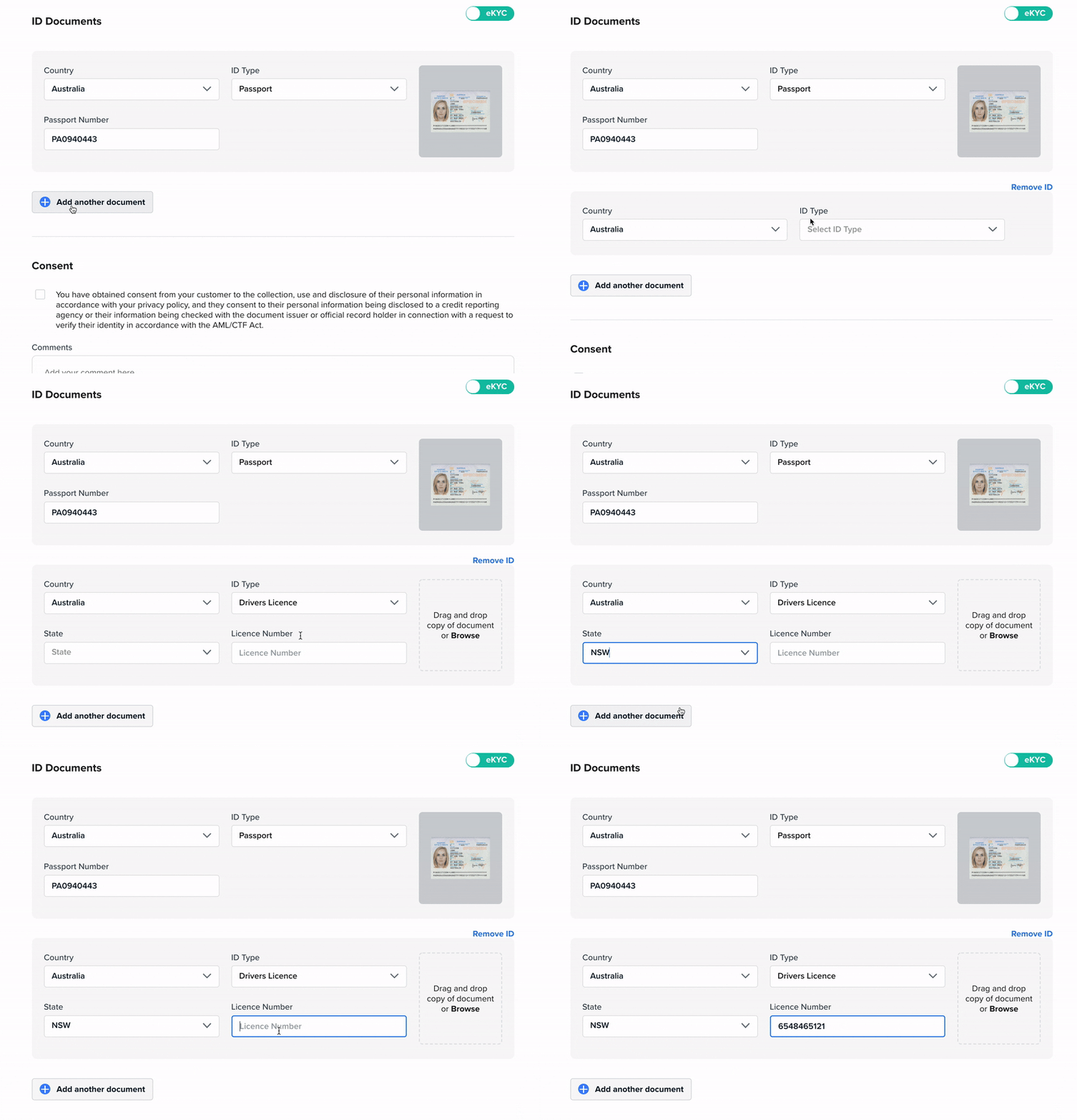
<img src="https://mintcdn.com/frankieone-f5583b1b/apjw019QSSQ3mR_d/images/v1/portal/individual-profiles-kyc/2e1ecb5-NewDoc.gif?s=8bb4a71c1a6a55b66346d2a674484438" alt="" width="800" height="555" data-path="images/v1/portal/individual-profiles-kyc/2e1ecb5-NewDoc.gif" />

Drag and drop to **upload a document scan** or browse and select a file from your computer.
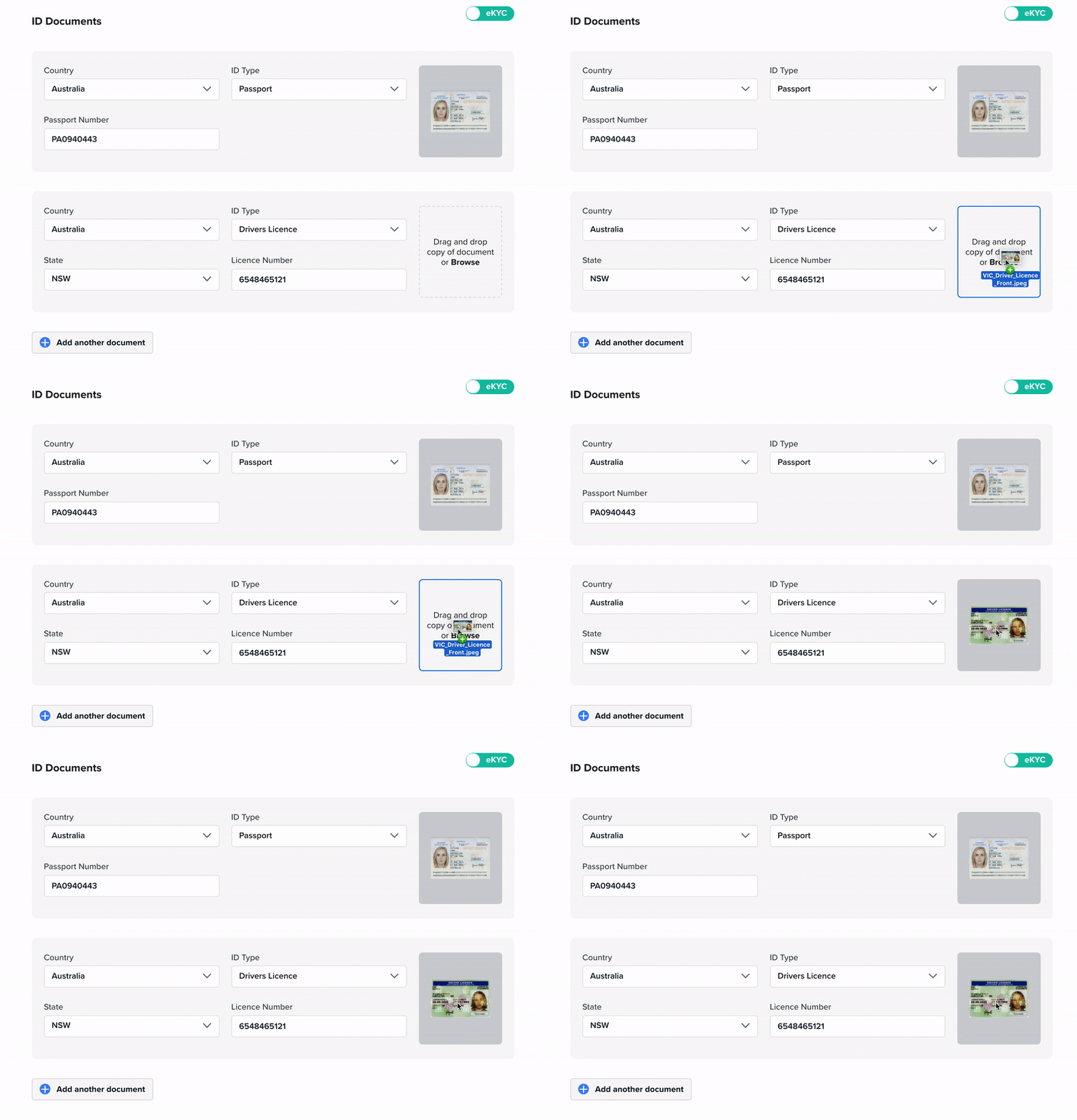
<img src="https://mintcdn.com/frankieone-f5583b1b/WwBouLTTlPxYhDwU/images/v1/portal/individual-profiles-kyc/c25d326-Upload_Scan.gif?s=d15dac2c5ae9c0c82b43fb9f82987327" alt="" width="800" height="555" data-path="images/v1/portal/individual-profiles-kyc/c25d326-Upload_Scan.gif" />

### Consent

You must obtain **Consent** from your customer as per the **AML/CTF** act to run certain checks. You won’t be able to Save and Verify where consent is required as part of the selected **Recipe.**
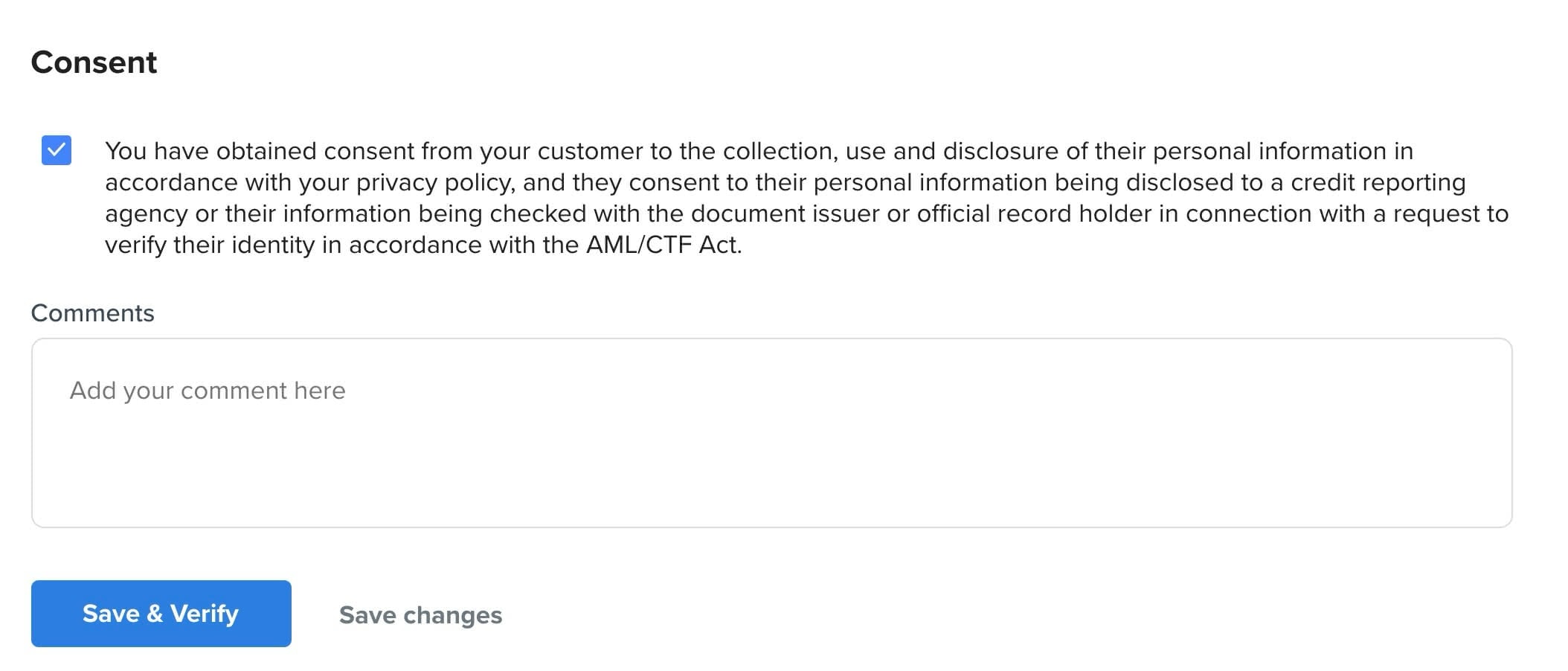
<img src="https://mintcdn.com/frankieone-f5583b1b/WwBouLTTlPxYhDwU/images/v1/portal/individual-profiles-kyc/baf091f-Screen_Shot_2021-06-30_at_5.27.14_pm.jpg?fit=max&auto=format&n=WwBouLTTlPxYhDwU&q=85&s=336dd125fae6e890529b9d7a642a6a58" alt="" width="2108" height="902" data-path="images/v1/portal/individual-profiles-kyc/baf091f-Screen_Shot_2021-06-30_at_5.27.14_pm.jpg" />

## Save & Verify

Clicking Save & Verify will save the changes to the profile and run all of the checks required as per the selected recipe. If checks have been run previously, FrankieOne will decide which, if any, further checks need to be run and which don’t need to be run again.

### Save Changes

Clicking Save changes will save changes to the profile and any new information or information that has been changed after checks have already been run will show as ‘Unchecked’.

If changes were made that don’t impact on the result of previous checks, these results will remain.

If a new ID document has been added and saved, and a different ID document has previously passed, the original document will remain as passed.
