> ## Documentation Index
> Fetch the complete documentation index at: https://docs.frankieone.com/llms.txt
> Use this file to discover all available pages before exploring further.

# Manual KYC Verification

> FrankieOne’s portal supports the ability to perform a manual KYC verification

Manual KYC does **NOT** check with our partners, this is purely an internal check and requires staff to attest they have cited enough evidence as per their own internal policies to “pass” a customer.

This option is generally used when the electronic KYC attempts have failed, but you have gained sufficient evidence and want to proceed to onboard this customer. This requires you to provide sufficient evidence to support identity verification.

## Perform manual KYC

To perform manual KYC create a new entity.

### Enter the necessary information

<Steps>
  <Step title="Create New Profile">
    Select the **New entity** button to open the **Create New Profile** page. Then, select the **Individual** tab.

    <img src="https://mintcdn.com/frankieone-f5583b1b/WwBouLTTlPxYhDwU/images/v1/portal/individual-profiles-kyc/f0bceb16a3f3ad2ed898bd9991f0b339d45da30a346e83784997dc21be588d2c-new_new_entity_-_individual.png?fit=max&auto=format&n=WwBouLTTlPxYhDwU&q=85&s=913b83346cae7c53dbeb69b577385198" alt="Create New Individual Entity" width="741" height="68" data-path="images/v1/portal/individual-profiles-kyc/f0bceb16a3f3ad2ed898bd9991f0b339d45da30a346e83784997dc21be588d2c-new_new_entity_-_individual.png" />
  </Step>

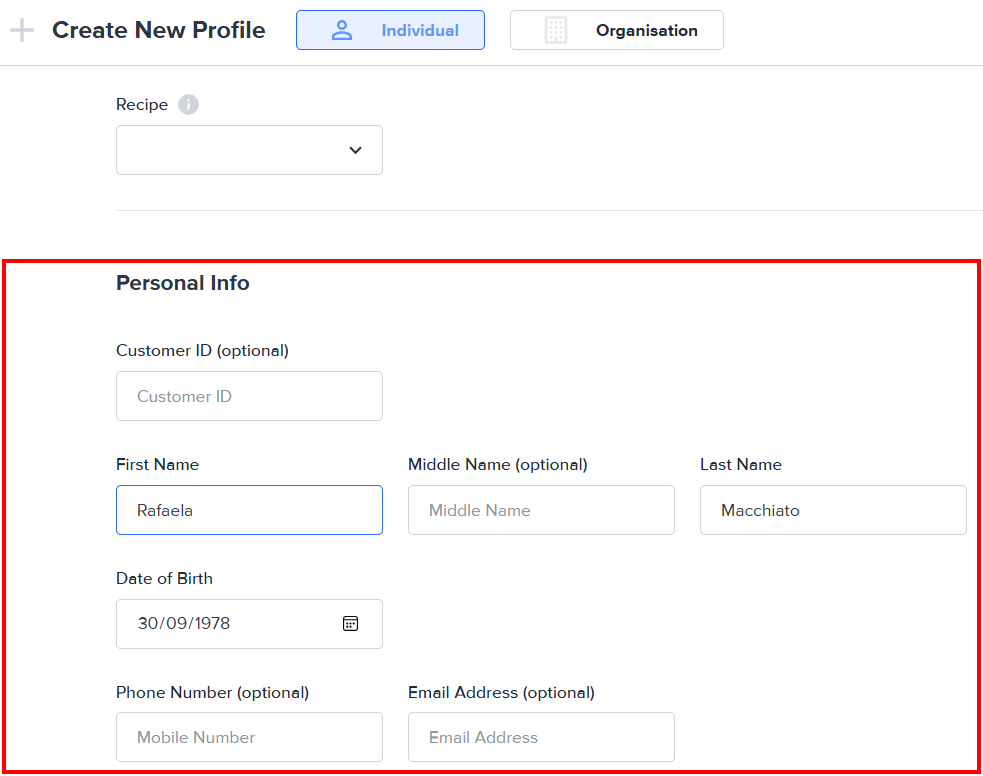
  <Step title="Enter Entity Information">
    Fill in the necessary information for the entity.
    <img src="https://mintcdn.com/frankieone-f5583b1b/apjw019QSSQ3mR_d/images/v1/portal/individual-profiles-kyc/5806f5e566ea33e9f33981cff9d16ae511583d35b5bb01fc0418eb694797e5a6-information_entity.png?fit=max&auto=format&n=apjw019QSSQ3mR_d&q=85&s=c3058f8107780e7a069ce8941187e962" alt="Entity Information" width="983" height="776" data-path="images/v1/portal/individual-profiles-kyc/5806f5e566ea33e9f33981cff9d16ae511583d35b5bb01fc0418eb694797e5a6-information_entity.png" />
  </Step>

  <Step title="Configure ID Documents">
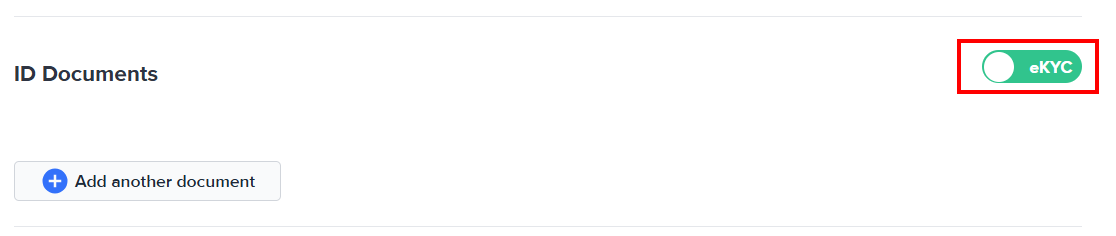
    In the **ID Documents** section, clear the **eKYC** button selection.
    <img src="https://mintcdn.com/frankieone-f5583b1b/WwBouLTTlPxYhDwU/images/v1/portal/individual-profiles-kyc/b4bc19197399df32304e2f7bb6a6199d14b7da2b6bbf110cf8e0c933379ee4df-EKYC.png?fit=max&auto=format&n=WwBouLTTlPxYhDwU&q=85&s=2c7ac727d316ec7926623fbd0c8a0db6" alt="Clear eKYC" width="1116" height="236" data-path="images/v1/portal/individual-profiles-kyc/b4bc19197399df32304e2f7bb6a6199d14b7da2b6bbf110cf8e0c933379ee4df-EKYC.png" />

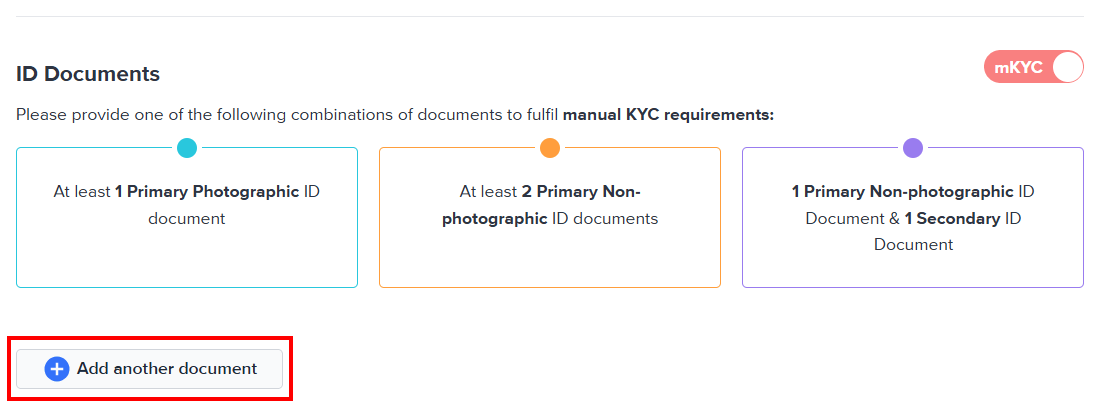
    This will enable **mKYC**. Select the **Add another document** button to enter identification documents.
    <img src="https://mintcdn.com/frankieone-f5583b1b/apjw019QSSQ3mR_d/images/v1/portal/individual-profiles-kyc/90fb49705c1c144ef1224dfbe274567bf24045882dadd924ced5854c98d8181f-add_another_document.png?fit=max&auto=format&n=apjw019QSSQ3mR_d&q=85&s=9ad5fd86df99e544e6cf92f993286c9c" alt="Add Another Document" width="1103" height="405" data-path="images/v1/portal/individual-profiles-kyc/90fb49705c1c144ef1224dfbe274567bf24045882dadd924ced5854c98d8181f-add_another_document.png" />
  </Step>

  <Step title="Add Document Details">
    Select the country of issuance for the ID document from the **Country** drop-menu, and the document type from the **ID Type** drop-down menu.

    <Callout icon="thumbtack" color="#1A6CFF" iconType="regular">
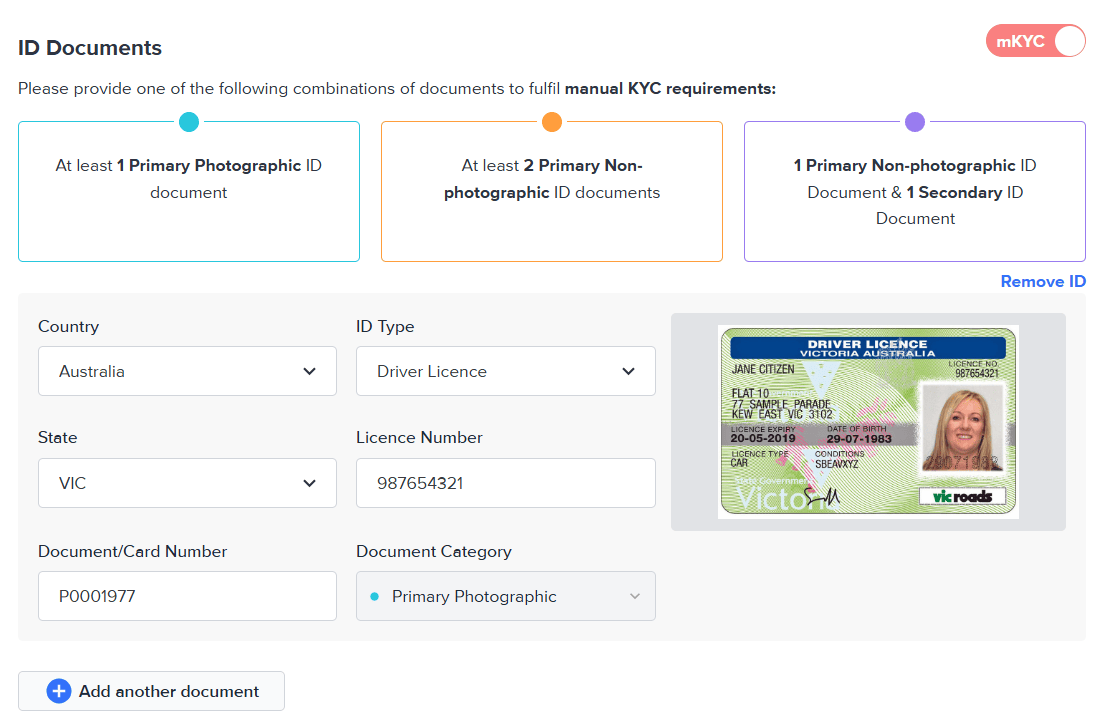
      Please provide <b>one</b> of the following combinations of documents to fulfill manual KYC requirements:

      <ul>
        <li>At least 1 Primary Photographic ID document</li>
        <li>At least 2 Primary Non-photographic ID documents</li>
        <li>1 Primary Non-photographic ID document <b>and</b> 1 Secondary ID document</li>
      </ul>
    </Callout>

    Additional data entry fields will be displayed depending on the ID type. The following screenshot shows the detail fields for an Australian Driver Licence (Victoria):
    <img src="https://mintcdn.com/frankieone-f5583b1b/WwBouLTTlPxYhDwU/images/v1/portal/individual-profiles-kyc/da2c7ee4e4bc2d5ca0053d24ccf5cec4838e4f81d6d7a8adcbe027f4c66c4d2b-image.png?fit=max&auto=format&n=WwBouLTTlPxYhDwU&q=85&s=34dc0a422bfc0a4ad4f42b90f8c6a9bd" alt="Australian Driver Licence" width="1117" height="724" data-path="images/v1/portal/individual-profiles-kyc/da2c7ee4e4bc2d5ca0053d24ccf5cec4838e4f81d6d7a8adcbe027f4c66c4d2b-image.png" />

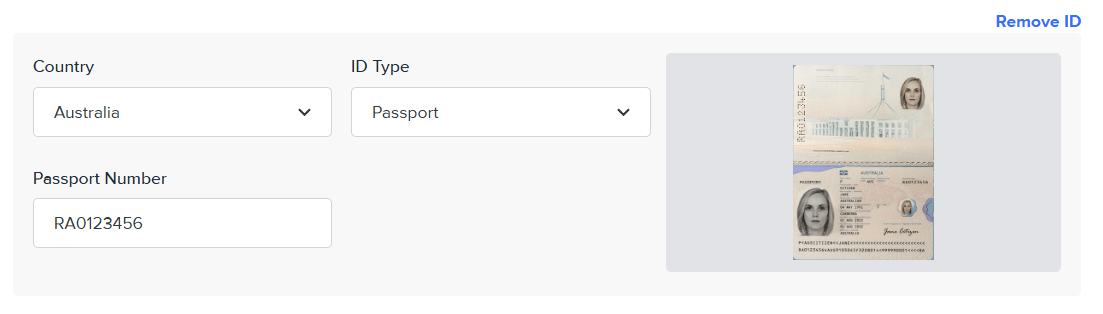
    This screenshot displays the detail fields for an Australian passport:
    <img src="https://mintcdn.com/frankieone-f5583b1b/apjw019QSSQ3mR_d/images/v1/portal/individual-profiles-kyc/61141efdadaaa20be7698a7b4ac1f914c14212222e8fbb1a7c5e34ccc0c5a0b1-image.png?fit=max&auto=format&n=apjw019QSSQ3mR_d&q=85&s=9259a802dd8c0a9f80659da8ff52268d" alt="Australian Passport" width="1103" height="314" data-path="images/v1/portal/individual-profiles-kyc/61141efdadaaa20be7698a7b4ac1f914c14212222e8fbb1a7c5e34ccc0c5a0b1-image.png" />
  </Step>

  <Step title="Upload Documents">
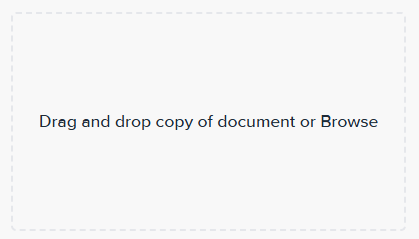
    Drag and drop a copy of the required document into the image box.

    Alternatively, select the image box to open the file browser and locate the file to upload.
    <p align="center">
      <img src="https://mintcdn.com/frankieone-f5583b1b/apjw019QSSQ3mR_d/images/v1/portal/individual-profiles-kyc/6d49d9ac1a6fa822b3ca9b5d9deec91231fa250eef9c77b260b9fcfbf379b0cd-image.png?fit=max&auto=format&n=apjw019QSSQ3mR_d&q=85&s=7d38a9d397a097d8e852efe47a1ec440" alt="Upload Document" width="419" height="239" data-path="images/v1/portal/individual-profiles-kyc/6d49d9ac1a6fa822b3ca9b5d9deec91231fa250eef9c77b260b9fcfbf379b0cd-image.png" />
    </p>
  </Step>

  <Step title="Manage Documents">
    To remove an ID document, hover on its row and select **Remove ID**.
    <p align="center">
      <img src="https://mintcdn.com/frankieone-f5583b1b/apjw019QSSQ3mR_d/images/v1/portal/individual-profiles-kyc/770e704411fd36f1031778860e588292e862c491f591b1feae47aecdd3bea88a-remove_ID.png?fit=max&auto=format&n=apjw019QSSQ3mR_d&q=85&s=ca1680fb46b3ed819f97cf0709c0620d" alt="Remove ID" width="232" height="109" data-path="images/v1/portal/individual-profiles-kyc/770e704411fd36f1031778860e588292e862c491f591b1feae47aecdd3bea88a-remove_ID.png" />
    </p>

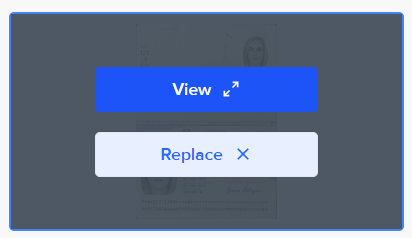
    To update the uploaded document, hover on its preview image and select either **View** to see a larger version, or **Replace** to select a new document.
    <p align="center">
      <img src="https://mintcdn.com/frankieone-f5583b1b/WwBouLTTlPxYhDwU/images/v1/portal/individual-profiles-kyc/c2fed8b7bd7a8a6c08f1cc74181c89481183e99e585e42ef854211fdf57e4cc2-image.png?fit=max&auto=format&n=WwBouLTTlPxYhDwU&q=85&s=54df4af2d9cda40d27dadced64719c98" alt="View or Replace Document" width="412" height="238" data-path="images/v1/portal/individual-profiles-kyc/c2fed8b7bd7a8a6c08f1cc74181c89481183e99e585e42ef854211fdf57e4cc2-image.png" />
    </p>
  </Step>

  <Step title="Add Consent">
    You must consent to manual KYC using the information and documents provided.

    Select the **Consent** tick box to attest that you have reviewed the customer identity documents and uploaded true copies of the reviewed documents for manual KYC verification.

    <img src="https://mintcdn.com/frankieone-f5583b1b/WwBouLTTlPxYhDwU/images/v1/portal/individual-profiles-kyc/consent.png?fit=max&auto=format&n=WwBouLTTlPxYhDwU&q=85&s=9dde98b6e7d221d22b5594f314b730c1" alt="Consent Checkbox" width="1085" height="129" data-path="images/v1/portal/individual-profiles-kyc/consent.png" />
  </Step>

  <Step title="Add Comments">
    Provide additional context and information for performing manual KYC on this entity.

    <img src="https://mintcdn.com/frankieone-f5583b1b/WwBouLTTlPxYhDwU/images/v1/portal/individual-profiles-kyc/document_offline.png?fit=max&auto=format&n=WwBouLTTlPxYhDwU&q=85&s=78a6191b7145ee450ccecc6c3920fc31" alt="Add Comments" width="1094" height="175" data-path="images/v1/portal/individual-profiles-kyc/document_offline.png" />

    **Note:** The comments field is required.
  </Step>

  <Step title="Save and Approve">
    To complete the manual KYC on this entity, select **Save & Approve**.

    <p align="center">
      <img src="https://mintcdn.com/frankieone-f5583b1b/WwBouLTTlPxYhDwU/images/v1/portal/individual-profiles-kyc/save_approve.png?fit=max&auto=format&n=WwBouLTTlPxYhDwU&q=85&s=2323760abeef5a14fe545ea8fed9d30d" alt="Save and Approve" width="381" height="78" data-path="images/v1/portal/individual-profiles-kyc/save_approve.png" />
    </p>

    Alternatively, select **Save changes** to save the submitted information and return later.

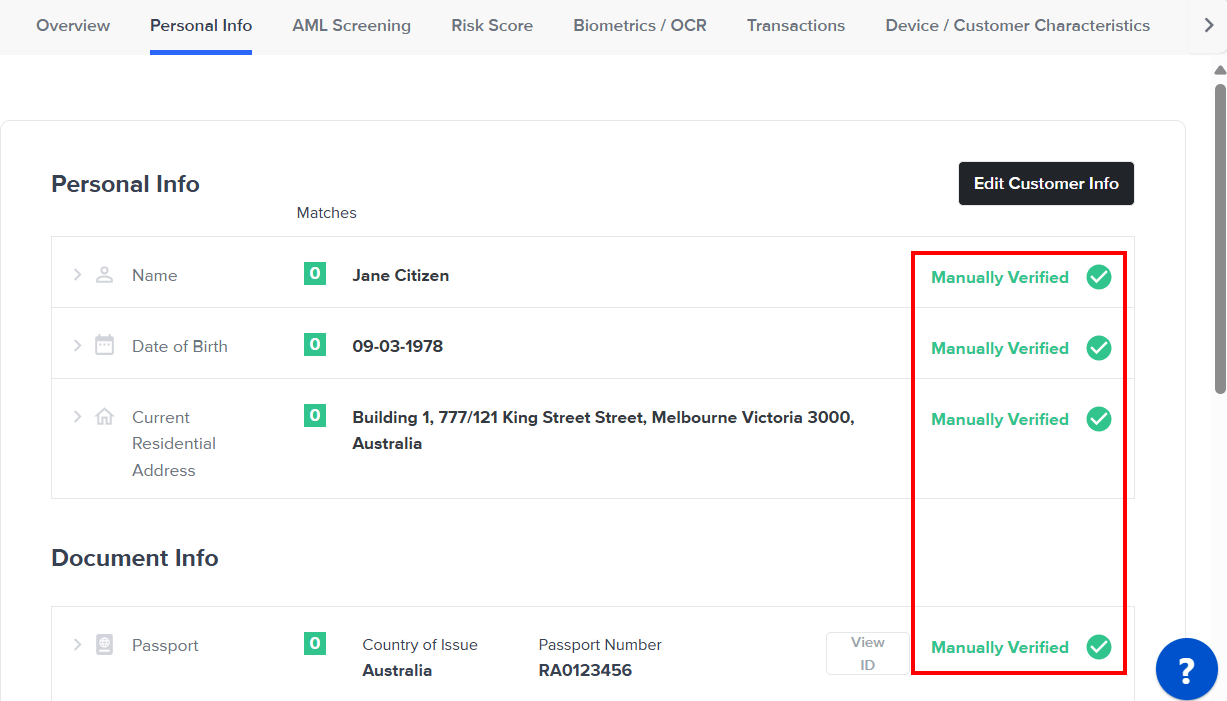
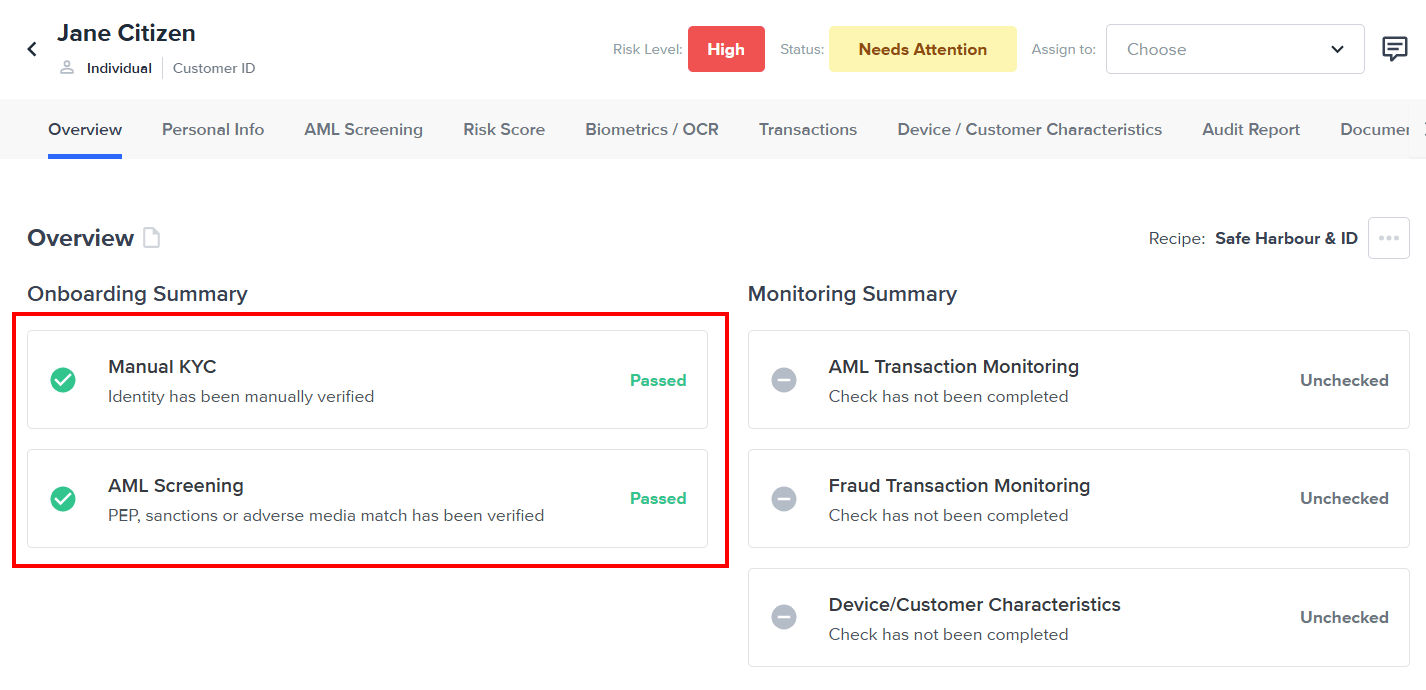
    The entity page for the new entity opens, reflecting that manual KYC was performed.
    <img src="https://mintcdn.com/frankieone-f5583b1b/WwBouLTTlPxYhDwU/images/v1/portal/individual-profiles-kyc/overview.png?fit=max&auto=format&n=WwBouLTTlPxYhDwU&q=85&s=c25e5c9b2c6c90d05b746c23ece20b8c" alt="Overview" width="1426" height="690" data-path="images/v1/portal/individual-profiles-kyc/overview.png" />

    <img src="https://mintcdn.com/frankieone-f5583b1b/WwBouLTTlPxYhDwU/images/v1/portal/individual-profiles-kyc/personal_info.png?fit=max&auto=format&n=WwBouLTTlPxYhDwU&q=85&s=c9d084d76064f2ade190cf8e5b0786b0" alt="Personal Info" width="1227" height="701" data-path="images/v1/portal/individual-profiles-kyc/personal_info.png" />
  </Step>
</Steps>

## Acceptable ID documents

### Primary Photographic

ID types with a photo such as driver’s licence or passport are considered primary photographic ID documents.

### Primary Non-Photographic

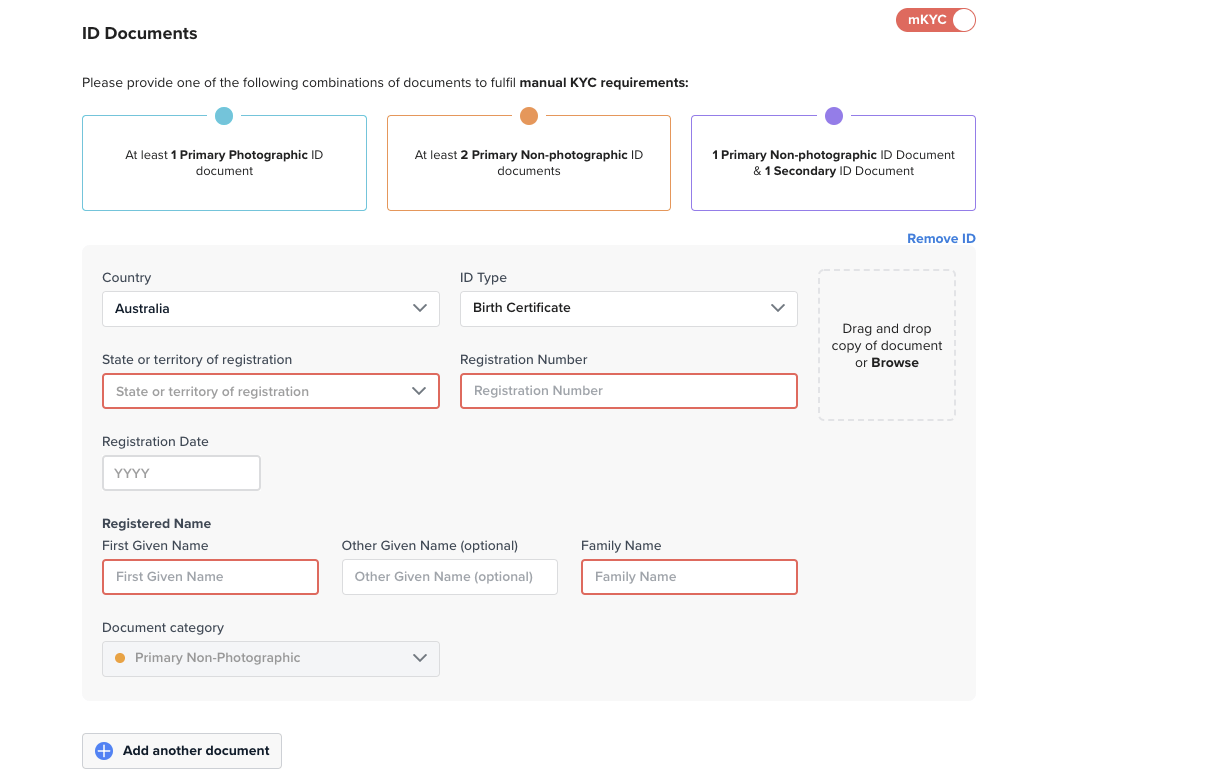
ID types without a photo such as Medicare or birth certificate are considered primary non-photographic ID documents.
<img src="https://mintcdn.com/frankieone-f5583b1b/WwBouLTTlPxYhDwU/images/v1/portal/individual-profiles-kyc/cb3ae82-image-20210908-044706.png?fit=max&auto=format&n=WwBouLTTlPxYhDwU&q=85&s=8e67872f899e5105c6094a46fbba4286" alt="" width="1210" height="780" data-path="images/v1/portal/individual-profiles-kyc/cb3ae82-image-20210908-044706.png" />

### Secondary

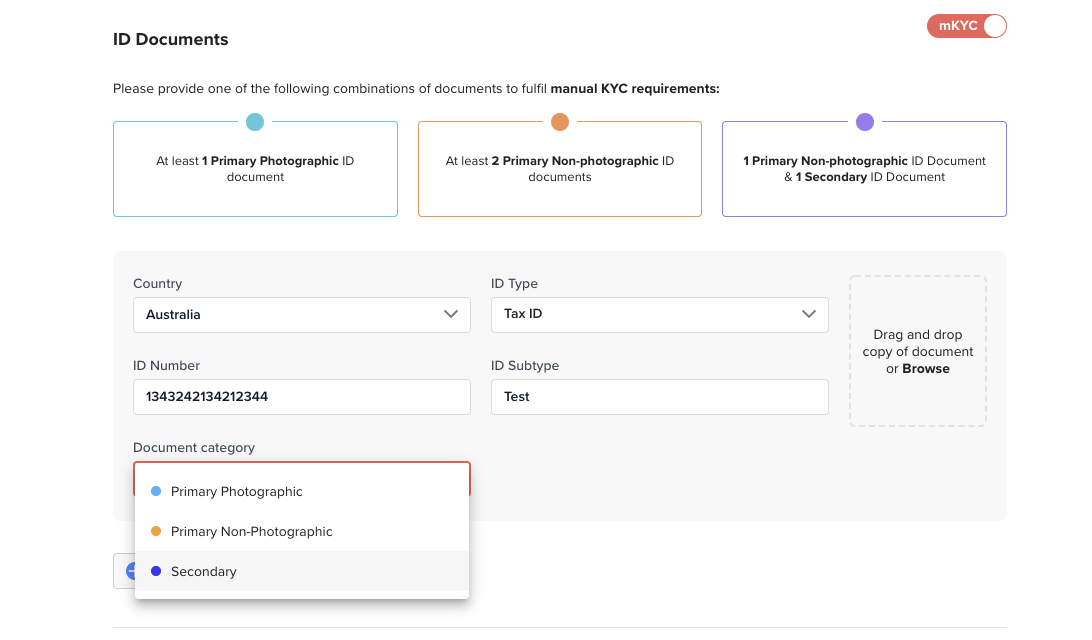
It is possible to provide Secondary types of ID to support the manual verification. ID documents such as Tax IDs can be used.
<img src="https://mintcdn.com/frankieone-f5583b1b/apjw019QSSQ3mR_d/images/v1/portal/individual-profiles-kyc/043b805-image-20210908-044610.png?fit=max&auto=format&n=apjw019QSSQ3mR_d&q=85&s=b5a6fec12087aa2ae72440eefe39ecf1" alt="" width="1092" height="640" data-path="images/v1/portal/individual-profiles-kyc/043b805-image-20210908-044610.png" />