> ## Documentation Index
> Fetch the complete documentation index at: https://docs.frankieone.com/llms.txt
> Use this file to discover all available pages before exploring further.

# Manage User Roles

You can configure your FrankieOne Portal to have any number of different roles to cater to different permissions levels within your organization.

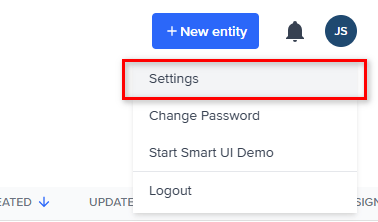
To view roles in the FrankieOne Portal, select the **Profile** menu, then select **Settings**.
<p align="center">
  <img src="https://mintcdn.com/frankieone-f5583b1b/WwBouLTTlPxYhDwU/images/v1/portal/users/03b2bea-profile_settings.png?fit=max&auto=format&n=WwBouLTTlPxYhDwU&q=85&s=6e02ca68b7ea5773149b19cd37ded3fa" alt="Profile Settings Screenshot" width="378" height="222" data-path="images/v1/portal/users/03b2bea-profile_settings.png" />
</p>

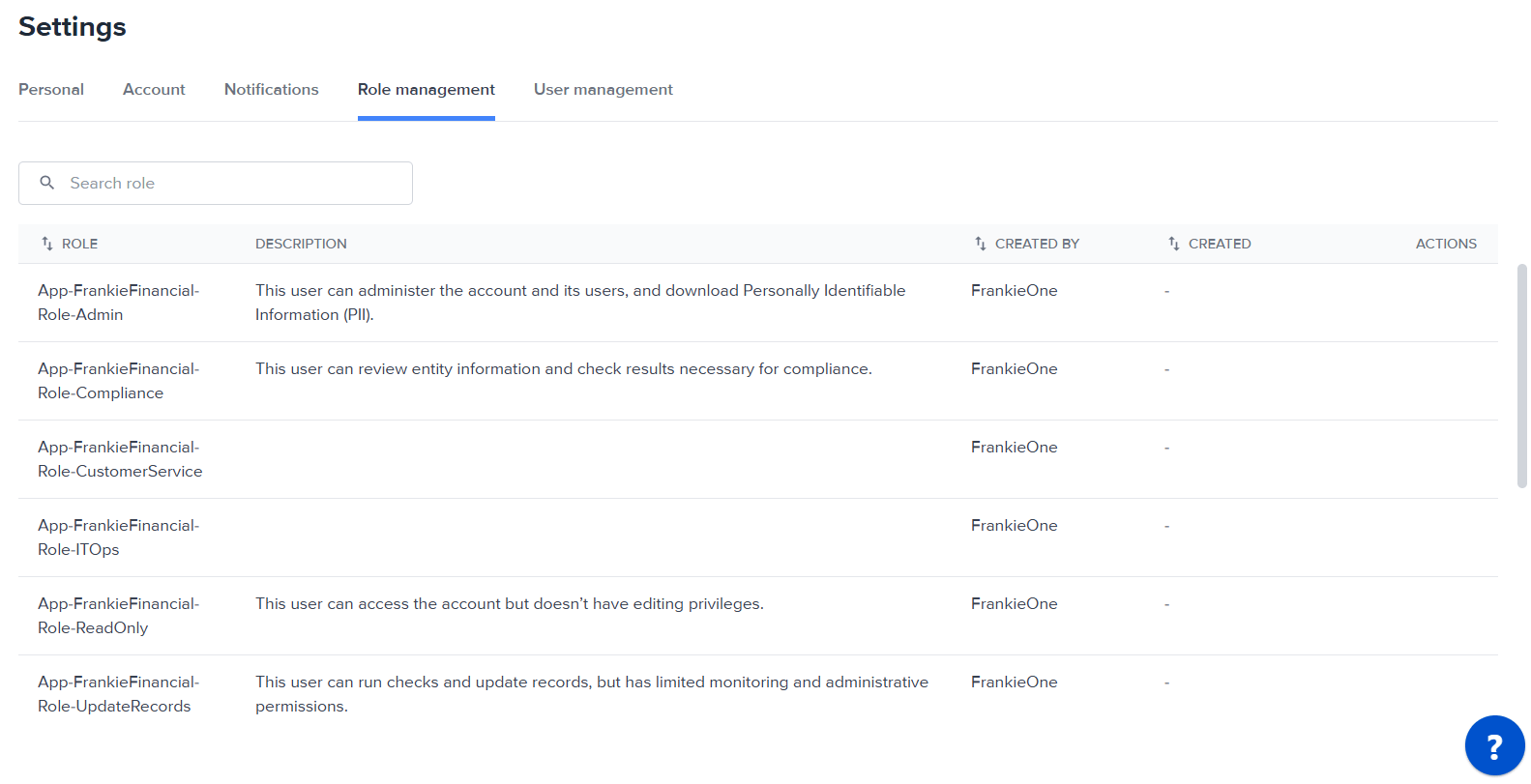
Select the **Role Management** tab. This displays the list of roles configured for this account.
<img src="https://mintcdn.com/frankieone-f5583b1b/WwBouLTTlPxYhDwU/images/v1/portal/users/1f84eb2-image.png?fit=max&auto=format&n=WwBouLTTlPxYhDwU&q=85&s=ab3261c593e6f112f180b8d315dbc14b" alt="" width="1583" height="811" data-path="images/v1/portal/users/1f84eb2-image.png" />
