Video Guide
Overview
AI Insights: Entity Summary helps investigators quickly understand why an entity failed or requires attention, without manually digging through detailed audit logs. The feature generates a concise, plain-language narrative plus recommended next steps, based on the entity’s audit events. This capability is intended to reduce manual review time and improve investigation consistency. Note this feature does NOT use any personal identifiable identity (PII) data it only uses metadata from audit logs and service profile result information.Key Features
- Instant Narrative
Receive a plain-language summary highlighting critical risk signals and reasons for failure. - Actionable Insights
Get recommended next steps, such as requesting new documents or contacting the customer. - Audit-Ready Logs
Each summary trigger is recorded in FrankieOne Audit Logs for a complete compliance trail. - Exportable Report
Download the summary as a PDF to share with regulators or internal teams.
User Interface
Accessing the Feature
When enabled, the Entity Summary section appears in the Entity page in the top right next to the Assignee button. A Summarise entity button is available. Select it to create the Entity Summary. Once you generate a summary, a notification will appear when the summary is ready.
Select View summary from the notification to open the generated summary.
Once you generate a summary, a notification will appear when the summary is ready.
Select View summary from the notification to open the generated summary.  You can select the regenerate regenerate again later to regenerate the summary after new activity.
  If this feature is disabled for your account, the section will not be visible. By default this feature is enabled for all customers; however, you can request to have it disabled just ask at help@frankieone.com.
Reminders
- If a summary was previously generated and no new events or actions have occurred, the summary will be generated quickly.
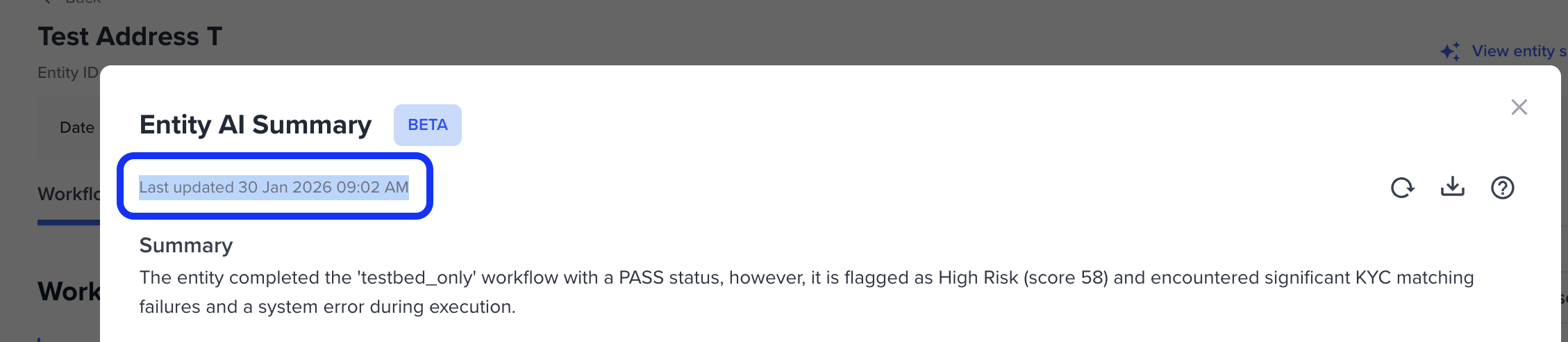
- If there are new changes to the entity, you will need to retrigger the entity summary to get a revised output. You can refer to the last updated timestamp and audit log.
- A summary may take several minutes to generate
- The summary will persist on the entity
Generating a Summary
Navigate to the entity profile page and in the top right click on the summarise entity button.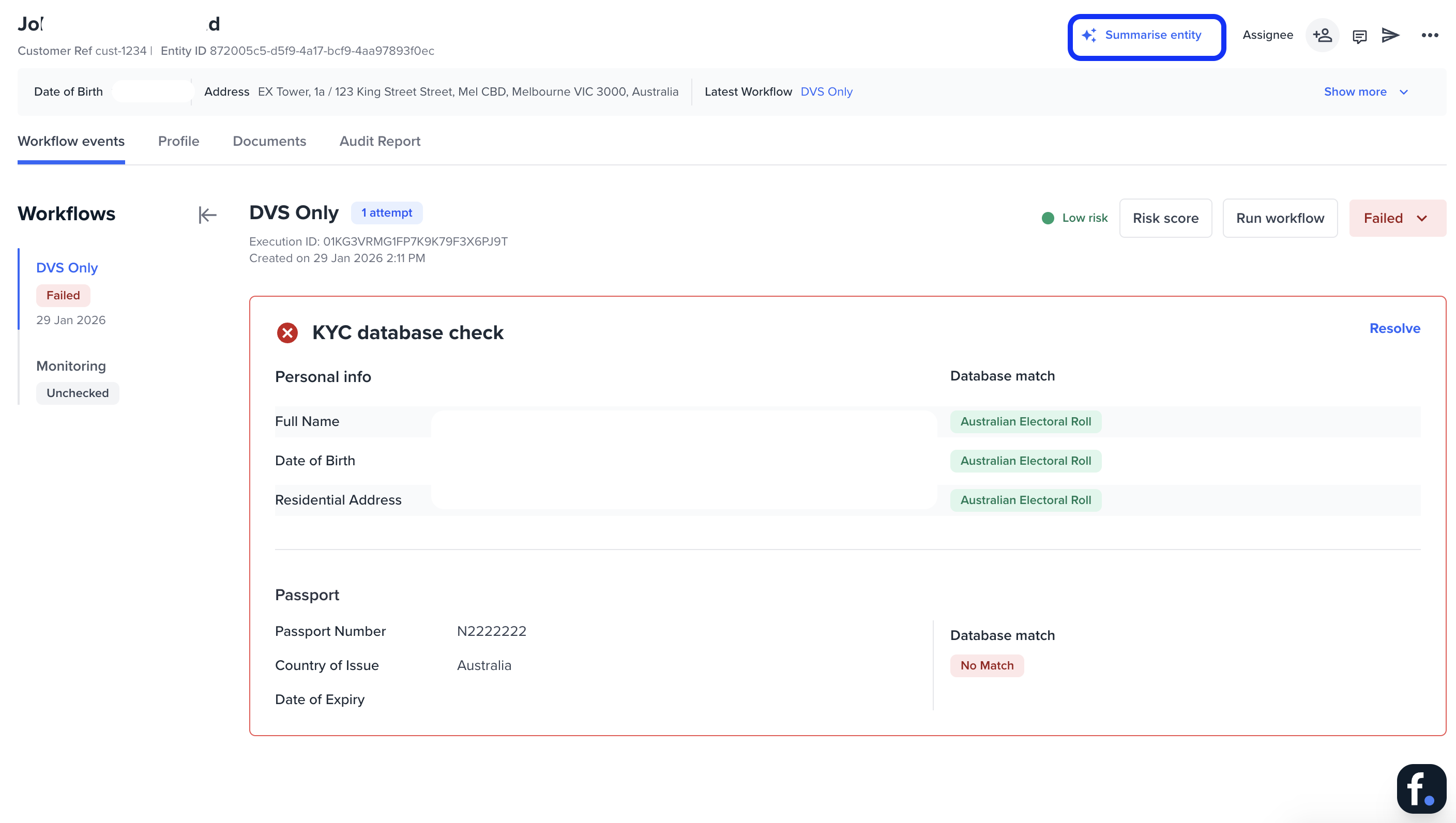

Disclaimer
This AI-generated summary is based solely on audit log data and does not include any personally identifiable information (PII).It is not a recommendation or risk decision. Accuracy may vary.
All final decisions remain your responsibility.
Understanding the Summary
The Entity Summary provides a clear, AI-generated explanation of why an entity has been flagged or failed a workflow. It consolidates key audit events into a concise narrative so investigators can quickly understand the root cause without reviewing individual checks or logs. The summary highlights the most relevant risk signals, explains how they contributed to the outcome, and presents them in plain language to support faster, more consistent decision-making.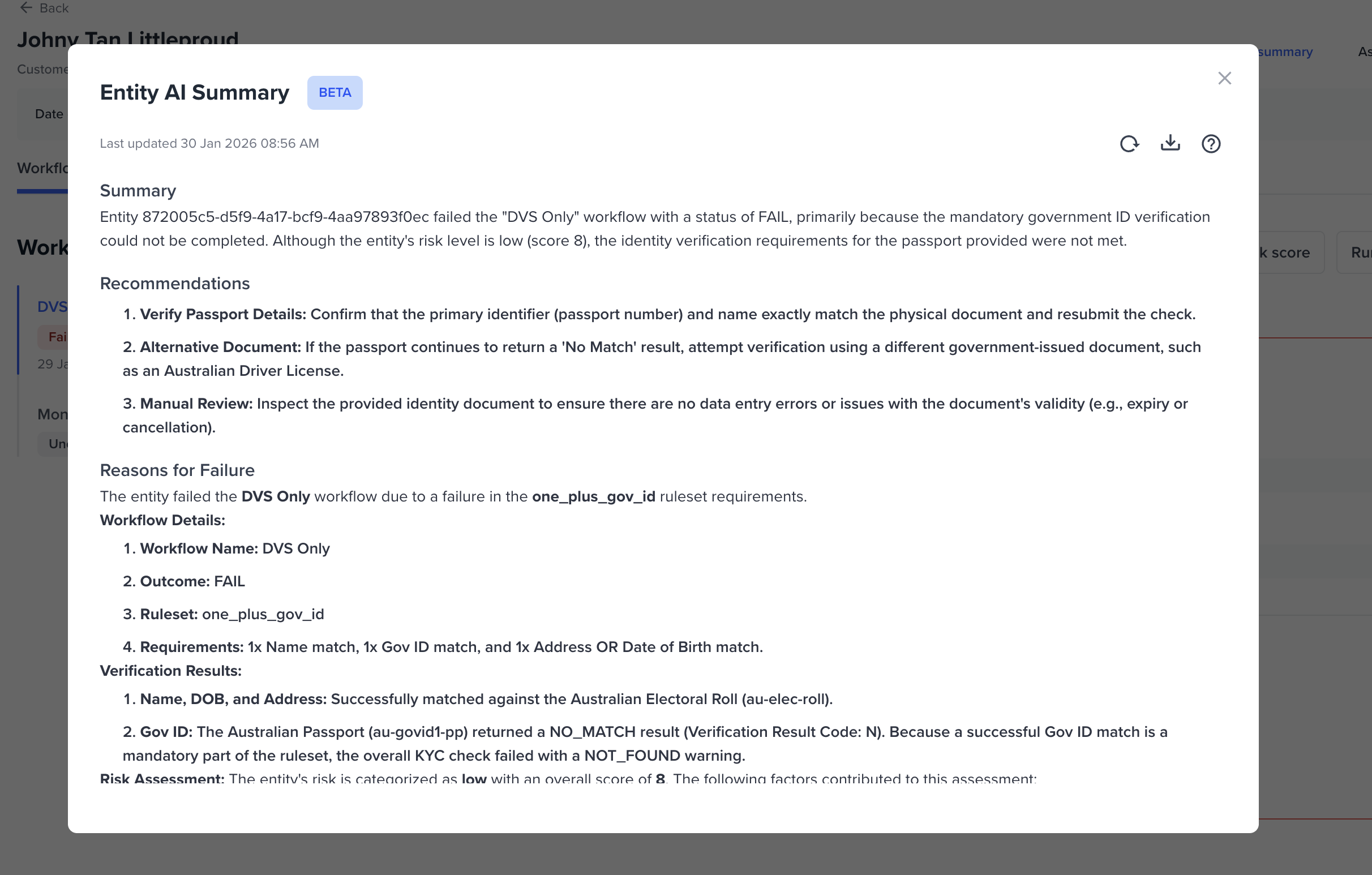
Helpful Actions
Once the summary has been generated, several actions are available to help you progress your investigation efficiently. Download report Select Download report to export the Entity Summary as a PDF. This is useful for record-keeping, internal reviews, or sharing with compliance teams and regulators.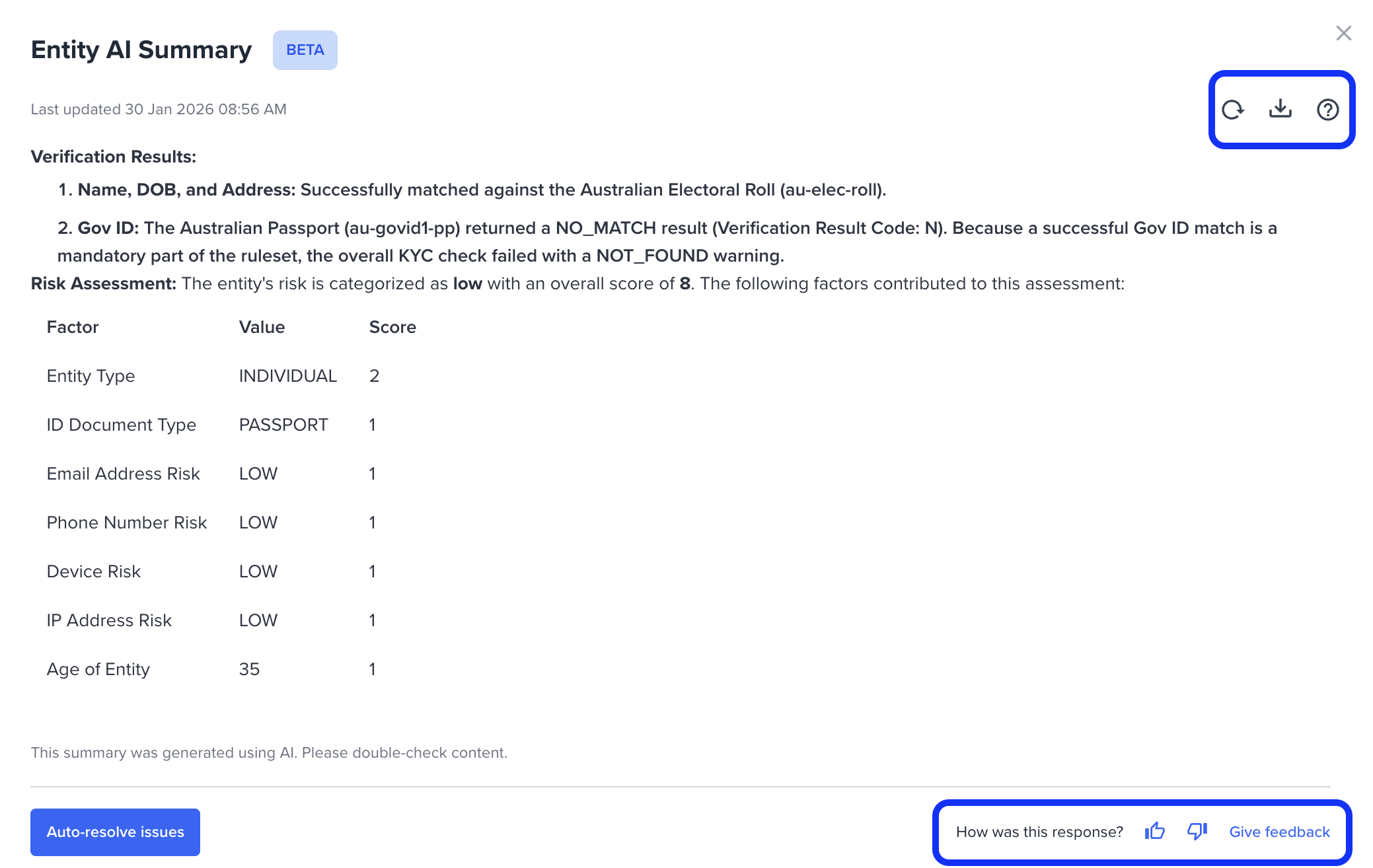
Give Us Your Feedback
Your feedback helps improve the quality and usefulness of AI-generated summaries. Use the 👍 or 👎 controls to indicate whether the summary was helpful. You can also select Give feedback to provide more detailed input through a short survey.
Audit Report
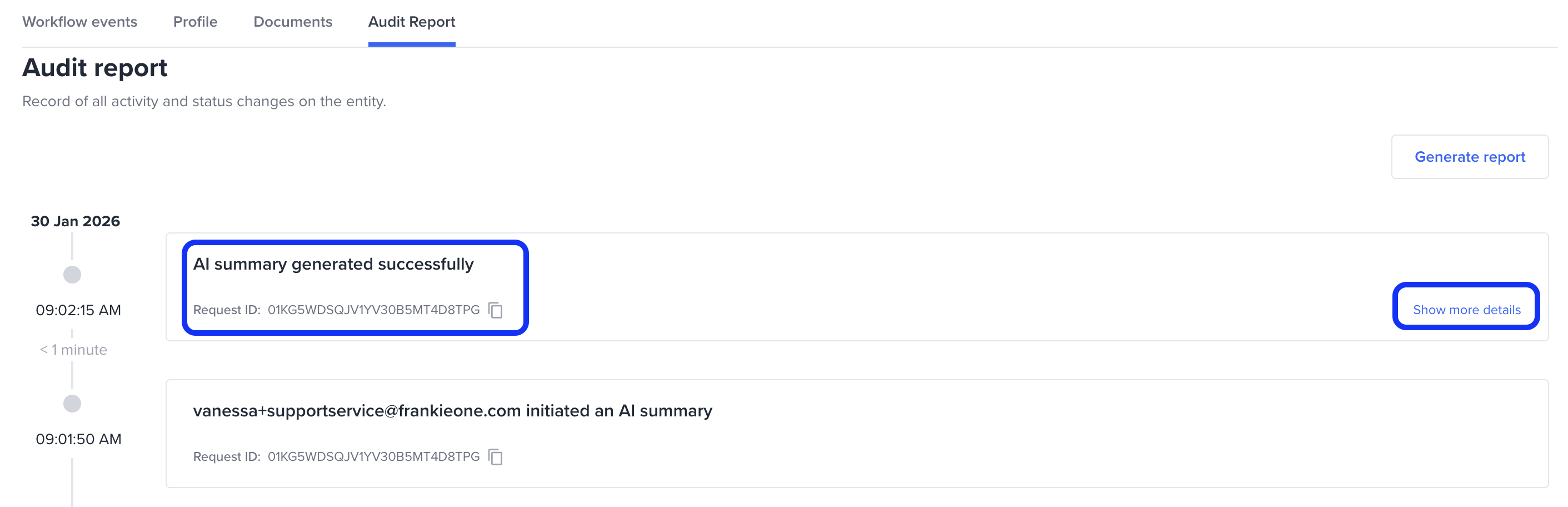
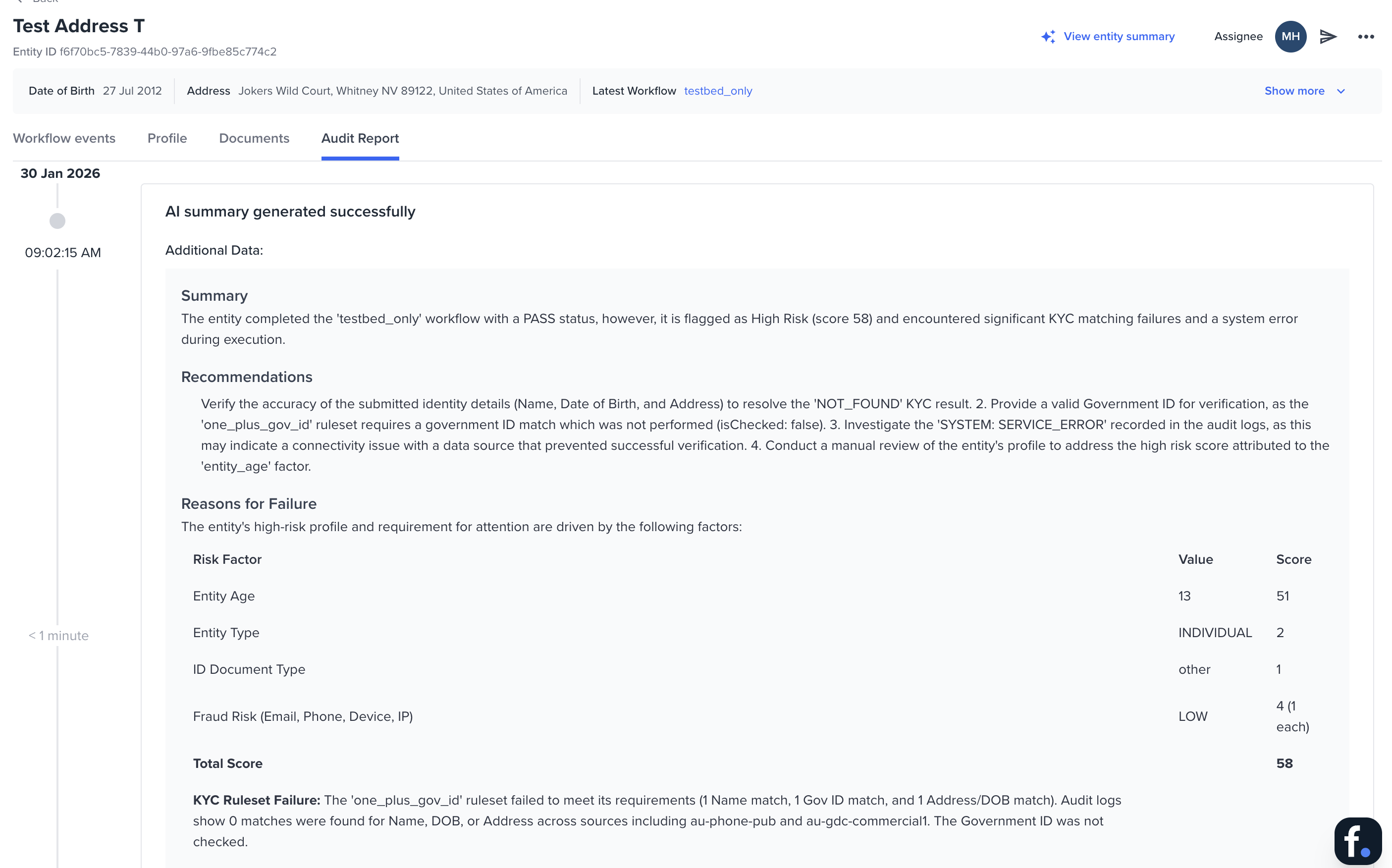
All requests to generate an Entity Summary are recorded in the Audit Report to maintain a clear compliance trail. The audit entry shows when the summary was requested and whether it was generated successfully. Select the audit row to expand it and view the full summary that was generated at that point in time.