Features
Real-time Verification
Instant document verification and liveness detection
Anti-Fraud Protection
Built-in protection against deepfakes and screen captures
Biometric Matching
Advanced facial recognition and matching
Streamlined UX
Intuitive flow for both desktop and mobile users
Industry Solutions
Fintech Solutions
Fintech Solutions
Quick Onboarding
Reduce user drop-off with streamlined verification
Compliance
Meet KYC/AML regulatory requirements
Marketplace Solutions
Marketplace Solutions
Seller Trust
Verify seller identities to build platform trust
Fraud Prevention
Protect buyers and sellers from fraudulent activities
Banking Solutions
Banking Solutions
Account Security
Prevent identity theft and account fraud
AML Compliance
Automated checks for money laundering prevention
Architecture
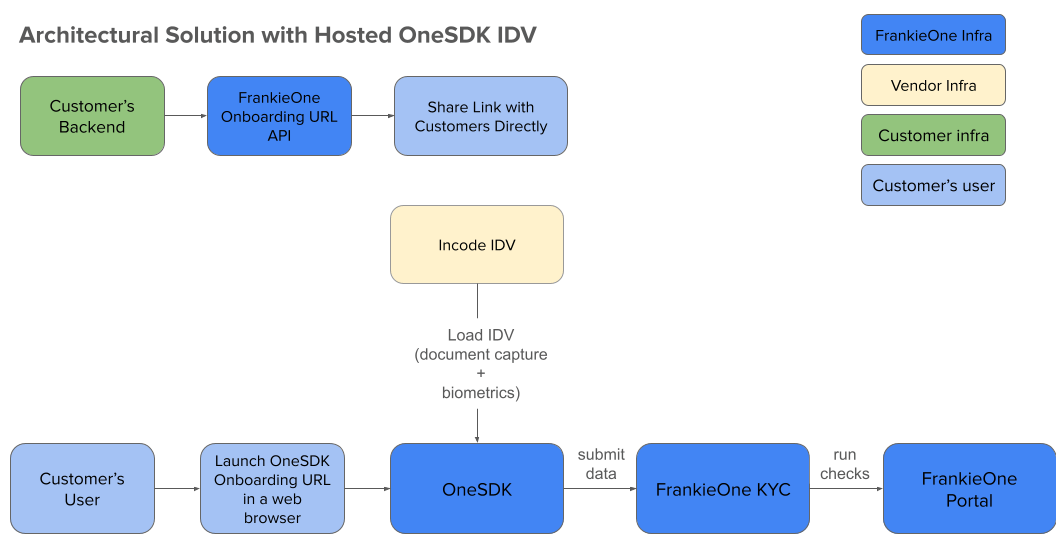
High-level architecture overview
- Backend requests onboarding URL
- User receives verification link
- OneSDK handles document/biometric capture
- Incode processes IDV data
- FrankieOne KYC analyzes results
- Status updates in Portal
User Experience Flows
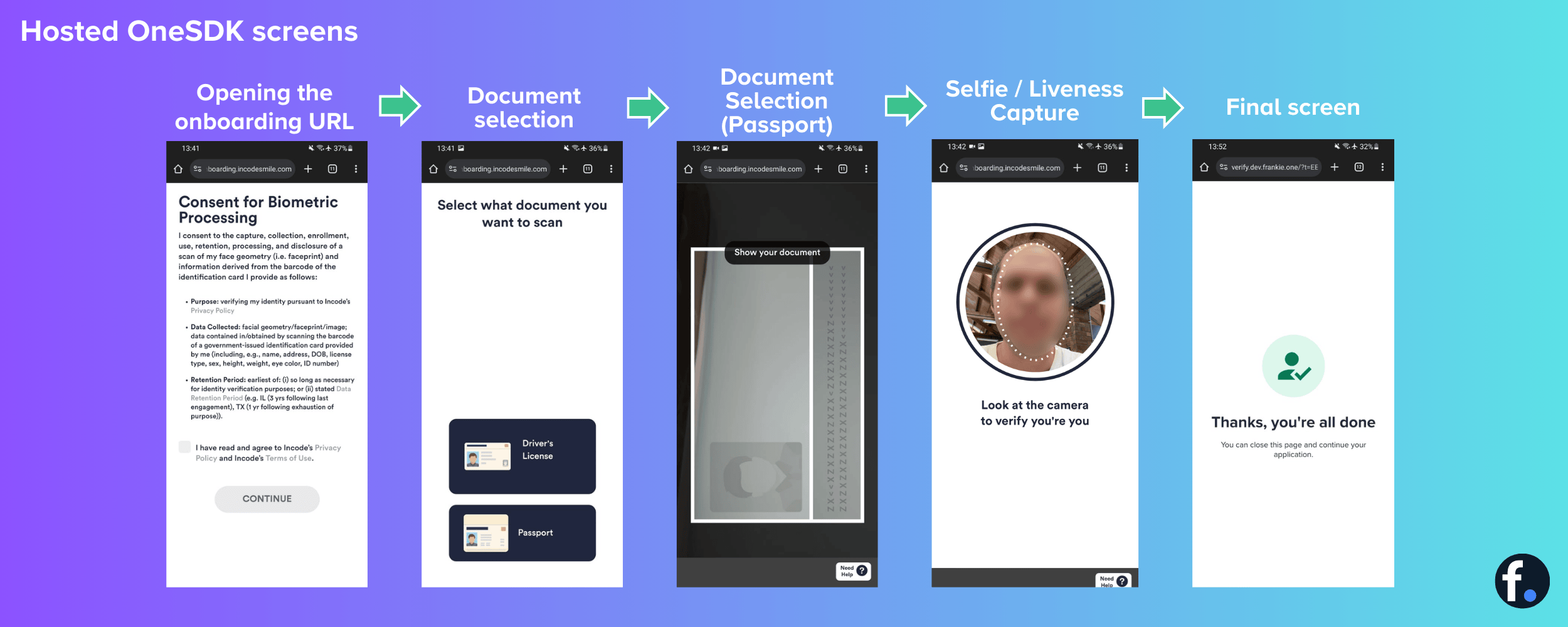
- Desktop Flow
- Mobile Flow
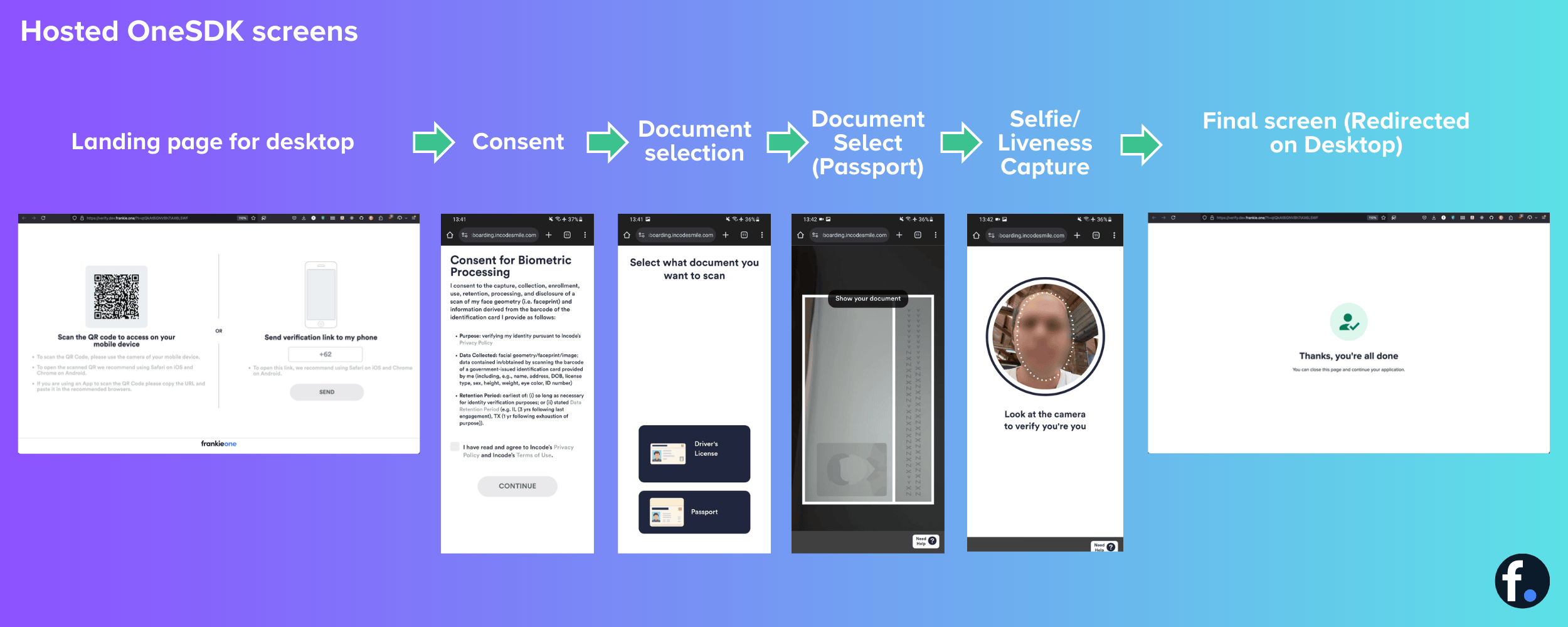
Desktop verification process
Desktop users will need a mobile device to complete the document and selfie capture steps.