Prerequisites
Ensure you’ve obtained your metadata from FrankieOne for your environment.Procedure
-
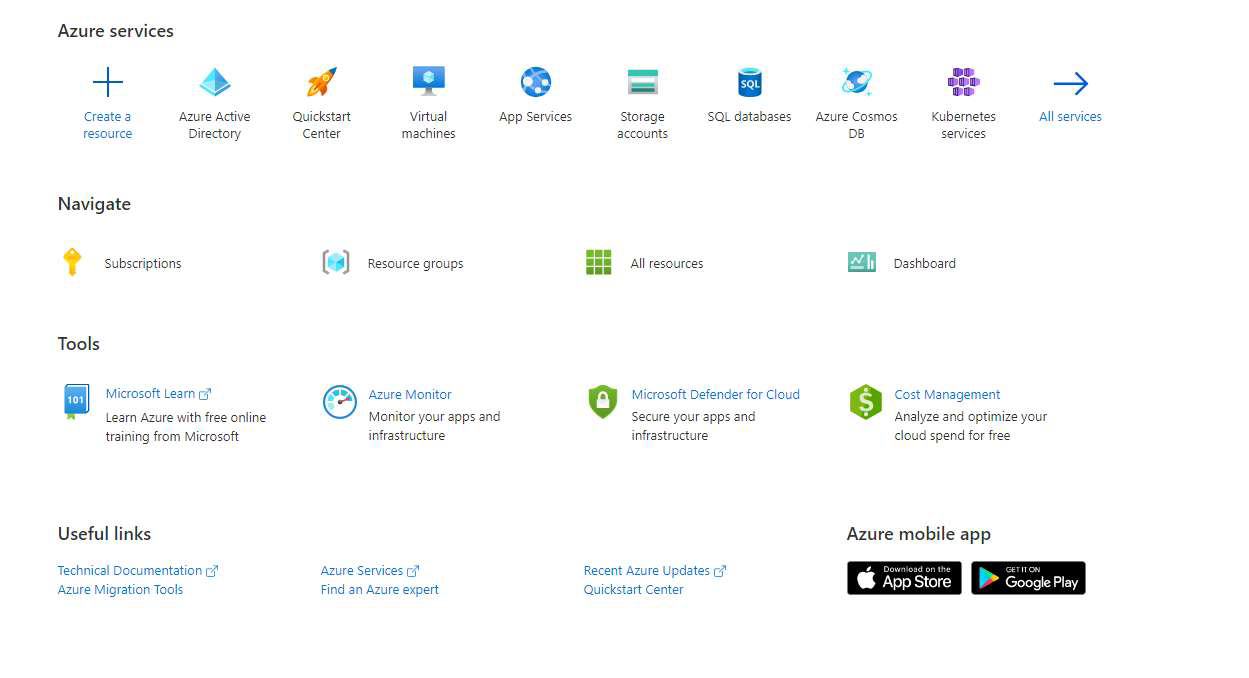
Sign in to your Azure Portal and navigate to Azure Active Directory.
-
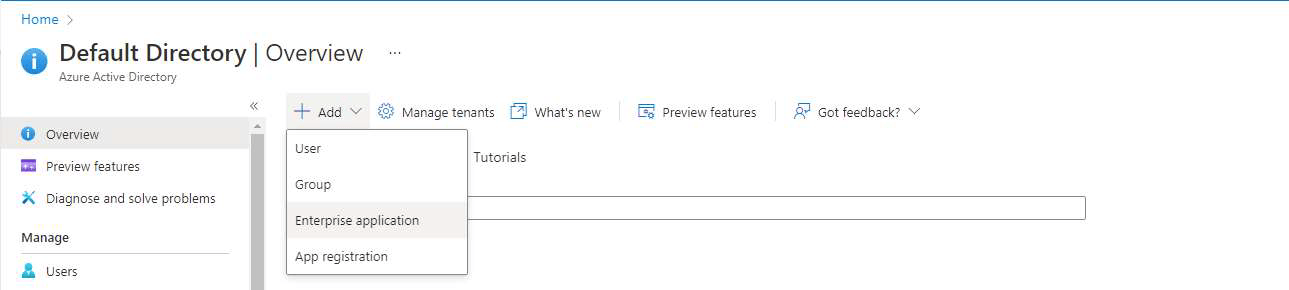
In the Overview section, select New , then choose Add Enterprise Application.
-
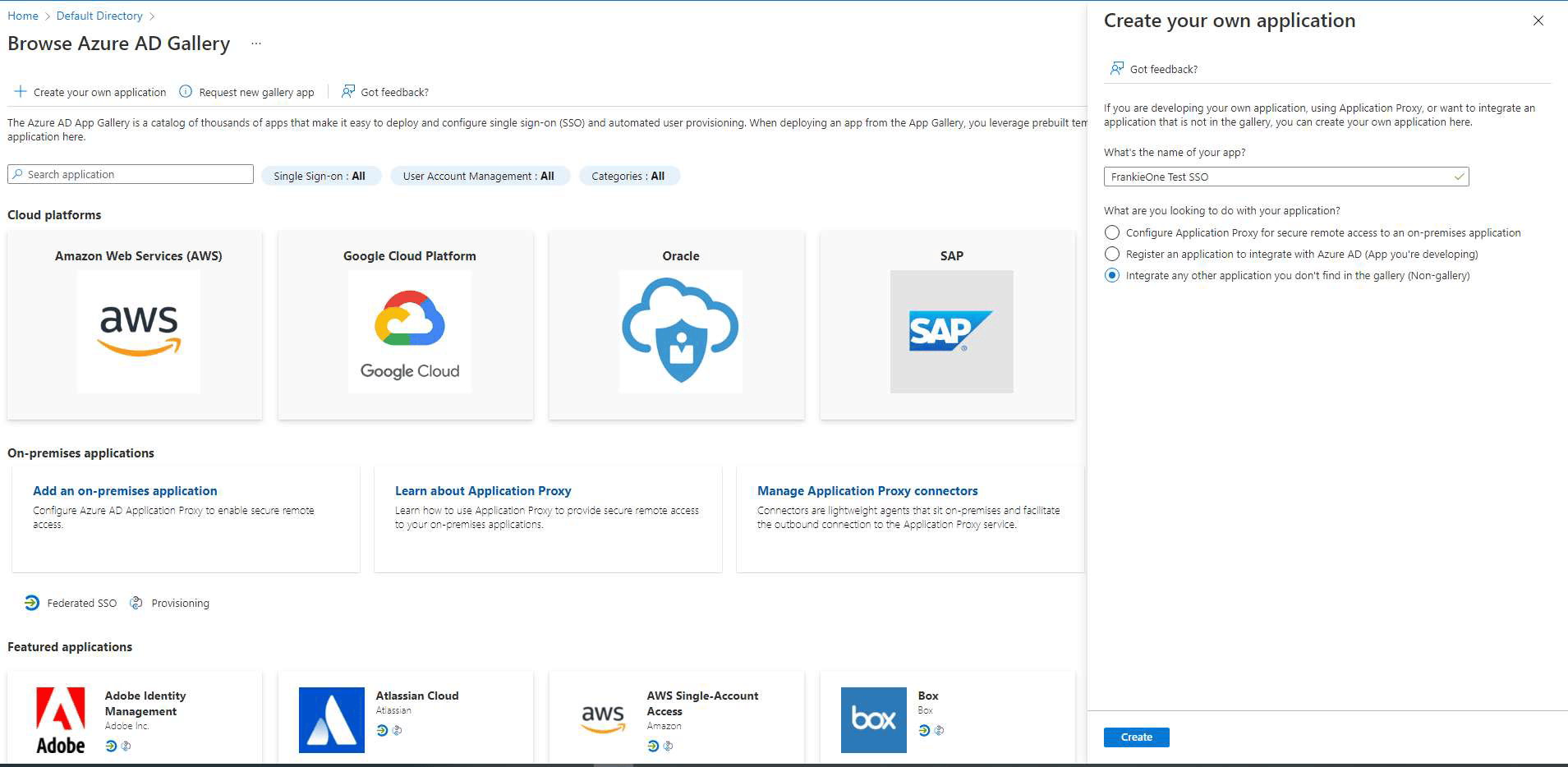
Select Create Own Application , provide a suitable name, choose the Integrate any other application you don’t find in the gallery option, and then select Create.
-
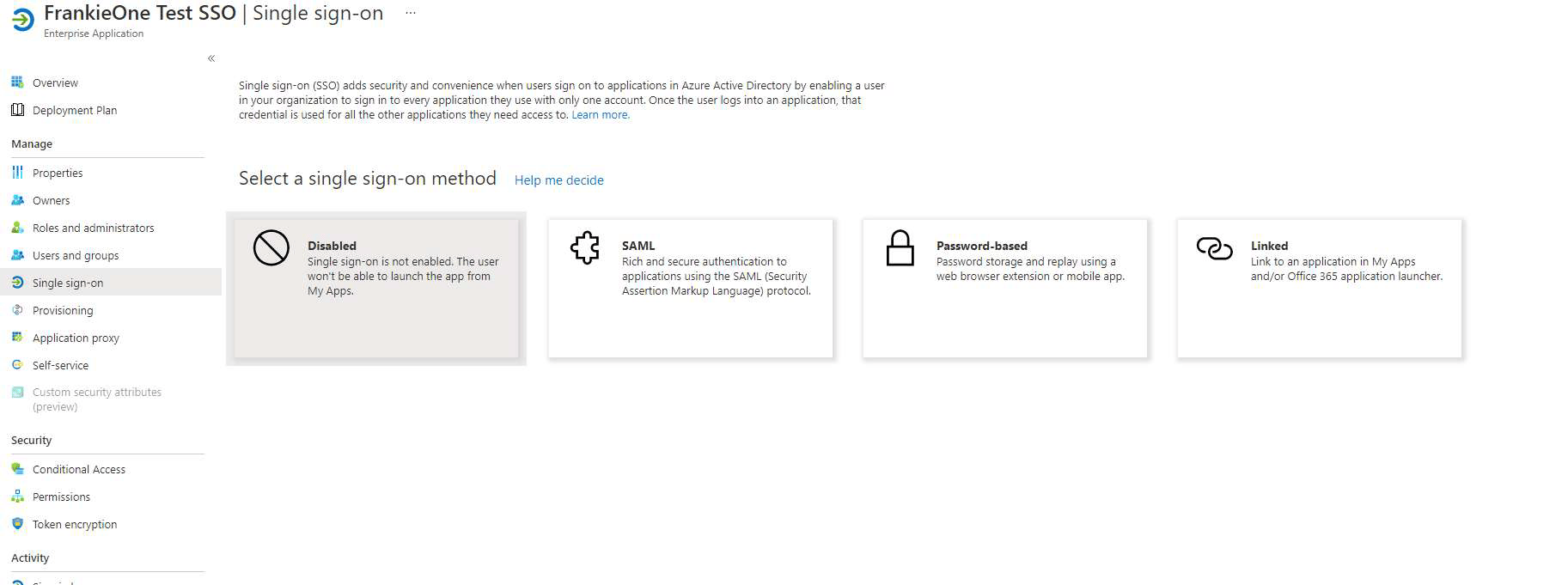
On the Get Started page of the newly created application, select the Set up Single Sign-On option (option 2 in the image below).


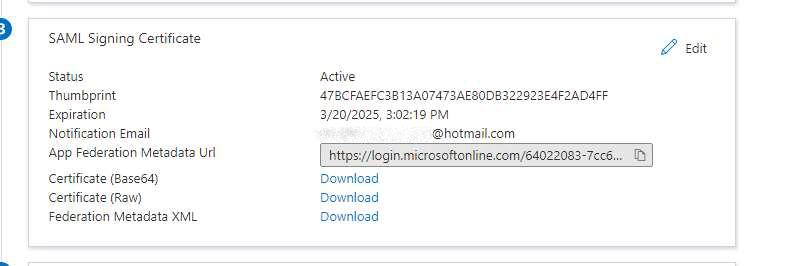
- Select Upload Metadata file to have Azure pre-fill some sections for you.
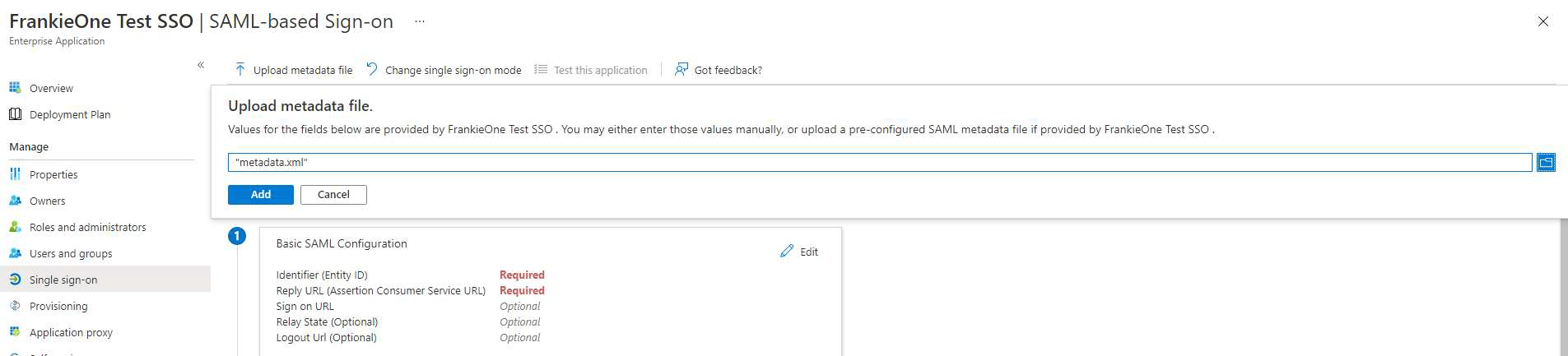
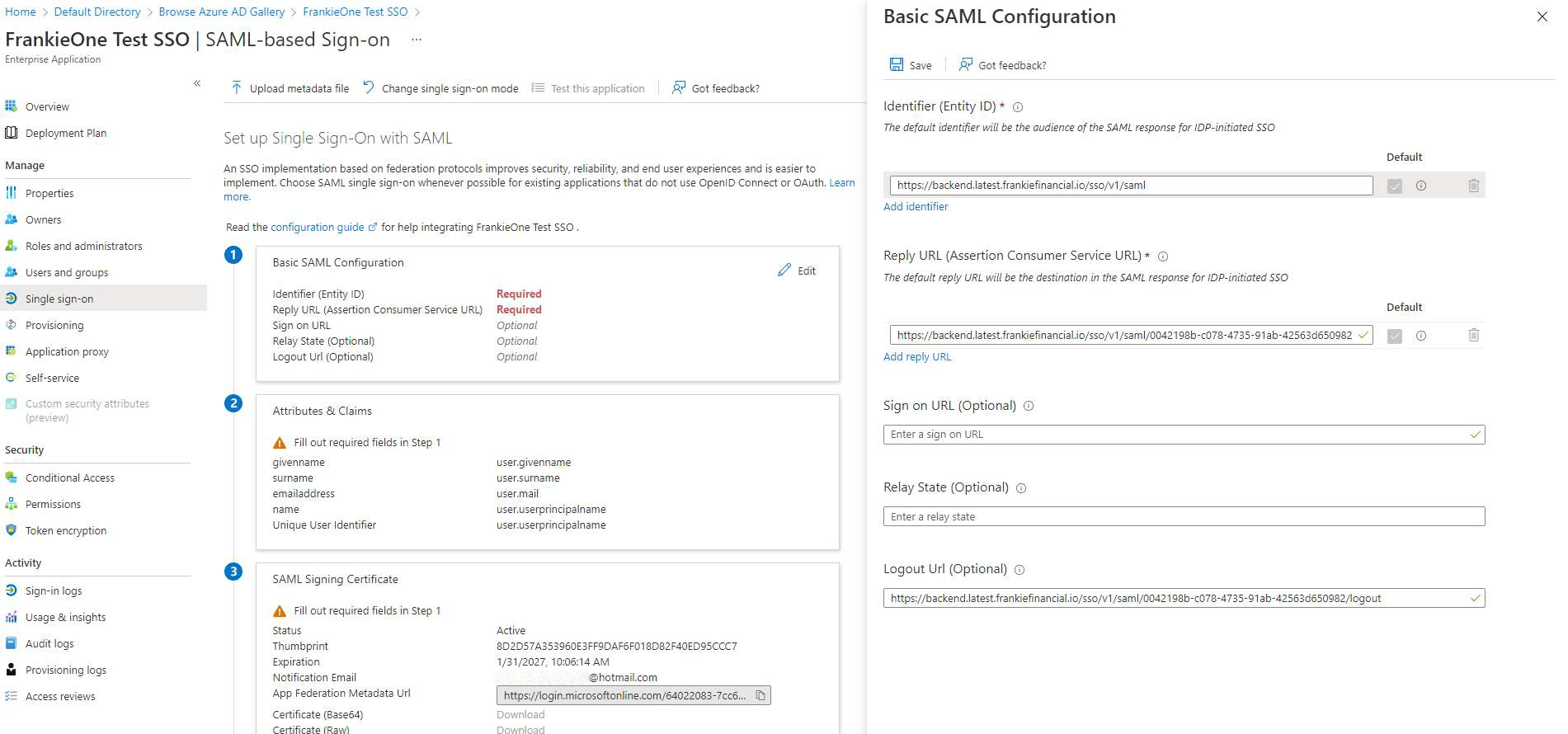
-
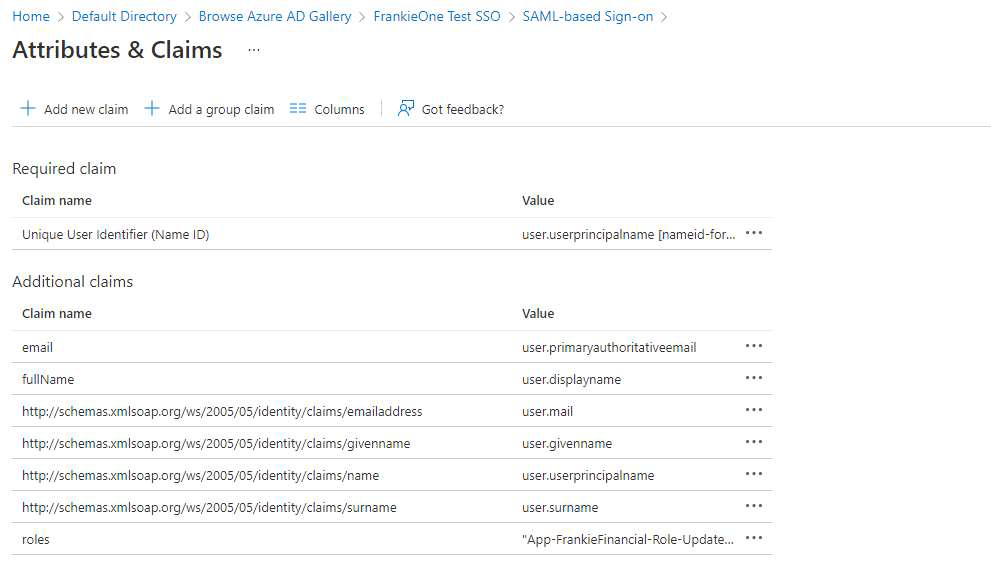
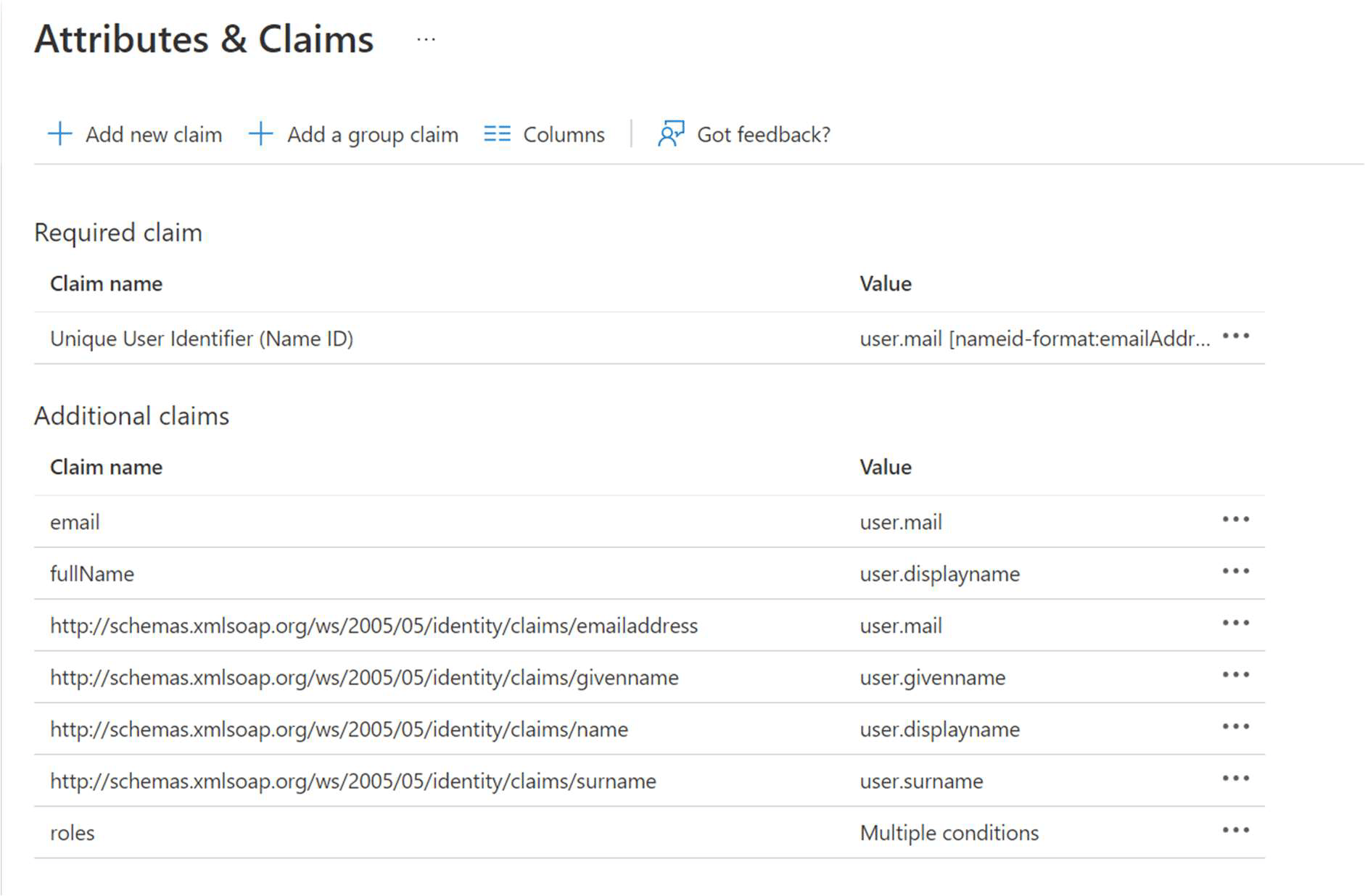
Select Attributes & Claims and add the following attributes to be passed on to FrankieOne:
- fullName
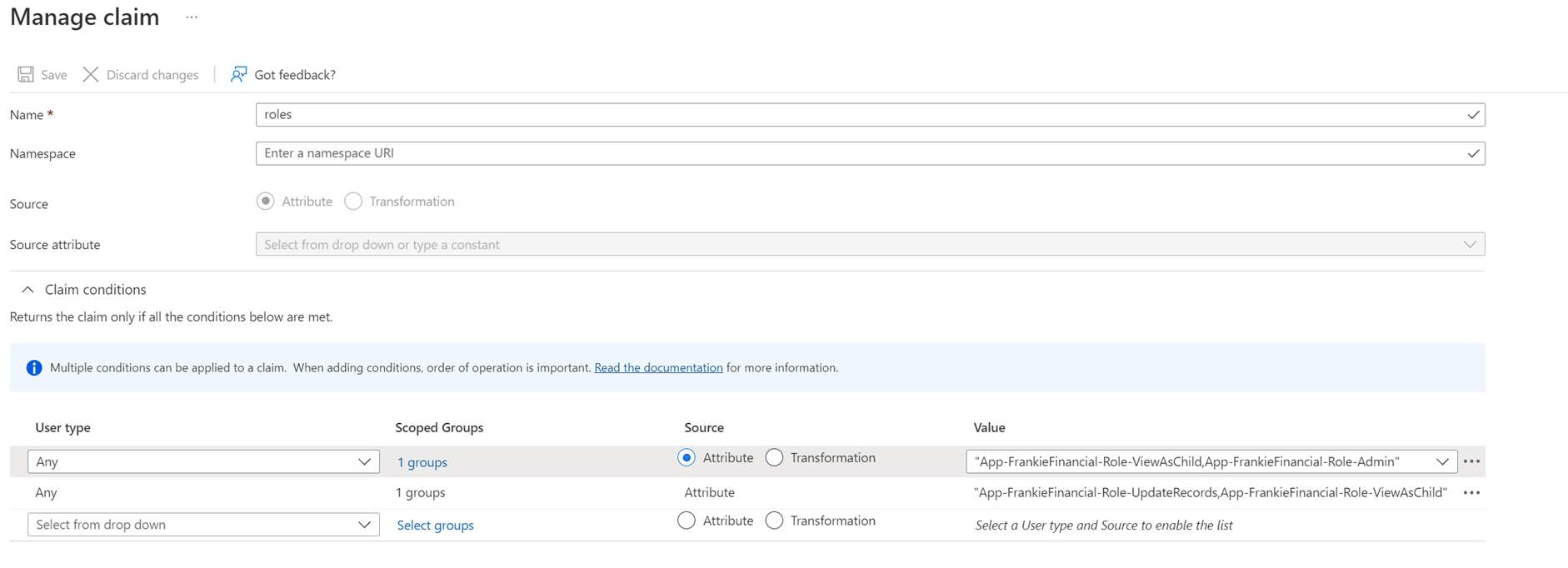
- roles (Available from here)
- After completing the above step, the attributes section of your SSO might look like the image below.