

Access
Global KYB v2 runs on the standardGLB-Organization-* workflow suite on the V2 platform. It’s enabled per customer through two Portal Features toggles and a country-by-country configuration grid — see Enabling international coverage below, or contact your FrankieOne representative.Overview
Onboarding a business outside Australia has traditionally meant a different integration, a different data shape, and a different tool per country. Global KYB v2 replaces that with one API, one organization object, and one set of workflows that route to the right registry provider automatically based on the business’s country — the same way domestic Australian KYB already works on V2. Coverage spans 160+ jurisdictions through Kyckr. Enhanced profiles (full ownership data, officeholders, share capital) are available in major markets; Lite profiles (basic company data) cover the rest. The United States is verified separately through Middesk and is out of scope for this guide — see US Business Verification. This is the final major capability gap between FrankieOne’s V1 and V2 platforms: with international coverage on V2, V1 customers using international KYB can now port over to V2.How it works
International KYB uses the exact same organization entity, the same fiveGLB-Organization-* workflows, and the same reports as domestic KYB. The only difference is where the data comes from, which the platform resolves automatically from the business’s country:
Via the Portal
From an organization search, select the country you want to search in from a configurable country dropdown (your account only sees the jurisdictions it’s been enabled for), then search by name or registration number. Select a result to view its full registry details before creating the entity. Once created, the entity’s Overview tab shows a registry-sourced profile panel with the same field set as domestic (legal name, country, company type, registration number, status, jurisdiction, registration authority, incorporation date, registered address), and the Relationships tab shows ownership the same way domestic entities do — including an explicit “Unknown” row treatment for parties the registry couldn’t classify as an individual or organization. When manually associating a party with an organization, the officer now searches the relevant business registry the same way as when creating an entity — free-text manual entry for organizations has been removed, so every associated organization is registry-verified. (This doesn’t affect individuals, who still take manual details, since a person can’t be looked up in a business registry.)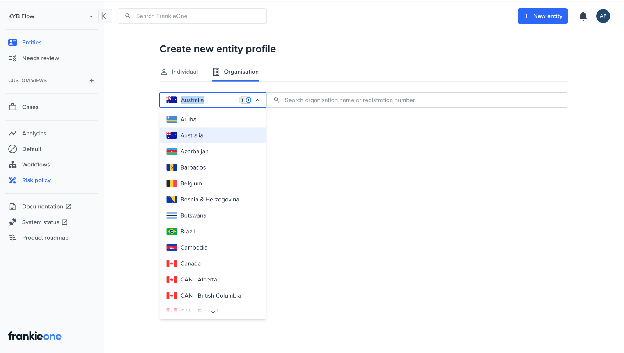
Selecting a country from the organization search dropdown.
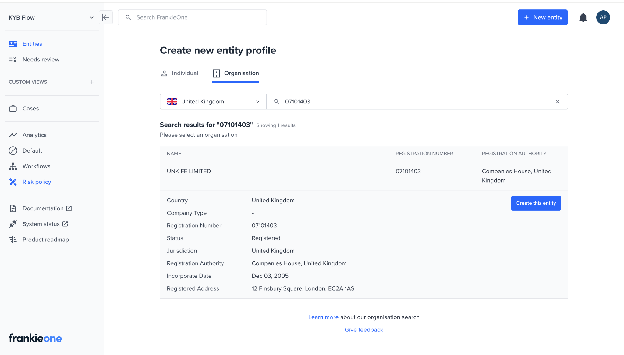
Reviewing a result's full registry details before creating the entity.
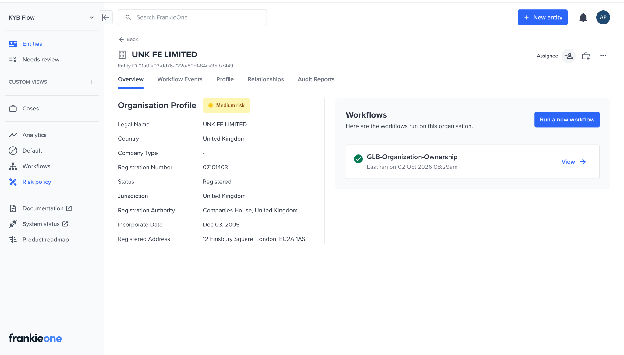
The Overview tab with the registry-sourced Organisation Profile.
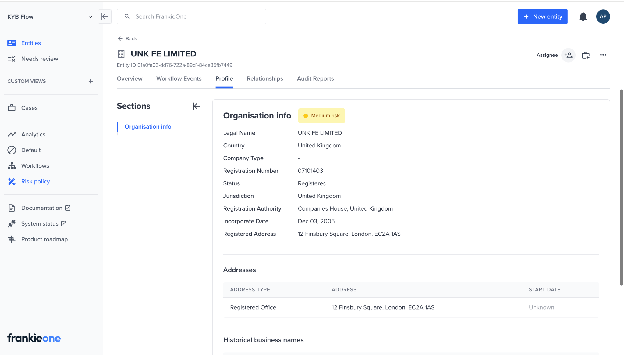
The Profile tab for an international organization.
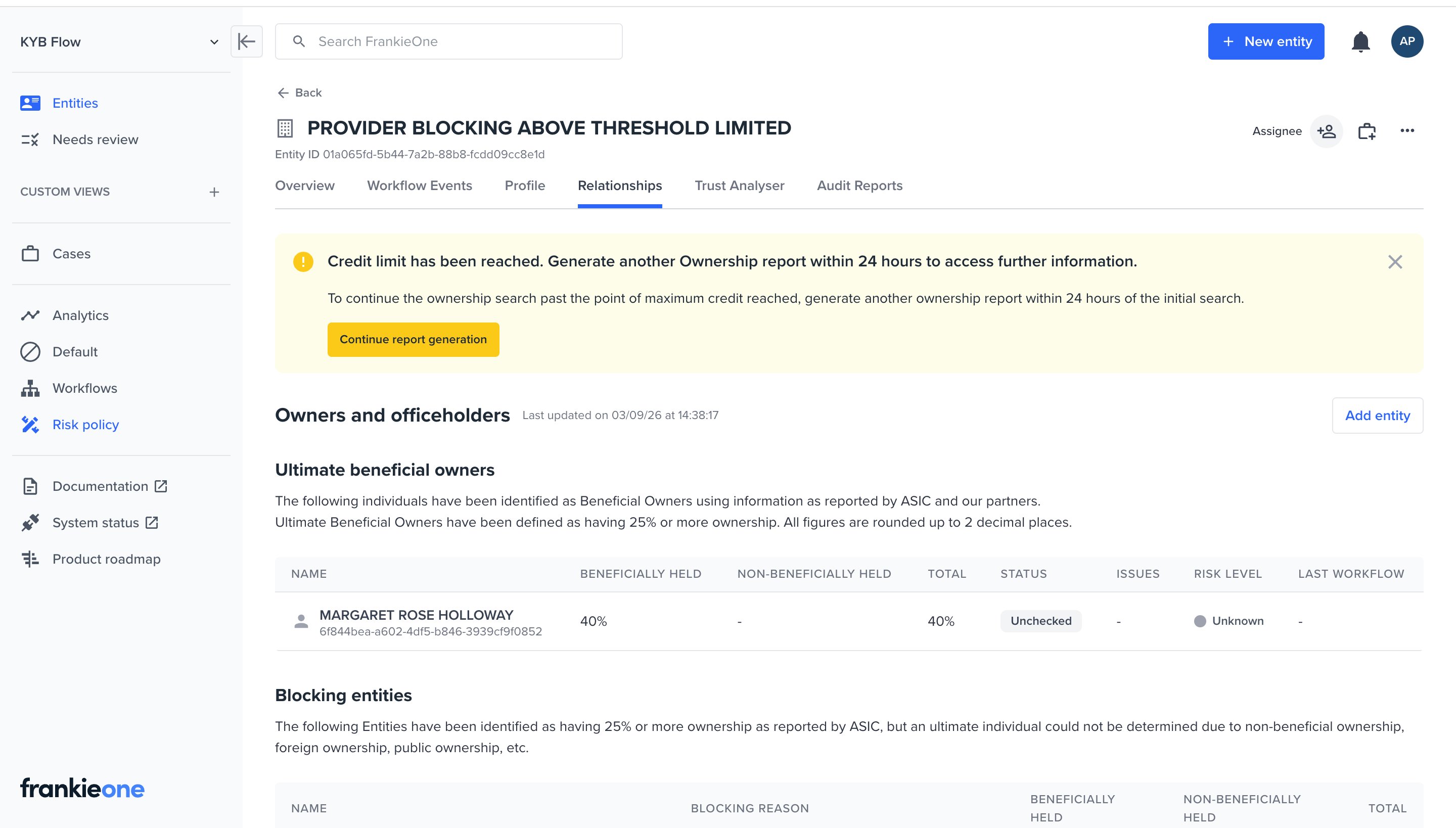
The Relationships tab after an ownership run reaches its credit limit.
Via the API
Look up the business
organizationToken.Create the organization
organizationToken.Execute a workflow
GLB-Organization-Profile for registry details, or GLB-Organization-Ownership for the full beneficial-ownership tree. Force-refresh variants of both always re-fetch instead of reusing recently cached data.Poll for the result
Retrieve the enriched organization
Enabling international coverage
International KYB is switched on per customer through two settings in Configuration → KYB:- KYB in Portal — enables KYB V2 in the Portal at all.
- International KYB — the master switch for international organization search. With this off, the Portal only offers Australia, regardless of anything configured on the Countries tab.
Key capabilities
- Organization lookup — search by country plus name or registration number. Whether search-by-number is available depends on the jurisdiction.
- Organization profile — registry-sourced company details, single-level ownership where the registry publishes it.
- Organization ownership — full recursive UBO tree, using the same 25% blocking threshold and ownership-insights policy as domestic.
- UNKNOWN entities — where a registry discloses that a shareholder or officer exists but not whether it’s a person or a company, that party is stored as a distinct
UNKNOWNentity type rather than guessed at. UNKNOWNs are de-duplicated against each other but never against individuals or organizations. - NAME_IN_ENGLISH alternate names — a romanised or English name returned alongside a local-script name (for example, a Japanese company) is stored as an alternate name. Display and storage only — it is not used in compliance checks or entity matching.
- AML screening and monitoring — the same ComplyAdvantage screening as domestic, including ongoing monitoring, verified against non-English names.
- Risk — the same risk-factor engine as domestic, extended with country-aware gating (a factor can be scoped to specific countries) and a distinct “cross-border” factor separate from focus-organization-relative foreign ownership.
- PDF reports — an International Profile Report and a generic Ownership Report, structurally identical to the domestic reports with AU-specific sections (ABR/ASIC extracts, GST, ANZSIC codes) suppressed. Report template selection is automatic, based on the organization’s jurisdiction — there’s no customer setting or API parameter for it.
- Country restriction — per-customer allow-lists, configured separately for profile and ownership, so an account only runs KYB in jurisdictions it has been vetted and priced for.
Supported jurisdictions
Coverage is config-driven and reviewed periodically. As currently deployed:Frequently asked questions
Do I need a different API or workflow for international businesses?
Do I need a different API or workflow for international businesses?
GLB-Organization-Profile, GLB-Organization-Ownership, and their Force-Refresh variants used for Australian entities work for international ones. The platform routes the request to the right registry provider based on the business’s country automatically.Is coverage the same everywhere?
Is coverage the same everywhere?
Does organization lookup return a normalized status for international businesses?
Does organization lookup return a normalized status for international businesses?
status.normalized the way a domestic AU lookup does.Can I order official registry documents (certificates of incorporation, etc.) the way I can request AU registry documents?
Can I order official registry documents (certificates of incorporation, etc.) the way I can request AU registry documents?
What about ownership for US-jurisdiction organizations?
What about ownership for US-jurisdiction organizations?
Can I restrict which countries my account is allowed to run KYB in?
Can I restrict which countries my account is allowed to run KYB in?
References
- Global KYB Implementation Guide — the full Portal and API walkthrough: lookup, create, execute, retrieve, and interpret results.
- US Business Verification — the separate flow for US-registered businesses.
- Standard Workflows — the full
GLB-Organization-*workflow suite. - Understanding Organization Ownership — what the ownership fields on the organization object mean.
- Interpreting Workflow Results — parse the full
workflowResultobject. - Anti-Money Laundering — screen the parties extracted from an international ownership tree.