

Reviewing Transaction and Activity Monitoring check results
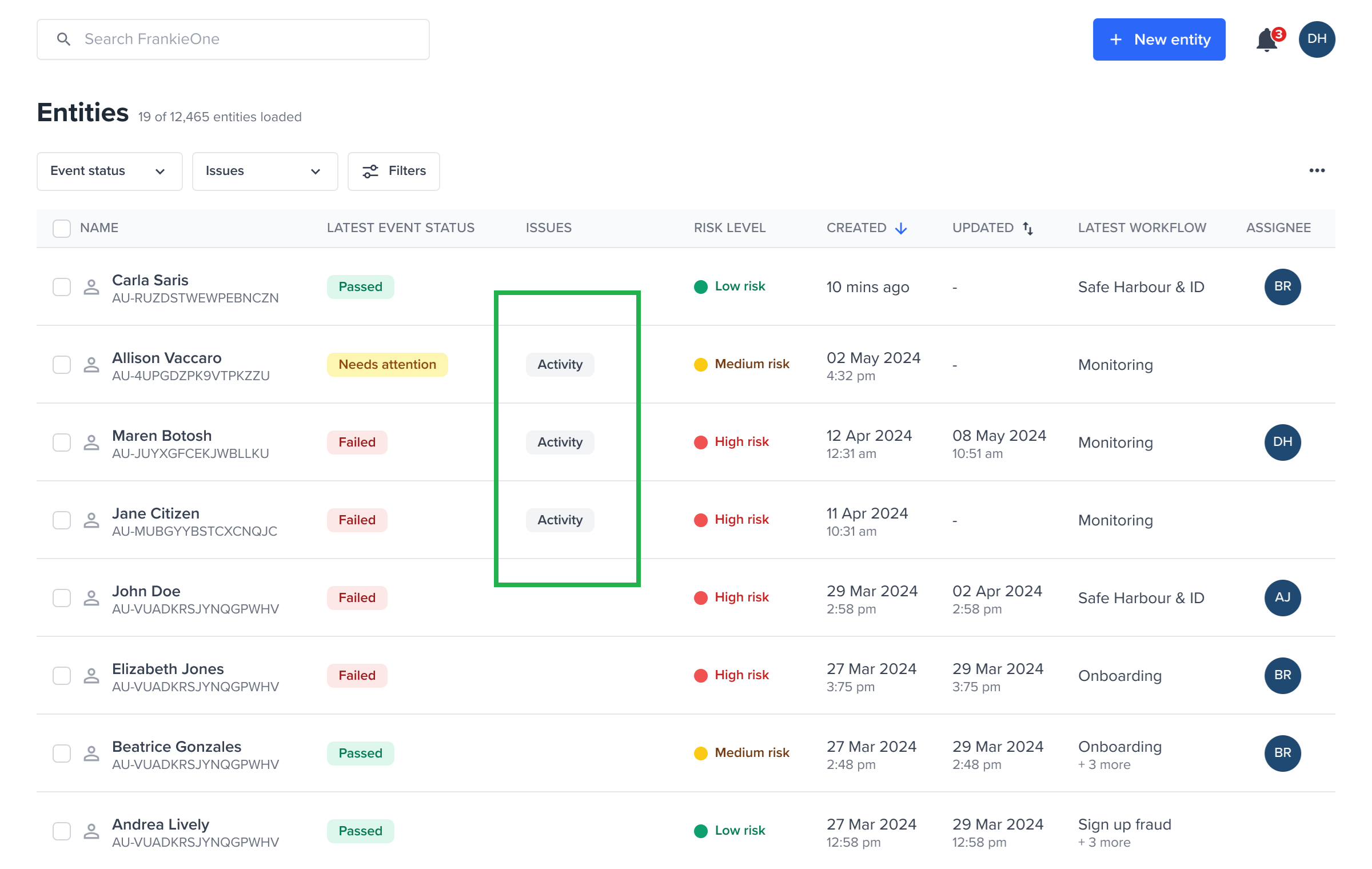
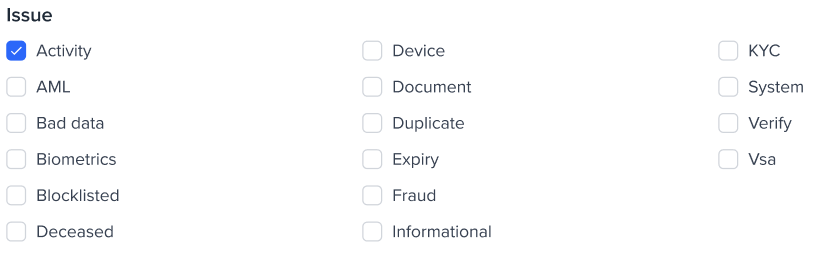
Entity view
Activity and Alerts
An activity is an event or transaction submitted to FrankieOne for evaluation — for example, a bank deposit, a login, or a profile change. An alert is the Portal representation of a Process Result (PRO) generated when an activity meets the risk threshold configured in your monitoring workflow. Alerts indicate a potential fraud or AML concern and require review by a Fraud or Compliance Officer. Here is how they relate:- Activity initiates a check: An activity (for example, a transaction) triggers a check.
- Check results in an Alert: If the check identifies something suspicious based on configured rules, an alert is generated.
- Alerts are managed: Fraud and AML officers then manage these alerts, which might involve resolving them, creating a case for further investigation, or assigning them to a colleague.
Alerts (Check results)
When the Evaluate API is called and the system detects potential transaction and activity monitoring issues, alerts are generated. These alerts indicate potential fraud or AML concerns that require investigation and resolution. These alerts are categorized into two primary sections:- AML transactions and activities - includes alerts related to suspicious financial transactions (for example, transfers, deposits, withdrawals) and activity patterns that may indicate money laundering or other financial crimes.
- Fraud transactions and activities - includes alerts related to fraudulent transactions (for example, unauthorized payments) and high-risk behavioral activities (for example, unusual login attempts and account changes) often associated with account takeover or identity fraud.
Collapsed view
The collapsed view provides a high-level summary of the check results. This allows for a quick assessment of outstanding alerts or those currently flagged as ‘In Review’. It prominently highlights the specific rules that were triggered during the check, offering immediate insight into the potential risk areas.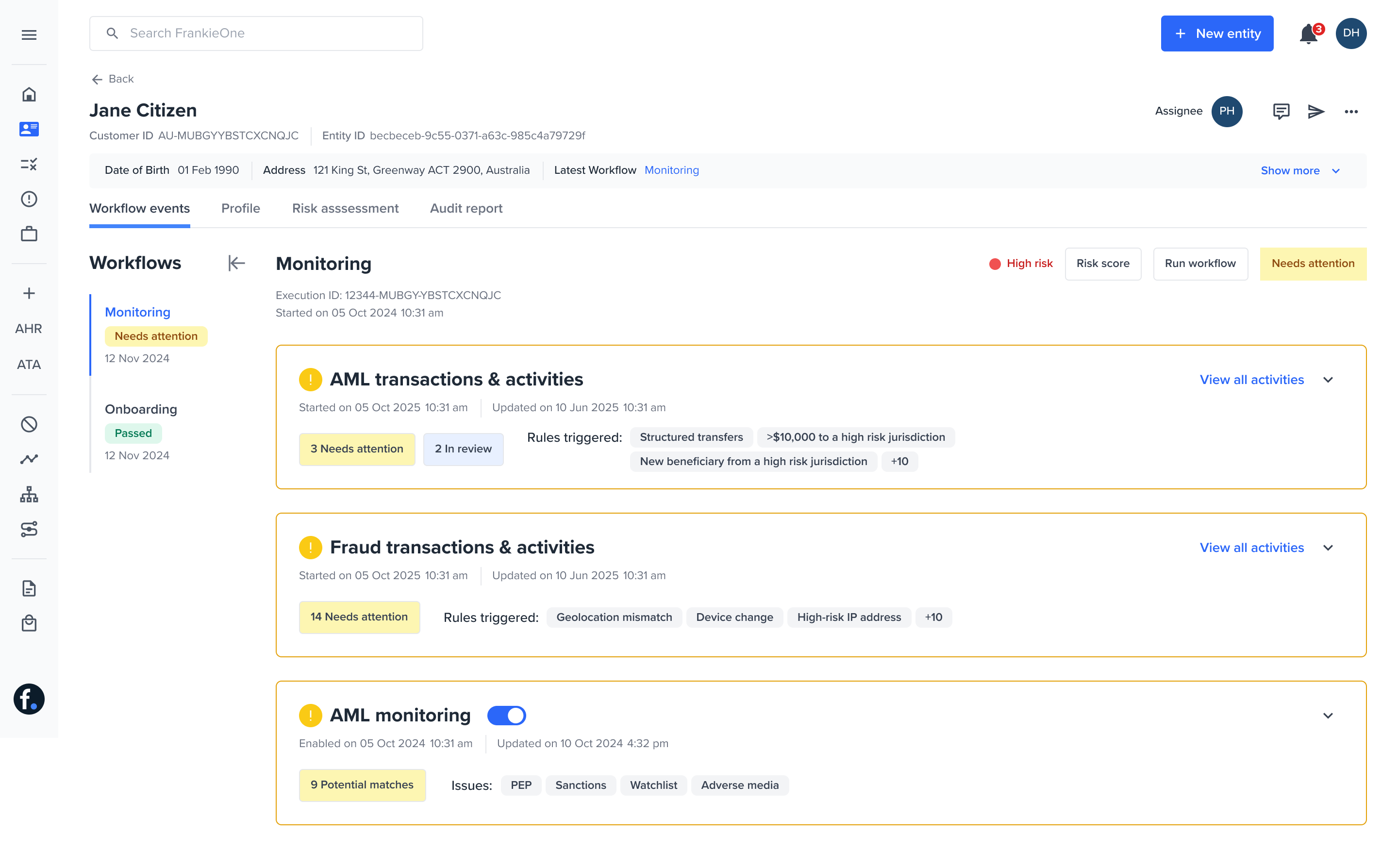
Expanded view
Expanding either the AML Transactions and Activities or Fraud Transactions and Activities section will reveal all individual alerts related to that issue type, along with their detailed information.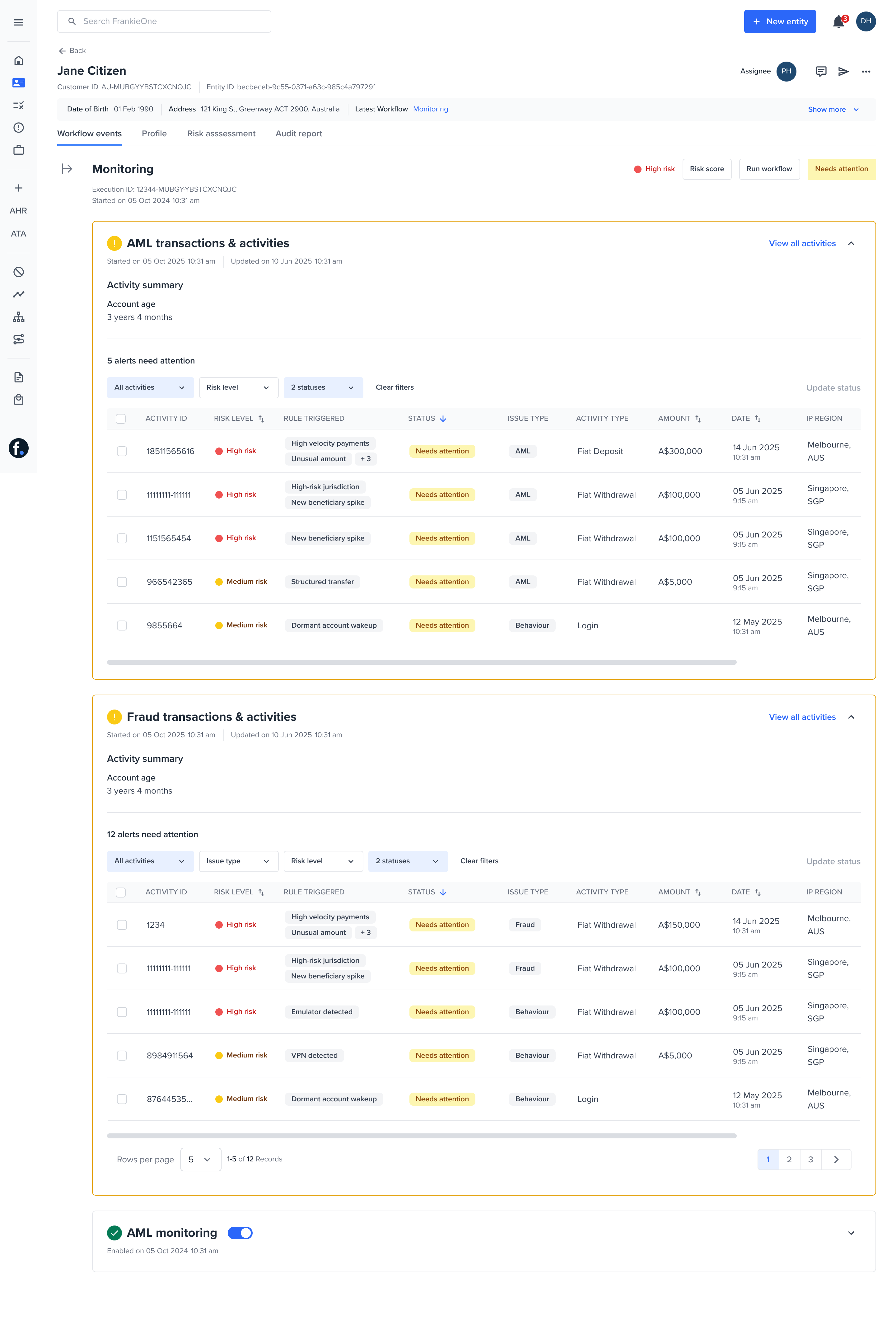
Show current alerts
Current alerts are the alerts in the entity’s current monitoring workflow execution: the result of the most recent workflow run. This includes alerts you have already resolved in this run.- A resolved alert stays in the table, sorted to the bottom, until you resolve every current alert and the workflow re-evaluates. See Resolve alerts and re-evaluate for what changes on re-evaluation.
- Alerts are sorted so the ones needing the most attention appear first: Needs Attention, then In Review, then True Positive: Reject, True Positive: Accept, and False Positive. Within each group, the highest-risk alert is shown at the top. As a result, alerts that still need action appear above alerts already resolved in this run.
- If a section has no current alerts, it shows the message No new alerts have been raised.
- An outstanding-alerts counter shows how many alerts still need action. It counts Needs Attention and In Review alerts.
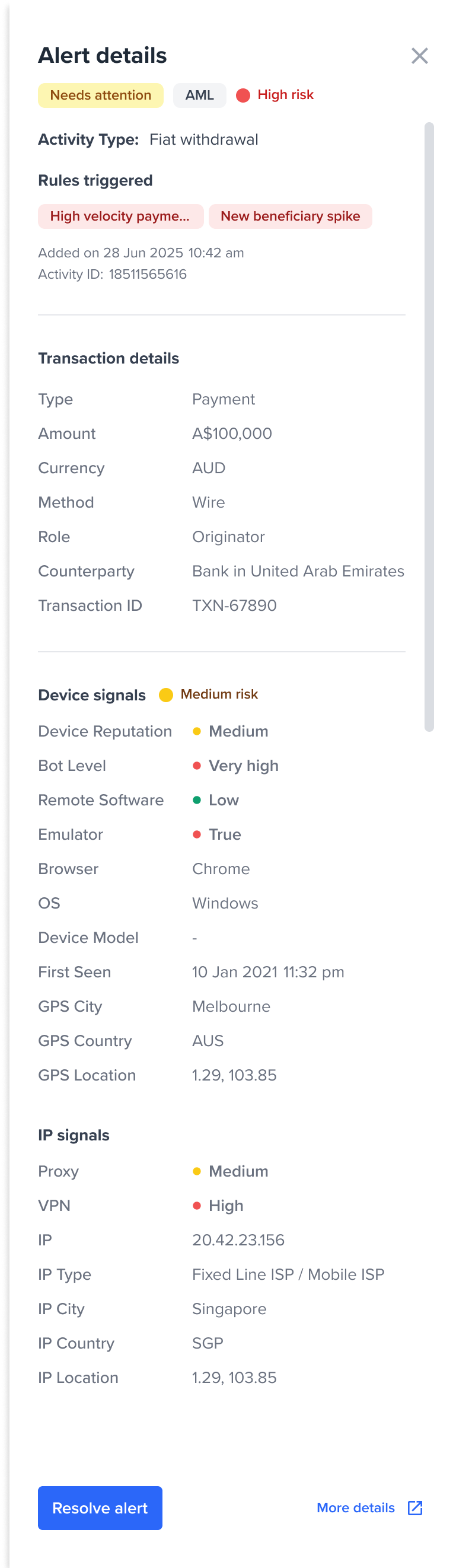
- Activity Details and Triggered Rules: Specific information about the activity that generated the alert and the rules that were triggered.
- Transaction Details: Comprehensive information about the financial transaction, if applicable.
- Device Signals: Data related to the device used, such as VPN detection, remote monitoring, and other device intelligence.
- IP Signals: Information regarding the IP address, including location and associated risk.
- Other information – These are custom attributes (
details.customAttributes) that have been set as part of the details object during the evaluation of an activity. This makes additional activity-level information easy to review alongside standard KYC details.
transactionLabel, the Portal displays that label as the activity type in the following views:
- The Alerts table
- The Alert details drawer
- The Activities table
- The Associated activities table
- The Activity details drawer
currencyType and transactionType (for example, FIAT WITHDRAWAL).
View previously resolved alerts
By default, each monitoring section shows the entity’s current alerts, with the ones that still need action sorted to the top. When you need the full picture, the Include previously resolved toggle brings in alerts resolved in earlier workflow runs. This helps with audits and with understanding how an entity’s risk profile has changed over time.- Each section (AML and Fraud) has an Include previously resolved toggle. It is off by default.
- Previously resolved alerts are alerts actioned as True Positive (Accept or Reject) or False Positive in earlier workflow executions
- If a section has no previously resolved alerts, hovering over the toggle shows a tooltip letting you know there are none to display.
The toggle resets when you leave the pageThe Include previously resolved setting is not saved. If you refresh the page, or navigate away and come back, each section returns to its default view: current alerts only, with the toggle off.