Best Practices

User Experience

  • Clear instructions at each step
  • Proper error handling
  • Progress indication
  • Mobile-responsive design

Data Validation

  • Real-time input validation
  • Format verification
  • Document authenticity checks
  • Data consistency validation
Implementation Tips
  • Test the flow thoroughly with different document types
  • Implement proper error handling for network issues
  • Consider accessibility requirements
  • Provide clear feedback for validation errors

Flow Overview

Manual vs OCR
The manual flow allows users to input their details directly, providing an alternative to OCR-based document scanning. This is particularly useful when OCR scanning isn’t available or when users prefer manual input.
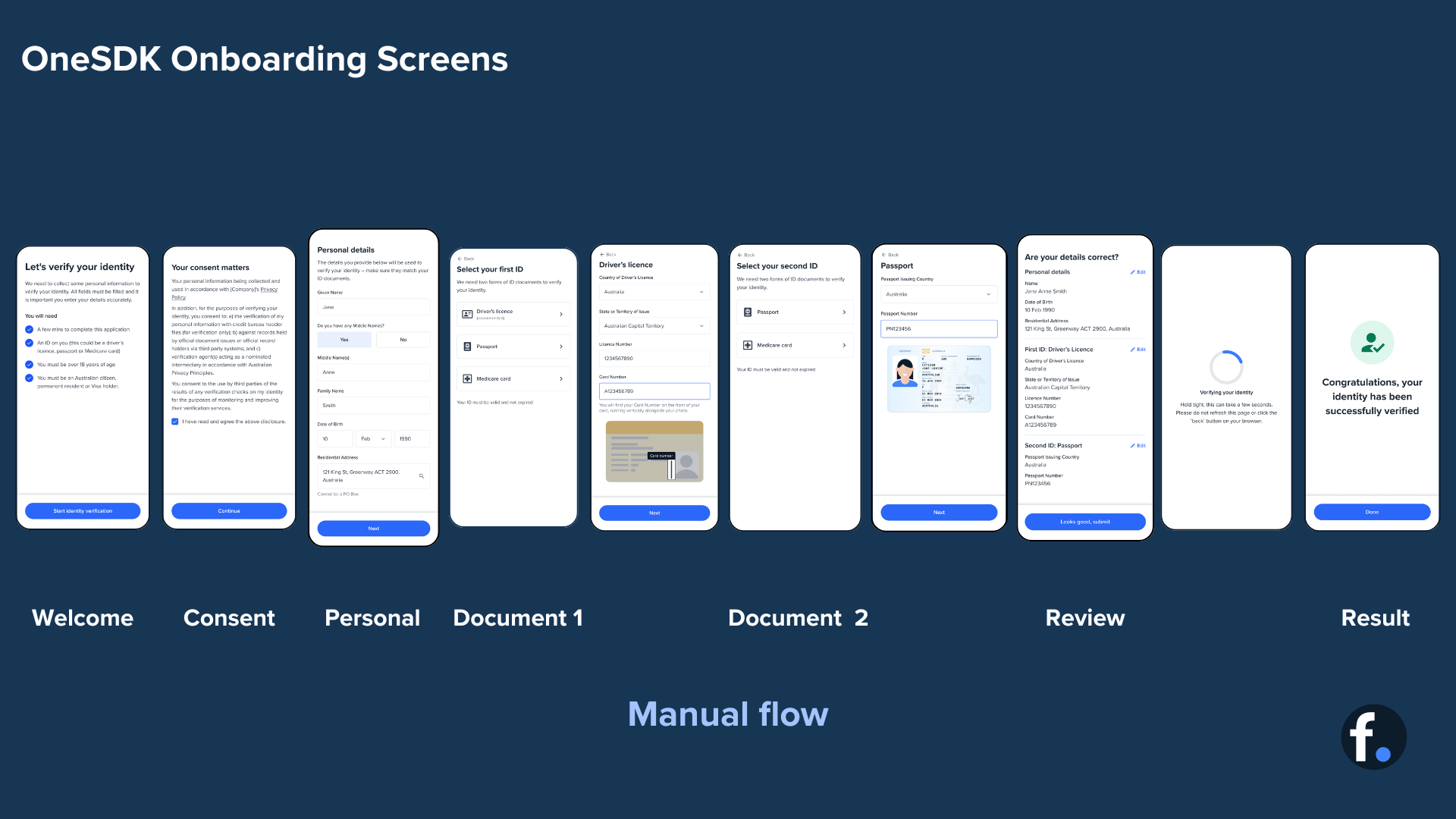
eKYC Form Flow Diagram

Error Handling

ekyc.on('error', (error) => {
  switch (error.code) {
    case 'INVALID_DOCUMENT':
      // Handle invalid document error
      break;
    case 'NETWORK_ERROR':
      // Handle network connectivity issues
      break;
    case 'VALIDATION_ERROR':
      // Handle data validation errors
      break;
  }
});
ekyc.on('verification_failed', async () => {
  // Implement retry logic
  await ekyc.retry({
    preserveData: true,
    maxAttempts: 3
  });
});
Now you have a complete understanding of the eKYC Form flow and its implementation. Remember to test thoroughly and provide clear user guidance throughout the verification process.