

Flow Overview
1
Initial Verification
User submits their information through the standard flow (Personal → Document → Review)
2
Partial Success
If verification is partially successful, show the Partial Result screen
3
Retry Option
User can review and update their information through the Retry flow
4
Additional Information
System may request extra data based on specific failure scenarios
Implementation
Smart Retry Behavior
Previous Address Request
Previous Address Request
Triggered when KYC check results in a partial match and the user hasn’t modified their personal details.
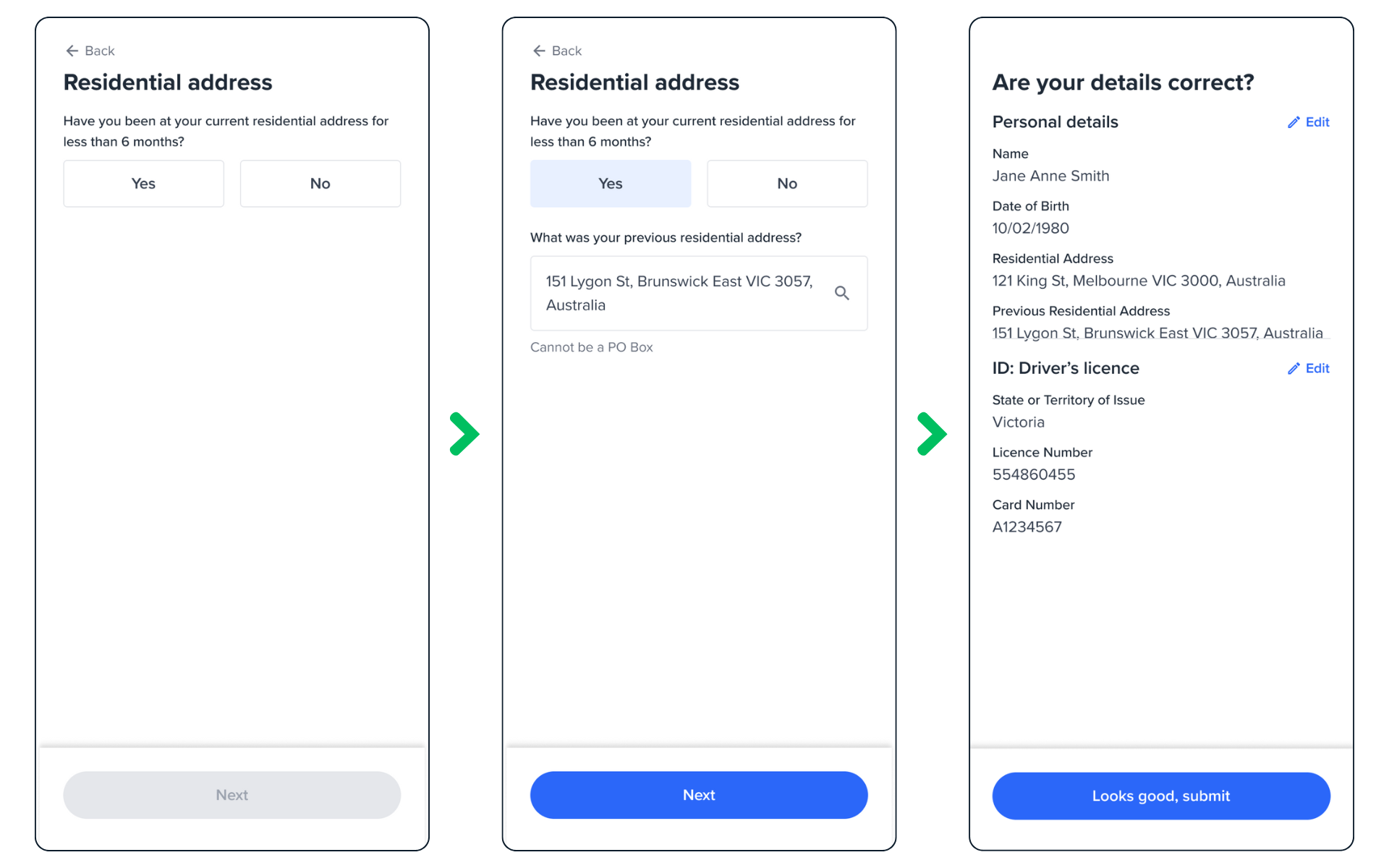
Previous Address Form
- Detects partial KYC match
- Checks if personal details remained unchanged
- Prompts for previous address
- Uses additional data to improve verification chances
addresssI.fullAddress fieldAdditional ID Request
Additional ID Request
Triggered when KYC passes but ID verification fails, and the user hasn’t modified their ID details.
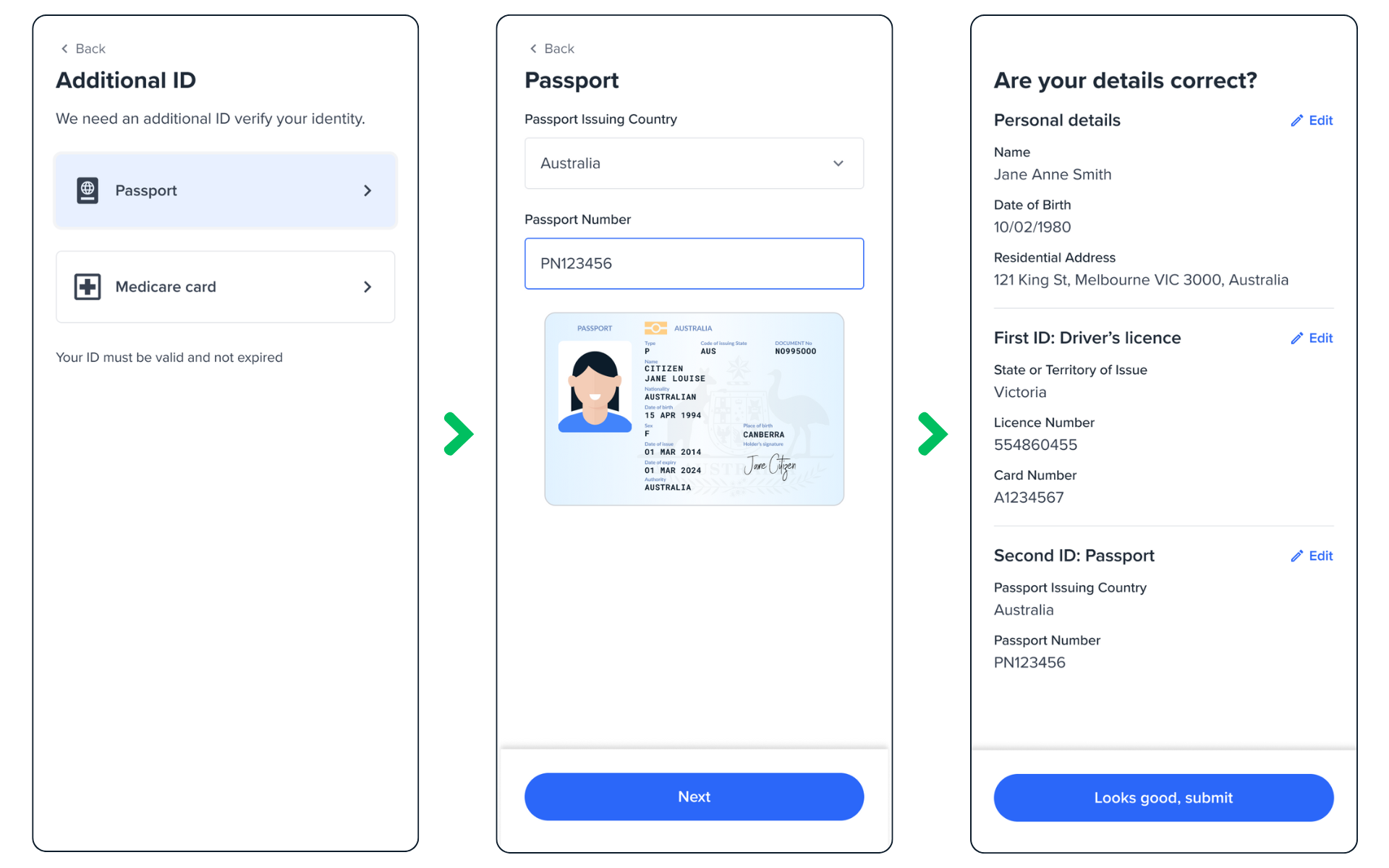
Additional ID Form
- Detects successful KYC but failed ID verification
- Checks if ID details remained unchanged
- Prompts for alternative ID document
- Resubmits for verification
additionInfo propertyBest Practices
Retry Limits
Implement a maximum retry count to prevent endless attempts:
User Experience
- Clear error messaging
- Intuitive navigation
- Progress indication
- Helpful prompts for additional information
Remember to handle edge cases such as: - Network failures during verification
- Timeout scenarios - Maximum retry limit reached - Invalid or corrupt document uploads
Common Integration Points
- Review Screen
- Partial Result
- Success Handler