

Note
When entities are created, Profiles aren’t assigned by default. Entities can receive a Profile once a pre-defined Recipe has been assigned and run. This assignment can be completed via the Portal or API.Steps
To update a legacy customer profile to use a Recipe in Portal, complete the following steps:- Open the customer’s profile.
- Navigate to Personal Info tab.
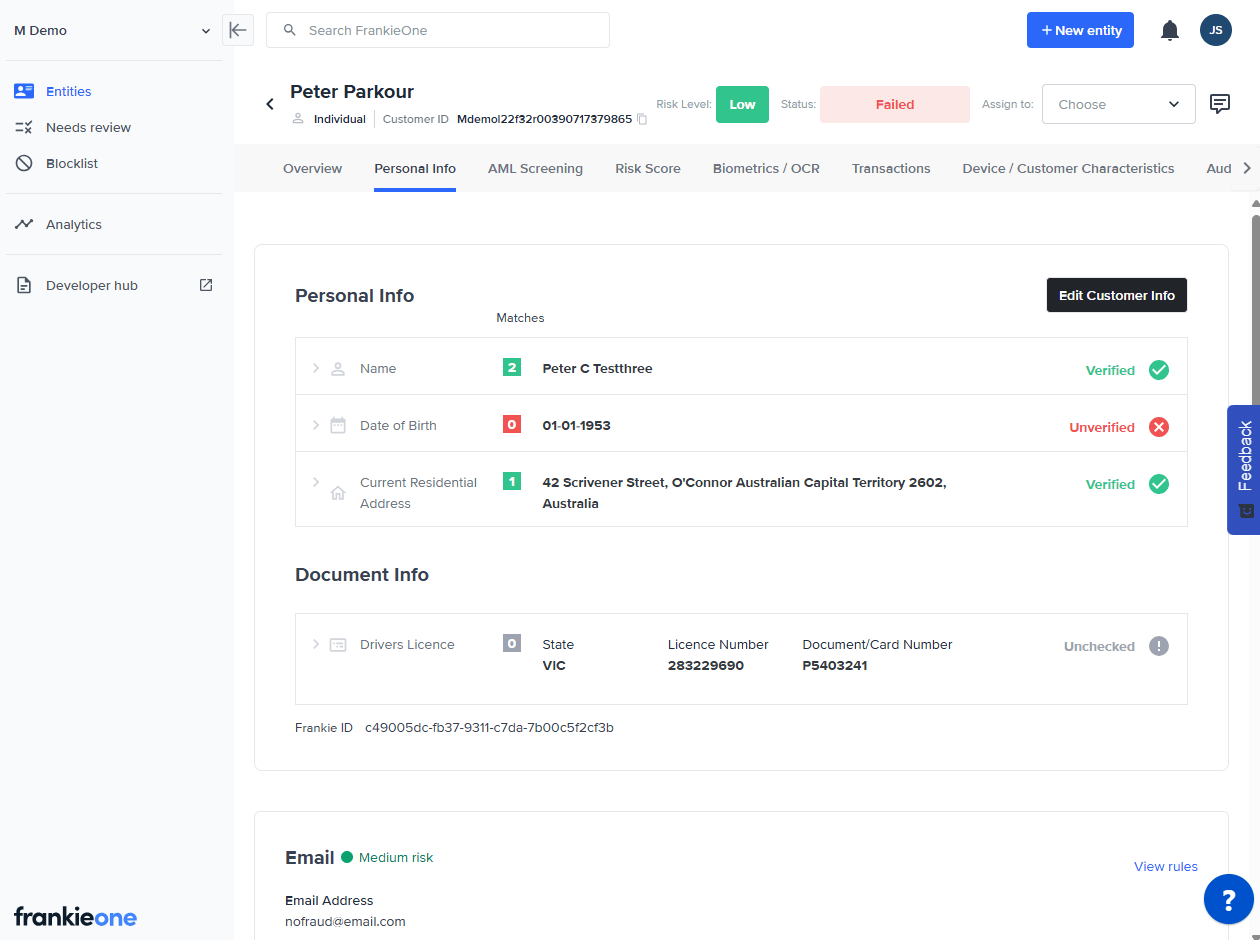
Personal Info
- Click on Edit Customer Info.
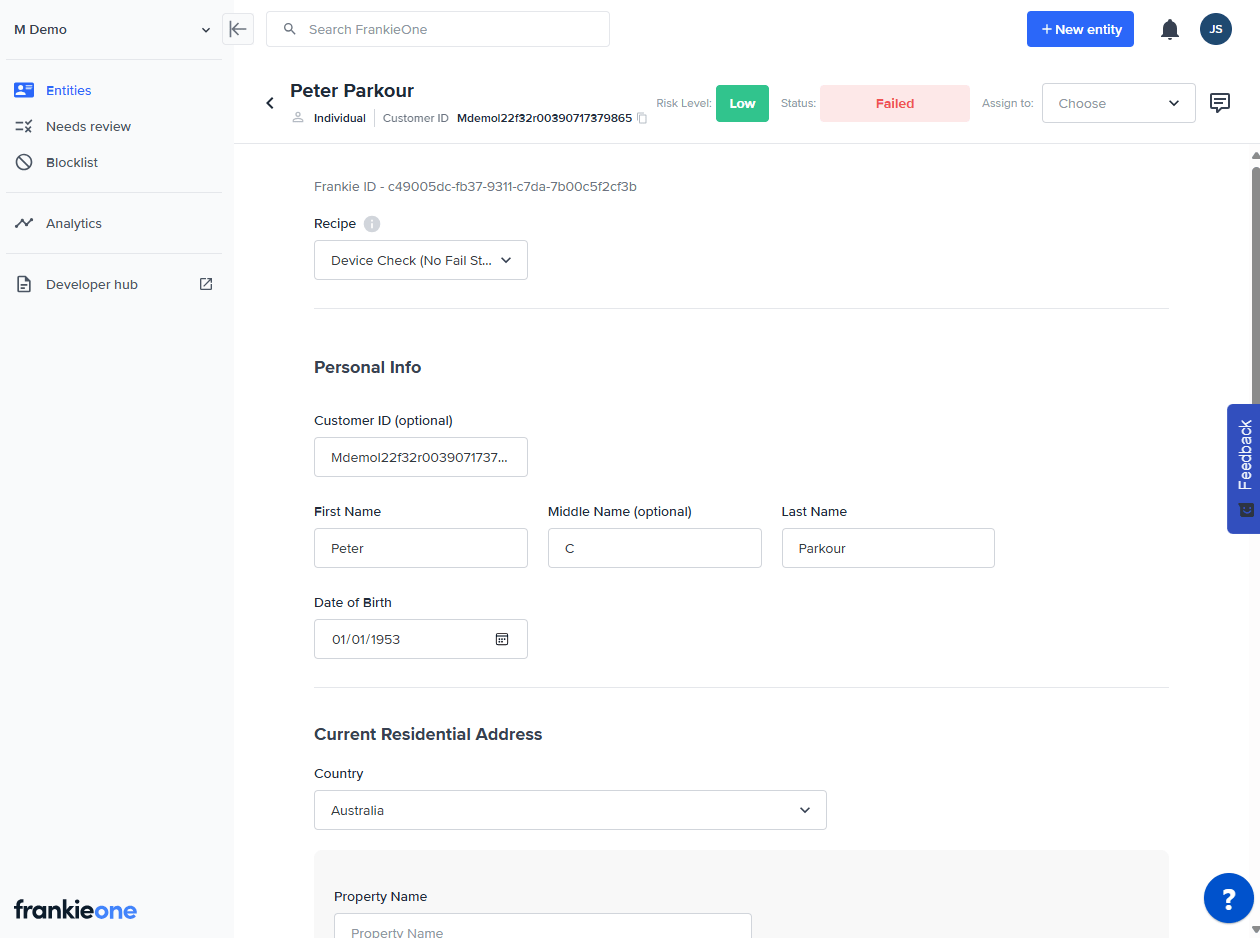
Edit Customer Info
- Select an option from the Recipe dropdown.
- Click on Save & Verify to run the new checks associated with this Recipe.