A Recipe allows you to change the combination of checks that are performed on a customer at any given time in the customer’s lifecycle. You may switch a customer to a different ‘Recipe’ via the portal or it can also be called via API based on a trigger in the system such as the customer applying for a new product (i.e., credit card) or change of name or address etc. To change the ‘Recipe’ via the Portal.
  1. Open customer’s profile.
  2. Navigate to the KYC/Personal Info Tab.
  3. Click Edit Customer Info.
  4. Select from the Recipe dropdown.
  5. Click Save & Verify to run the new Recipe.
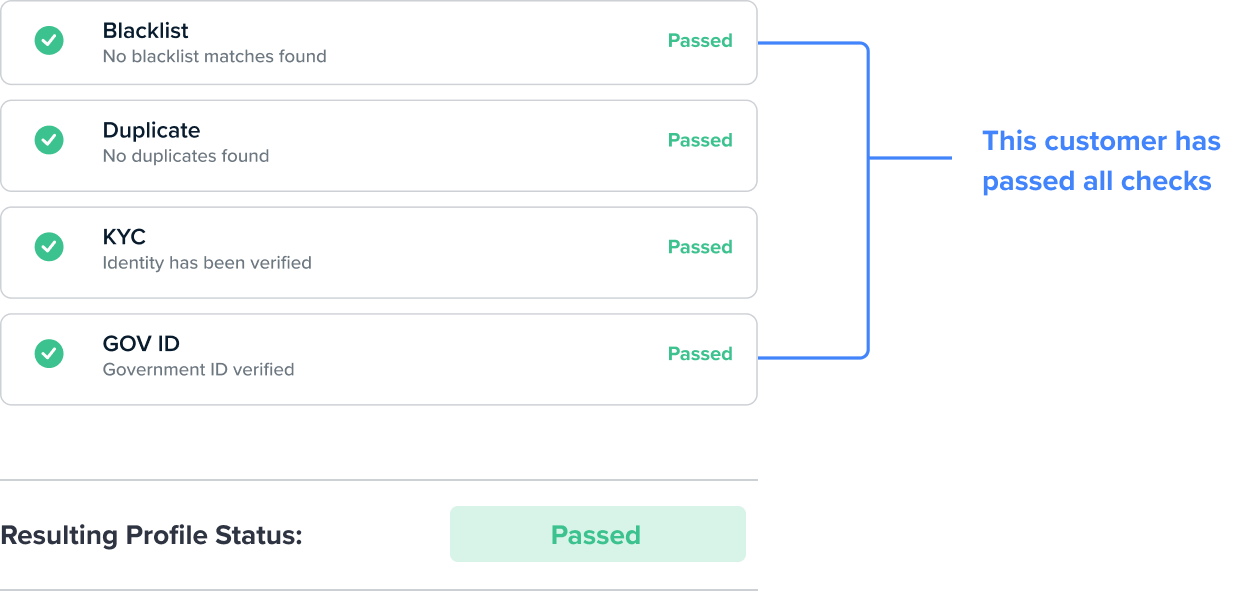
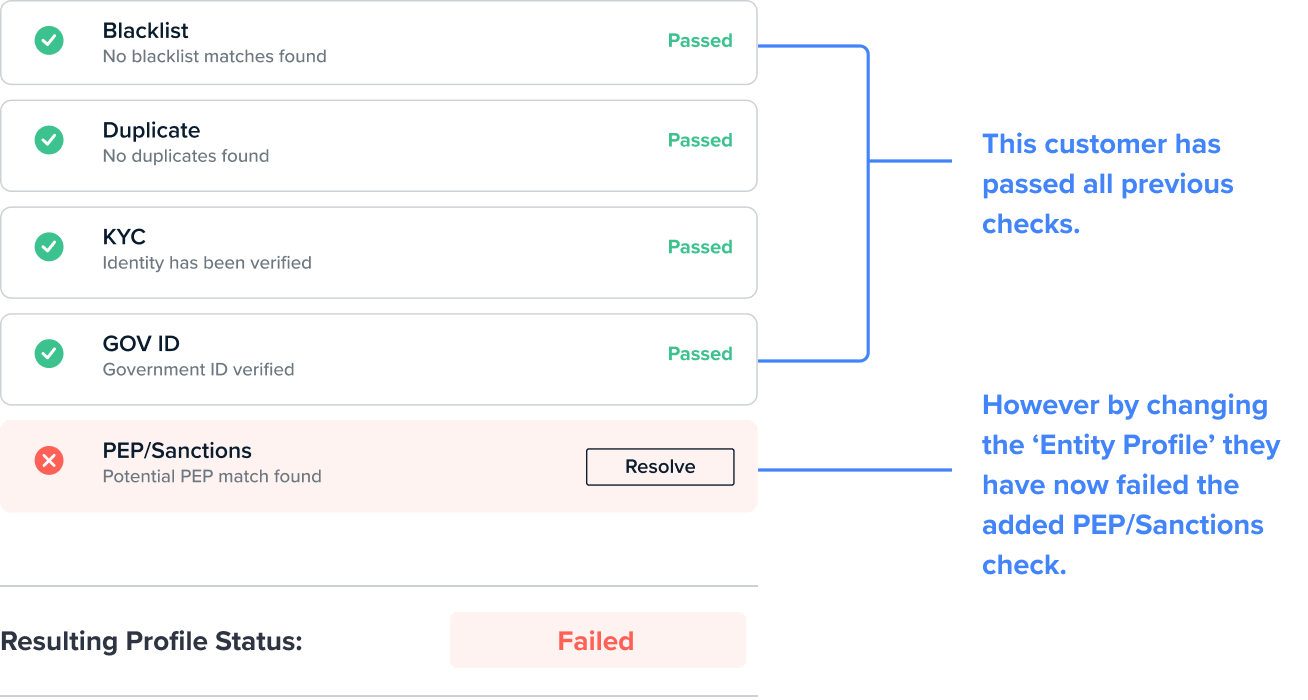
Example of results on a ‘Basic’ Recipe made up of 4 checks. The customer has passed all of the checks as required by this Recipe. Recipe: Basic Results after changing the Recipe Additional checks are required as part of this Recipe, however, because the customer has already passed the same 4 checks from the first Recipe, these are counted towards the final result and only the single additional PEP/Sanctions check is run. Recipe: Extended If fewer checks are required After changing the Recipe, the results of a customer’s prior checks will be counted towards the new Recipe with no additional checks required. The exception to this is where the check result has ‘aged’. If a check result has passed the specified age limit it will no longer be counted towards the overall check result.